1
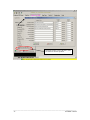
TIP: Changes made within this optimization model are linked back to all other information (i.e. changes in
crop price are also changed in the crop price tab). Saving a different file names is recommended when you
make changes, particularly if you want to refer back to your original analysis.
Printing reports
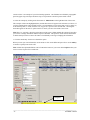
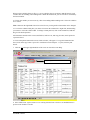
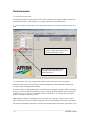
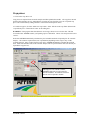
To print an optimization, click on the printer button. Similar to the previous tabs, you have the option to
print or copy the information into Excel. A separate report needs to the printed for each moisture level.
Click on another moisture level tab to display that report.
______________________________________________________________________________
- 20 –
AFFIRM Tutorial