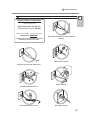
1
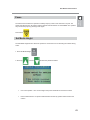
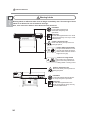
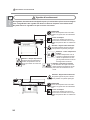
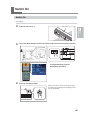
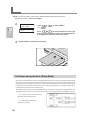
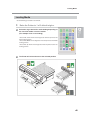
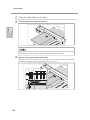
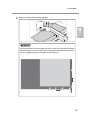
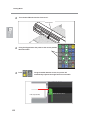
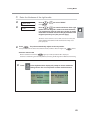
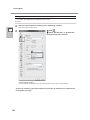
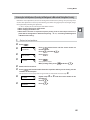
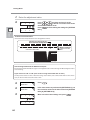
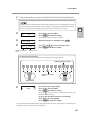
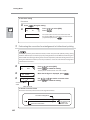
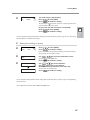
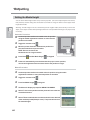
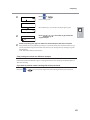
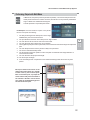
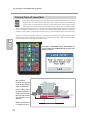
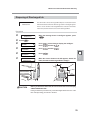
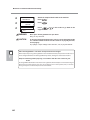
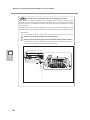
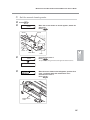
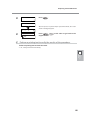
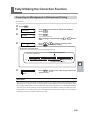
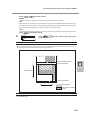
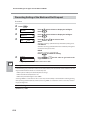
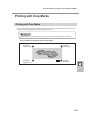
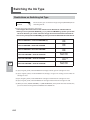
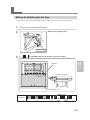
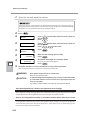
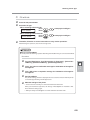
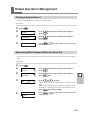
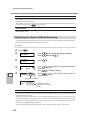
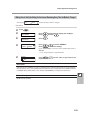
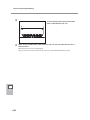
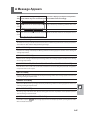
Loading Media 2. Perform the position correction of feed direction (Alleviate Horizontal Stripes). Feed direction means the feed direction of the media. Perform the correction adjusting to the media in advance because horizontal stripes are more likely to occur during printing when the movement distance of the media changes subtly depending on the kind or thickness of the media. CALIBRATION [SET] NEXT Press Press Basic Operation 2 to select [SET]. to enable the setting. The test pattern of feed correction is output. INPUT ADJ. VALUES When the left figure is displayed, press CALIBRATION 0.10% -0.10% Use Press Current correction value . to set the correction value. to enable the setting. Value to be set To decide a Correction Value Select the value to make the upper/lower rectangular gap and overlap smallest. Smallest gap and overlap Current correction value Gap present REDO ADJ. ? YES [DONE] Overlap [To confirm again / adjust again] to select [YES]. Press to enable the setting. Press The test pattern of feed correction is output again. Go back to the procedure and set again. [To go to the next after correction is completed] to select [DONE]. Press to enable the setting. Press For the individual setting method of this setting item and the description, refer to page 111 "Alleviating Horizontal Bands and the Like (feed correction function)." 59