1
Detailed Display Mode
Job Select:
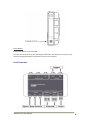
This key will enter the Job Select page where the required Job can be opened. All marking data will be
recorded to this Job when Marking Mode is entered. The current job title is displayed in the top-left
corner of the display.
Job titles are listed only numerically for the software version V1.0. An upcoming software update will
allow text fields to be entered so meaningful job titles can exist (e.g. State Highway 16). Available with
the Q3-2011 software update.
Pattern Select:
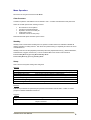
This key will enter the Pattern Select page. When a pattern is selected in Idle Mode, operation will
automatically progress to Marking Mode.
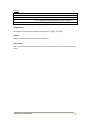
Patterns can be viewed in either list format or graphical grid format.
Pattern Select View is set in Menu/General.
List Format
Autoline VX10 User Manual
Graphical Grid Format
7