1
ECEFast
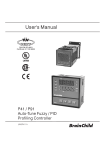
Programming the Brainchild P91/P41
Programming Brainchild P91 & P41
Index
1/ Initial “Global” Settings ............................................................................................... 1
Global Data Level ............................................................................................................ 2
2/ Viewing and Creating a Profile.................................................................................... 2
Profile Data level.............................................................................................................. 3
Segment Data level........................................................................................................... 3
3/ Run a Program (Profile) ............................................................................................... 4
4/ Check status of running Program ................................................................................. 4
5/ Edit a running program (Profile).................................................................................. 4
1/ Initial “Global” Settings
Assume the controller is configured and is running correctly as a set-point controller. These
specific instructions will only focus on using the PROFILE function.
Before creating or running a profile there are some “Global” settings relating to the
programmer function that need to be set or at least understood in their default values. These
are at the end of “CONF”, the “CONFiguration” List.
It is useful at this stage to note that there are three levels of data relating to the “profile
controller” function. The Global level, Profile level and Segment level.
Start from the “Reset” position.
(To “Reset” press both the “UP” & “DOWN” buttons together)
See page 15 & 16 of the instrument user manual for the Key Operation Flow Chart.
Press the “PAGE” button
(The button on the right side of the controller looks like a page)
The display will then show “MODE”.
Ensure the unit is in “STAT” “MODE”
if not, use the “UP” & “DOWN” buttons to get “STAT” to display, then press and hold the
“PAGE” button for longer than 5 seconds and release.
Press the “PAGE” button a second time
The display will now show “PROF”, and the currently selected Profile number.
Press and hold the “PAGE” button for longer than 5 seconds and release.
The display will now show “CONF”/_ _ _ _
To step down through the “CONFiguration” List, press the “SCROLL” button
(The button on the left side of the controller, looks like a circle with an arrow)
You will need to press the “SCROLL” button approximately 43 times to get to the Global
Programmer settings (this may vary depending on controller settings)
It is also possible (and quicker) to go backwards through the list. Press “SCROLL” first to
get into the list, then press “SCROLL” & “UP” together approximately 5 times.
ECEFast
Programming the Brainchild P91/P41
p1
ECEFast
Programming the Brainchild P91/P41
Global Data Level
G1 “STAR” is the first Global setting. “PV” is the default setting
This means that any profiles run on this controller will always start at the process value
being read at the time of starting, by the temperature sensor connected to the instrument. See
section 4-6 on page 68 and page 26 of the instrument user manual for other options and
explanation.
Press the “SCROLL” button again
G2 “END” is the next Global setting, “F.SP” is the default setting
This means the controller will go to the FSP value you can program in the END segment of
each profile.
Other options are SP1, which reverts to SP1 on the controller, or OFF. (See p26)
Press the “SCROLL” button again
G3 “DLAY” is the next Global setting, “00.00” is the default setting
This is a time value in hours and minutes to delay between the initiation of a profile and it
actually starting. This will relate to every profile on the controller. (see p26)
Press the “SCROLL” button again
G4 “PFR” is the next Global setting, “SP1” is the default setting
This is the Power Fail Recovery setting. If power fails the controller will revert to STAT
mode and run at SP1. (see section 4-8 p71 & 72 and p27 for other options)
Press the “SCROLL” button again
G5 “HBT” is the last Global setting, “01.00” is the default setting
See section 4-7 p68-70 and p27 of the instrument manual for more detail.
To go back to normal mode, “Reset” press both the “UP” & “DOWN” button together.
Assume all settings left at the default values. You need to be aware of these settings though.
2/ Viewing and Creating a Profile
To view and/or change the settings of a profile while not running a program.
Press the “PAGE” button
The display will show “MODE”
Ensure the unit is in “STAT” “MODE”
if not, use the “UP” & “DOWN” buttons to get “STAT” to display, then press and hold the
“PAGE” button for longer than 5 seconds and release.
Press the “PAGE” button a second time
The display will now show “PROF”, and the currently selected Profile number. Use the
“UP” & “DOWN” buttons to select the profile you wish to view.
ECEFast
Programming the Brainchild P91/P41
p2
ECEFast
Programming the Brainchild P91/P41
Profile Data level
Press the “SCROLL” button
P1 “HBBD” is the Hold Back Band setting. Default is “1” (Ignore this for basic function)
Press the “SCROLL” button
P2 “STSP” is the Start Set Point value. Default is “0” (Ignore this for basic function)
Press the “SCROLL” button
P3 “RMPU” is the ramp timer mode. Default is “HH.MM”
Press the “SCROLL” button
P4 “DLLU” is the dwell timer mode. Default is “HH.MM”
Segment Data level
S1 “SGNO” is the Segment Number. Segments start at “0”
Press the “SCROLL” button
S2 “SGTY” indicates the Segment Type.
Can be “RAMP”, “DLL” dwell, “JUMP” or “END”
Depending on the segment type the next few steps will vary
For “RAMP” the steps will be: after each press of the “SCROLL” button
S3 “TGSP” target set point
S4 “RTRR” time duration or ramp rate for segment (depends on RMPU setting above)
S5 “P2EV” (ignore this for basic function)
S6 “HBTY” (ignore this for basic function)
Next press of the “SCROLL” button will take you back to “SGNO” (S1). Increment up the
segment number.
Next press of the “SCROLL” button will be “SGTY” again, back up at (S2) in this list.
For “DLL” a Dwell segment
S7 “DLLT” time duration for Dwell (depends on “DLLU” setting above)
S8 “P2EV” (ignore this for basic function)
S9 “HBTY” (ignore this for basic function)
For “JUMP” allows you to jump back and run a loop again
S10 “SEG” jump to segment number
S11 “CYCL” number of times to cycle
For “END”
S12 “FSP” final set point for the end segment
S13 “CYCL” number of times to repeat the segment
Next press the “SCROLL” button. This will take you back to (P1) the beginning of the
Profile Data section of this list.
ECEFast
Programming the Brainchild P91/P41
p3
ECEFast
Programming the Brainchild P91/P41
3/ Run a Program (Profile)
From the “RESET” position
Press “PAGE” twice to check the current selected PROFILE
Press “PAGE” twice again to get to MODE
Use the “UP” & “DOWN” buttons to get to “RUN”
Press and hold the “PAGE” button for longer than 5 seconds to initiate the RUN of the
PROFILE.
RUN will now be indicated in red to the left of the Set Point display.
RUN and HOLD will flash when the Profile has completed.
Press both “UP” & “DOWN” to reset. Unit will now be back in STAT mode.
4/ Check status of running Program
From the RESET position
Press the “SCROLL” button
The Set Point display area will now show: Px.xx
This shows the Profile number and the Segment number
Press the “SCROLL” button again.
This will now display the time value of the current segment
Press the “SCROLL” button again
This will now show which CYCLE of the current SEGMENT in the PROFILE.
Press “UP” & “DOWN” together to RESET.
5/ Edit a running program (Profile)
To make changes to a Profile while it is running, you first need to put the unit into HOLD
mode. (You can’t change anything while it is actually running)
From the RESET position, press the PAGE button once.
It will now display MODE and will be currently displaying RUN.
Use the “UP” & “DOWN” buttons to change to “HOLD” then press and hold the “PAGE”
button for longer than 5 seconds and release.
“HLD” will now be displayed to the left of the Set Point display.
From the reset position, you can press the “SCROLL” button to get to Px.xx. Now that you
are in HOLD you can use the “UP” & “DOWN” buttons to jump to a different segment.
With a further press of the “SCROLL” button to display Tx.xx, you can use the “UP” &
“DOWN” buttons to change the “Time” the segment is up to.
Also when in HOLD you can go into the PROFILE and change the settings, see section 2/.
ECEFast
Programming the Brainchild P91/P41
p4