1
ECEFast
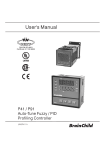
Programming the Brainchild P91/P41
Profile Data level
Press the “SCROLL” button
P1 “HBBD” is the Hold Back Band setting. Default is “1” (Ignore this for basic function)
Press the “SCROLL” button
P2 “STSP” is the Start Set Point value. Default is “0” (Ignore this for basic function)
Press the “SCROLL” button
P3 “RMPU” is the ramp timer mode. Default is “HH.MM”
Press the “SCROLL” button
P4 “DLLU” is the dwell timer mode. Default is “HH.MM”
Segment Data level
S1 “SGNO” is the Segment Number. Segments start at “0”
Press the “SCROLL” button
S2 “SGTY” indicates the Segment Type.
Can be “RAMP”, “DLL” dwell, “JUMP” or “END”
Depending on the segment type the next few steps will vary
For “RAMP” the steps will be: after each press of the “SCROLL” button
S3 “TGSP” target set point
S4 “RTRR” time duration or ramp rate for segment (depends on RMPU setting above)
S5 “P2EV” (ignore this for basic function)
S6 “HBTY” (ignore this for basic function)
Next press of the “SCROLL” button will take you back to “SGNO” (S1). Increment up the
segment number.
Next press of the “SCROLL” button will be “SGTY” again, back up at (S2) in this list.
For “DLL” a Dwell segment
S7 “DLLT” time duration for Dwell (depends on “DLLU” setting above)
S8 “P2EV” (ignore this for basic function)
S9 “HBTY” (ignore this for basic function)
For “JUMP” allows you to jump back and run a loop again
S10 “SEG” jump to segment number
S11 “CYCL” number of times to cycle
For “END”
S12 “FSP” final set point for the end segment
S13 “CYCL” number of times to repeat the segment
Next press the “SCROLL” button. This will take you back to (P1) the beginning of the
Profile Data section of this list.
ECEFast
Programming the Brainchild P91/P41
p3