1
Chapter 2. Command-Line Options Reference
Generic PGI Compiler Options
The following descriptions are for all the PGI options. For easy reference, the options are arranged in
alphabetical order. For a list of options by tasks, refer to the tables in the beginning of this chapter.
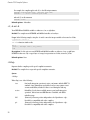
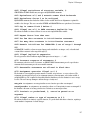
–#
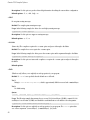
Displays the invocations of the compiler, assembler and linker.
Default: The compiler does not display individual phase invocations.
Usage: The following command-line requests verbose invocation information.
$ pgfortran -# prog.f
Description: The –# option displays the invocations of the compiler, assembler and linker. These invocations
are command-lines created by the driver from your command-line input and the default value.
Related options: –Minfo, –V, –v.
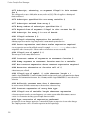
–###
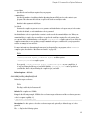
Displays the invocations of the compiler, assembler and linker, but does not execute them.
Default: The compiler does not display individual phase invocations.
Usage: The following command-line requests verbose invocation information.
$ pgfortran -### myprog.f
Description: Use the –### option to display the invocations of the compiler, assembler and linker but not to
execute them. These invocations are command lines created by the compiler driver from the rc files and the
command-line options.
Related options: –#, –dryrun, –Minfo, –V
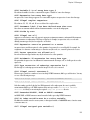
–Bdynamic
Compiles for and links to the DLL version of the PGI runtime libraries.
Default: The compiler uses static libraries.
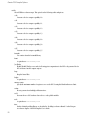
Usage: You can create the DLL obj1.dll and its import library obj1.lib using the following series of
commands:
% pgfortran -Bdynamic -c object1.f
% pgfortran -Mmakedll object1.obj -o obj1.dll
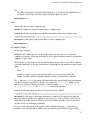
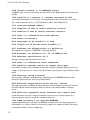
Then compile the main program using this command:
$ pgfortran -# prog.f
For a complete example, refer to the example: “Build a DLL: Fortran” in the “Creating and Using Libraries”
chapter of the PGI Compiler User’s Guide.
17