1
Using eCaring’s CareTracker
E.
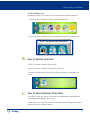
How to Use Notes
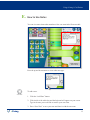
You can view notes from other members of the care team in the Notes module.
Press the up and down arrows to view other messages.
To add a note:
Add Note
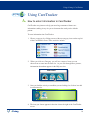
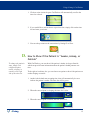
1. Click the “Add Note” button
2. Click inside of the white box and the keyboard will appear on your screen. Type in the note you would like to send to your care team.
3. Press “Save Note” to save your note and share it with the care team.
eCaring
Caring
13