1
3.1 BIOS Introduction
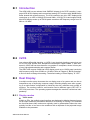
Advantech provides full-featured AwardBIOS 6.0 and delivers the superior performance, compatibility and functionality that system integrators demand.
The modular, adaptable AwardBIOS 6.0 supports the broadest range of third-party
peripherals and all popular chipsets, plus Intel, AMD, nVidia, VIA, and compatible
CPUs from 386 through Pentium and AMD Geode, K7 and K8 (including multiple processor platforms), and VIA Eden C3 and C7 CPU.
You can use Advantech’s utilities to select and install features as needed.
3.2 BIOS Setup
The ARK-3420 series system has build-in AwardBIOS with a CMOS SETUP utility
which allows user to configure required settings or to activate certain system features.
The CMOS SETUP saves the configuration in the CMOS RAM of the motherboard.
When the power is turned off, the battery on the board supplies the necessary power
to the CMOS RAM.
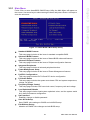
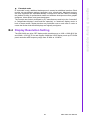
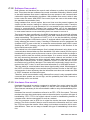
When the power is turned on, press the <Del> button during the BIOS POST (PowerOn Self Test) will take you to the CMOS SETUP screen.
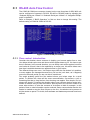
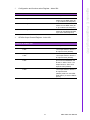
CONTROL KEYS
< ↑ >< ↓ >< ← >< → >
Move to highlight item
<Enter>
Select Item
<Esc>
Main Menu - Quit and not save changes into CMOS
Sub Menu - Exit current page and return to Main Menu
<Page Up/+>
Increase the numeric value or make changes
<Page Down/->
Decrease the numeric value or make changes
<F1>
General help, for Setup Sub Menu
<F2>
Item Help
<F5>
Load Previous Values
<F7>
Load Optimized Default
<F10>
Save all CMOS changes
ARK-3420 User Manual
22