1
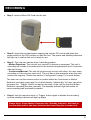
PLAYBACK Step 1: Connect the unit to a PC, using the provided USB cable, and ensure that the unit is switched on. USB CABLE Step 2: Once connected the PC will find the unit as a new removable hard disk. If it is not detected automatically the user can search for the unit via ‘My Computer’ on the PC. Additionally the user can also insert the micro SD card directly into a PC, if it has a specific drive/slot, or use a convertor/reader. Step 3: The recorded video files can then be found as AVI formatted files in a folder labelled ‘Videos’. Step 4: Double-click the desired video files to watch (using a suitable video player) Please Note: Check the device regularly. If you detect any abnormal performance check the power connection or restart the unit. Tips: Do not remove the micro SD card during recording or when the unit is starting, to avoid damaging the card, unit or files. The unit has an auto file overwriting function, which will begin to delete the earliest dated files. Therefore if you have any important files please copy them in time. To avoid false motion-triggering please avoid facing the unit directly to strong light. If the unit is facing a window, the changing light conditions may set off false triggers. In low-light conditions or if the moving object is the same as the background, the motion sensitivity may not be as accurate. 9