Download ARRI ALEXA SUP 11.1 Pocket Guide
Transcript
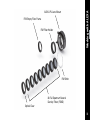
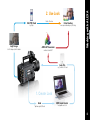
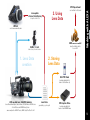
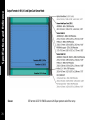
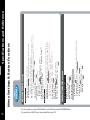
Working with ALEXA Metadata Overview Metadata is a set of data that describes and gives information about other data (sometimes called the 'essence'). ALEXA and ALEXA XT always records as much metadata as is available. This additional information makes documentation easier as the metadata is stored within the image files so it cannot get lost. A range of automatic and human-readable data is being delivered by the ALEXA camera; this data makes work in post much easier: knowing exposure index, gamma and white balance information, for example, is essential for creating dailies or color grading. Reel number, project fps, date and time become important when combining images and sound from different sources. Metadata in the ALEXA appears in several different ways: embedded in the ARRIRAW header, QuickTime metadata atom and ARRI Digital Meta Data (ADMD) atom, MXF metadata XML, Final Cut Pro 7 XML and 50 Avid Log Exchange (ALE) file. These atoms or text based files can be parsed by e.g. editing software and offer the accompanying information mentioned above to the application and its user. For more information on the metadata have a look at our whitepaper at www.arri.com/alexa/downloads. Lens Data System By combining the ALEXA XT Series, ALEXA Plus, ALEXA M or ALEXA Studio camera with lenses equipped with a Lens Data System (LDS) PL-Mount additional frame by frame lens metadata for use in VFX work will be acquired. When using a non-LDS lens in combination with the ARRI Controlled Lens Motors a profile for the lens can be created within the Lens Data Archive (LDA); by doing so the ALEXA camera can compensate for the missing sensors inside the lens by reading the motor’s position and calculating the current focus, iris or zoom value. A guide on how to create an entry for an unknown lens can be found on page 62.