1
!
The exclamation point within a triangle is intended to warn the
user of important operating and maintenance instructions.
WARNING: To prevent risk of electric shock or fire, do not allow this system to become wet.
Do not expose the Myride system to moist environments, and do not place liquid filled
containers on or near the unit.
ATTENTION: To prevent a risk of electric shock, be sure the power plug is fully and correctly
inserted into the Myride system and the wall socket.
CAUTION: RISK OF ELECTRIC SHOCK. DO NOT OPEN
High voltages are present within the enclosure. Do not open the monitor or computer housing.
There are no user-serviceable parts inside the Myride system. Only trained and qualified service
technicians should service the Myride system.
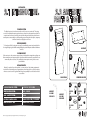
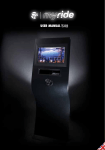
SYSTEM SPECIFICATIONS.
MONITOR
17.3“ / 1600 X 900 / 16:9 / 400 NITS / 30W MAX
TOUCH SCREEN
4 WIRE RESISTIVE INDUSTRIAL-GRADE TOUCHSCREEN PANEL
VIDEO CONTENT
1280 X 720P HD
OS
UBUNTU LINUX LIVE SYSTEM
PC
INTEL ATOM, ION2, 500 GB HDD, 2 GB RAM, 35W MAX
POWER
110-220V AC INPUT / 2 X 12V 3.5A DC OUTPUT
TV TUNER
BUILT-IN MINI PCIE CARD (ATSC/NTSC OR DVBT/PAL)
WORKING TEMPERATURE 40º F-110º F (5º C - 45º C)
CONNECTIONS
USB 2.0, RJ45 LAN, TV COAX OPTIONAL (F-CONNECTOR)
CONNECTIONS FOR MYRIDE+ UPDATES
HDMI OUT, 3,5MM STEREO AUDIO OUT
Version 2.0 Copyright by Indoorcycling Group GmbH 2011 | www.indoorcycling.com
ENVIRONMENT:
Keep the Myride system between 30% and 70% humidity. Low humidity can cause gaskets
to dry out; high humidity may cause condensation inside the unit. Operating temperatures
should not exceed 110° or dip below 40° Fahrenheit. Spikes or dips in voltage may damage the
Myride system. If your power is subject to fluctuations, prevent damage to the Myride system
with a surge protector.
CLEANING:
The LCD and touchscreen panel is delicate. Clean only when necessary with a soft, damp cloth.
If necessary, moisten the cloth with a diluted, mild detergent. Never use liquids on the touch
screen, which can leak into the wave stand and cause electrical problems.
The wave stand itself may require occasional dusting. Do not use cleaning liquids on the
wave stand, as they can leak into the stand and damage electronics. Avoid harsh chemicals or
abrasives which may damage the coating on the surface of the stand.
SOFTWARE:
To take advantage of new features and bug fixes, update the software on the Myride system
occasionally. You can check for new software at www.indoorcycling.com
To update the software, download the update file onto an empty USB stick (FAT32 file
format), and plug the USB stick into the Myride. Turn on the Myride and follow the on-screen
instructions. When the update is finished, the Myride will reboot, signaling that it is safe to
remove the USB stick. (If not removed soon after the reboot, the update process may happen
again -- avoid this by promptly removing the USB stick when the Myride reboots.) Check for
updates at least semi-annually.
HARDWARE:
Heavy use may work some fasteners loose. As part of your quarterly maintenance, please verify
that all bolts and screws are secure in the Myride wave stand.
TROUBLE SHOOTING:
Should any unexpected problems arise, please consult the troubleshooting guide at www.
indoorcycling.com. If problems persist, contact your service representative.