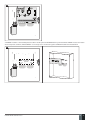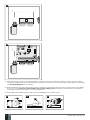
1
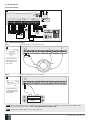
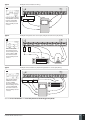
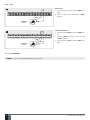
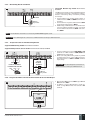
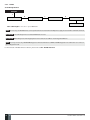
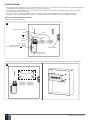
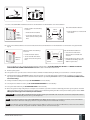
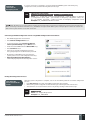
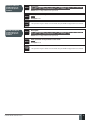
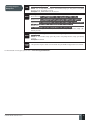
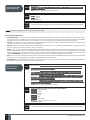
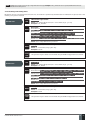
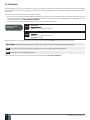
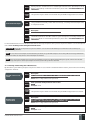
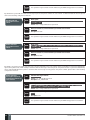
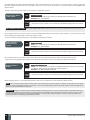
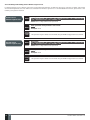
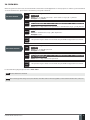
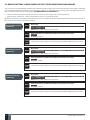
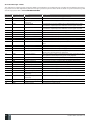
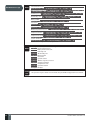
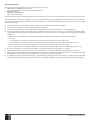
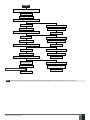
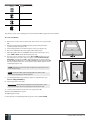
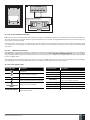
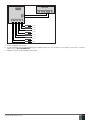
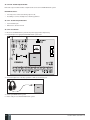
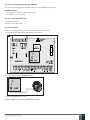
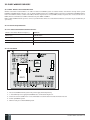
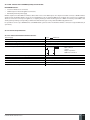
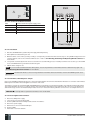
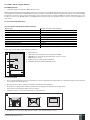
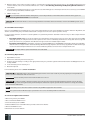
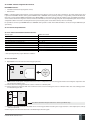
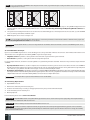
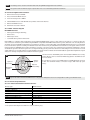
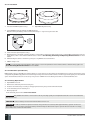
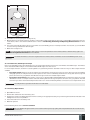
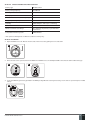
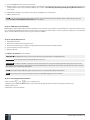
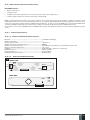
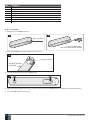
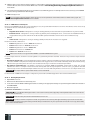
23 OPEN 22 7. Connect the GSM/GPRS and wireless antennas and follow the recommendations for the installation: Never install in the following locations: 24 GSM/ GPRS and/or wireless antenna Recommended installation: 25 20 cm or more • inside the metal cabinet • closer than 20 cm from the metal surface and/or power lines GSM/GPRS antenna • keep the distance of at least 20 cm or more. Wireless antenna 8. If one or more wireless devices are to be bound, follow the recommendations for the installation to achieve the strongest wireless signal: Never install in the following locations: 26 0.5 m to 30 m inside the building • inside the metal cabinet Wireless device • closer than 20 cm from the metal surface and/or power lines Recommended installation: 27 0.5 m to 150 m in open areas Wireless device Wireless antenna • face the front side of the wireless device towards the antenna • keep the distance: 0.5 m to 30 m inside the building, 0.5 m to 150 m in open areas For more details on how to install the wireless devices, please refer to 32. ELDES WIRELESS DEVICES and RADIO SYSTEM INSTALLATION AND SIGNAL PENETRATION manual located at www.eldes.lt/download 9. Power up the system. 10. The system starts up in less than a minute. Indicator STATUS should be flashing indicating successful micro-controller operation. 11. The illuminated indicator NETWORK indicates that the system successfully registered to GSM network. To find the strongest GSM signal, place the GSM/GPRS antenna and follow the indications provided by NETWORK indicator (see 2.3. Main Unit, LED & Connector Functionality). 12. Change the default SMS password (see 6. PASSWORDS for more details). 13. Set the phone number for User 1 (see 8. USER PHONE NUMBERS for more details). 14. Set system date and time (see 9. DATE AND TIME for more details). 15. Once the system is fully configured, it is ready for use. However, if you fail to receive an SMS reply from the system, please check the SMSC (Short Message Service Center) phone number. For more details regarding the SMS centre phone number, please refer to 27.1. SMSC (Short Message Service Center) Phone Number. ATTENTION: The system is NOT compatible with pure 3G SIM cards. Only 2G/GSM SIM cards and 3G SIM cards with 2G/GSM profile enabled are supported. For more details, please contact your GSM operator. NOTE: The installation of iButton key reader, EKB2/EKB3 keypad, EWK1 wireless keyfob is not mandatory. However, it is recommended to have those devices installed as an emergency switch in case your mobile phone is switched off or missing. NOTE: For maximum system reliability we recommend you do NOT use a Pay As You Go SIM card. Otherwise, in the event of insufficient credit balance on the SIM card, the system would fail to make a phone call or send messages. MANUAL ELDES ESIM264 V3.0 EN 23