1
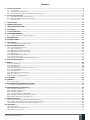
Contents
1. General Information.................................................................................................................................................................6
1.1.Functionality.......................................................................................................................................................................................................6
1.2. Compatible Device Overview............................................................................................................................................................................6
1.3. Default Parameters & Ways of Parameter Configuration............................................................................................................................6
2. Technical Specifications........................................................................................................................................................12
2.1. Electrical & Mechanical Characteristics........................................................................................................................................................12
2.2. Main Unit, LED & Connector Functionality...................................................................................................................................................13
2.3. Wiring Diagrams...............................................................................................................................................................................................14
3.INSTALLATION....................................................................................................................................................................... 20
4. GENERAL OPERATION............................................................................................................................................................ 24
5. CONFIGURATION METHODS...................................................................................................................................................25
6.PASSWORDS........................................................................................................................................................................... 28
7. SYSTEM LANGUAGE............................................................................................................................................................... 29
8. USER PHONE NUMBERS........................................................................................................................................................ 30
8.1. System Control from any Phone Number.....................................................................................................................................................31
9. DATE AND TIME.......................................................................................................................................................................33
10. USER PASSWORDS................................................................................................................................................................. 34
11. iBUTTON KEYS....................................................................................................................................................................... 36
11.1. Adding and Removing iButton Keys............................................................................................................................................................. 36
12. ARMING AND DISARMING...................................................................................................................................................... 38
12.1. Free of Charge Phone Call.............................................................................................................................................................................. 38
12.2. SMS Text Message.......................................................................................................................................................................................... 39
12.3. EKB2 Keypad and User Password................................................................................................................................................................. 40
12.4. EKB3 Keypad and User Password................................................................................................................................................................. 41
12.5. iButton Key....................................................................................................................................................................................................... 42
12.6. EWK1/EWK2 Wireless Keyfob....................................................................................................................................................................... 42
12.7. Arm-Disarm by Zone....................................................................................................................................................................................... 43
12.8. Disabling and Enabling Arm/Disarm Notifications.................................................................................................................................... 44
13. EXIT AND ENTRY DELAY........................................................................................................................................................ 46
14.ZONES..................................................................................................................................................................................... 48
14.1. Zone Numbering.............................................................................................................................................................................................. 48
14.2. Zone Expansion............................................................................................................................................................................................... 48
14.3. 6-Zone Mode.................................................................................................................................................................................................... 48
14.4. ATZ (Advanced Technology Zone) Mode..................................................................................................................................................... 49
14.5. Zone Type Definitions.................................................................................................................................................................................... 50
14.6. Zone Attributes................................................................................................................................................................................................51
14.7. Bypassing and Activating Zones...................................................................................................................................................................53
14.8. Zone Names..................................................................................................................................................................................................... 54
14.9. Disabling and Enabling Zones........................................................................................................................................................................55
15. STAY MODE..............................................................................................................................................................................56
16.TAMPERS.................................................................................................................................................................................57
16.1. Tamper Names..................................................................................................................................................................................................57
17. ALARM INDICATIONS AND NOTIFICATIONS.......................................................................................................................... 58
17.1. Enabling and Disabling Alarm Notifications................................................................................................................................................ 59
18. PROGRAMMABLE (PGM) OUTPUTS....................................................................................................................................... 62
18.1. PGM Output Numbering................................................................................................................................................................................. 62
18.2. PGM Output Expansion................................................................................................................................................................................... 62
18.3. PGM Output Names......................................................................................................................................................................................... 63
18.4. Turning PGM Outputs ON and OFF................................................................................................................................................................ 63
18.5. PGM Output Control by Event and Scheduler............................................................................................................................................. 65
18.6. Wireless PGM Output Type Definitions........................................................................................................................................................ 66
19. WIRELESS DEVICES.................................................................................................................................................................67
19.1. Binding, Removing and Replacing Wireless Devicess............................................................................................................................... 67
19.2. Wireless Device Information and Signal Status Monitoring..................................................................................................................... 69
19.3. Disabling and Enabling Siren if Wireless Signal is Lost............................................................................................................................. 70
20.SIREN/BELL.............................................................................................................................................................................71
20.1. Bell Squawk.......................................................................................................................................................................................................72
20.2. Indication by EWS2 Indicators........................................................................................................................................................................72
20.3. EWF1 Interconnection.....................................................................................................................................................................................73
MANUAL ELDES ESIM264 V3.0
EN
3