1
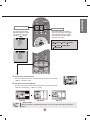
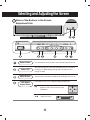
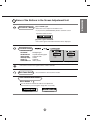
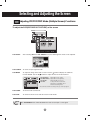
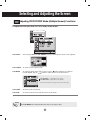
• AV Button
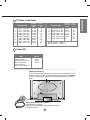
If you press the button once,
the following Input Signal
Window will appear. Select
the signal type you want
using the
button.
BRT.W
DVI DIGITAL
DSUB ANALOG
VIDEO1(CVBS)
VIDEO2(S-Video)
SCART 1
SCART 2
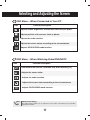
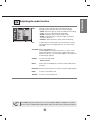
This button will be enabled only
when you selected the AV signal.
The signal type will be changed
with the followaing order. Set the
signal type you want.
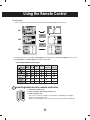
[Case 1]
CVBS S-Video
SCART1
[Case 2]
CVBS S-Video
COMPONENT1
SCART 2
COMPONENT2
[Case 1]
DVI DIGITAL
DSUB ANALOG
VIDEO1(CVBS)
VIDEO2(S-Video)
COMPONENT 1
COMPONENT 2
[Case 2]
*
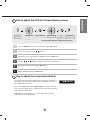
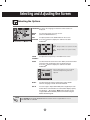
1. PIP (Picture in Picture) Button
The sub-screen moves to the next mode whenever you press this button.
: SMALL -> LARGE -> OFF
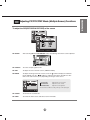
2. POP (Picture out Picture) Button
The sub-screen moves to the next mode whenever you press this button.
: POP ON -> PBP(FULL) -> PBP(4:3) -> OFF
POP ON
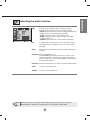
Note
PBP (FULL)
PIP
PBP (4:3)
Case 1 / Case 2
Different descriptions are applicable depending on the type of AV option board selected (an optional
product).
A6
ENGLISH
• Input Select Button