1
1  Welcome
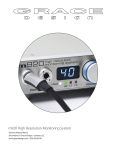
Welcome and thanks for purchasing the Grace Design m905 reference monitor controller. We build all
of our products to be completely reliable and straightforward to use, so you can concentrate on doing
great work. While you will find the m905 is fairly straightforward to use, it is a very powerful unit and a
great deal of user configuration is possible, so we recommend that you spend some time reading this
manual to help avoid any common user difficulties.
In the event that you do encounter any technical difficulties with this or any of our products, feel free to
call us at 303-823-8100. Our office hours are 9:00 to 5:00, Monday through Friday, MST, or you may email any technical questions to: [email protected]. Also, please check out our website for complete
product information, owner’s manuals and technical documents http://www.gracedesign.com
Grace Design has been building audiophile quality products for the recording industry for over 20 years.
The technology in the m905 is the result of extensive research, listening, testing and careful refinement.
Your m905 represents a combination of absolutely pristine audio performance, robust mechanical
construction and complete reliability. We sincerely hope it helps you achieve a new level of excellence
in your work!
Contents
SUB / DAC / METER setup
19
Headphone Setup
20
Talkback Setup
21
Mute / (solo)
22
m905 Audio Control Unit Rear Panel
2
3
3
3
4
5
Audio Control Unit Front Panel
5
Display Setup 22
22
m905 Graphical User Interface
7
DIGI LOOP Setup 22
7
7
Digital Input Setup
23
Your m905 Box Will Contain
System Setup
23
Open and Inspect the Box
8
SPL Meter Setup 24
Register Your Unit
8
1 WELCOME
2  IMPORTANT SAFETY INFORMATION
3  SAFETY MARKING SYMBOLS
4  SERVICE INFORMATION
5  M905 FEATURES
6  UNPACKING AND INSTALLING
10  GENERAL SETUP
Power Connections
8
8
Power-Up Sequence
8
Asynchronous USB Audio 24
25
25
25
System Connections
8
USB Up Channel Setup
26
Computer Audio Requirements
27
Using the m905 for DAW playback 28
7  CONNECTING THE M905
Input Selection
10
10
Volume Control, Preset & Headphone Mute
11
Speaker Output Selection
8  NORMAL OPERATION MODE
11  ABOUT CROSS-FEED
12  COMMUNICATION ERROR HANDLING
13  COMPUTER AUDIO SETUP
12
Updating RCU Firmware
28
29
Monitoring Option Controls
12
Updating ACU Firmware
30
Display
14
Updating XMOS Firmware
31
Save / Recall of User Configuration
15
Entering and Exiting Setup Mode 15
15
Input Setup
16
Speaker Setup
17
Dim Setup
19
9  SETUP MODE
14  UPDATING FIRMWARE
15
16
17
18
19
20
21
2
SPECIFICATIONS BLOCK DIAGRAM
PCB JUMPER LOCATIONS
WIRING DIAGRAMS
CLEANING AND MAINTENANCE WARRANTY INFORMATION
MANUAL REVISIONS
33
35
36
37
38
38
39