1
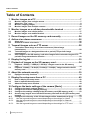
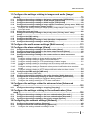
Table of Contents
Table of Contents
1 Monitor images on a PC ..........................................................................7
1.1
1.2
1.3
1.4
Monitor images from a single camera .............................................................................7
About the “Live” page ......................................................................................................9
Monitor cropping images ...............................................................................................13
Monitor images from multiple cameras ........................................................................16
2 Monitor images on a cellular phone/mobile terminal .........................17
2.1
2.2
Monitor images on a cellular phone ..............................................................................17
Monitor images on a mobile terminal ............................................................................19
3 Record images on the SD memory card manually .............................24
4 Action at an alarm occurrence ..............................................................26
4.1
4.2
Alarm type ........................................................................................................................26
Action at an alarm occurrence .......................................................................................26
5 Transmit images onto an FTP server ...................................................28
5.1
5.2
5.3
Transmit an alarm image at an alarm occurrence (Alarm image
transmission) ...................................................................................................................28
Transmit images at a designated interval or period (FTP periodic image
transmission) ...................................................................................................................28
Save images on the SD memory card when images fail to transmit using the FTP
periodic image transmission function ..........................................................................29
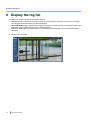
6 Display the log list .................................................................................30
7 Playback of images on the SD memory card ......................................34
7.1
7.2
Playback “JPEG(1)”/“JPEG(2)”/“JPEG(3)” images saved to the SD memory
card ...................................................................................................................................34
Playback “H.264(1)”/“H.264(2)”/“H.264(3)”/“H.264(4)” images saved to the SD
memory card ....................................................................................................................37
8 About the network security ...................................................................39
8.1
Equipped security functions ..........................................................................................39
9 Display the setup menu from a PC .......................................................40
9.1
9.2
9.3
How to display the setup menu .....................................................................................40
How to operate the setup menu .....................................................................................42
About the setup menu window ......................................................................................44
10 Configure the basic settings of the camera [Basic] ...........................46
10.1
10.2
10.3
10.4
10.5
10.5.1
10.5.2
10.5.3
4
Configure the basic settings [Basic] .............................................................................46
Configure the Internet settings [Internet] .....................................................................50
Configure the settings relating to the SD memory card [SD memory card] ..............52
Access copy images saved on the SD memory card onto the PC [SD memory card
images] .............................................................................................................................60
Configure the directory of the PC that images will be downloaded to [Log] ............74
How the logs and images are saved depending on the settings for “Alarm” ..................76
How the logs and images are saved depending on the settings for “Manual/
Schedule” .......................................................................................................................77
How the logs and images are saved depending on the settings for “FTP error” ............78
Operating Instructions