1
Navigation
Screen Messages
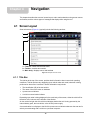
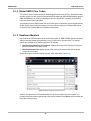
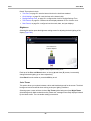
Tap the arrowheads at the ends of the scroll bars to move through the data in the direction of the
arrow one page at a time. Selecting an arrowhead that points to a line moves you directly to the
beginning or end of the data. The slider in the center portion of the scroll bar indicates the relative
position of the current screen to the total available data.
4.2 Screen Messages
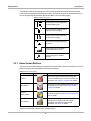
There are four types of on-screen message:
•
•
•
•
Loading and connecting
Confirmations
Warnings
Errors
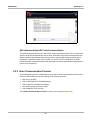
4.2.1 Loading and Connecting Messages
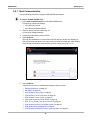
Loading and connecting messages display when the scan tool is performing an internal operation,
such as loading a database, initiating a test, or establishing communications with the vehicle. The
message automatically clears once the internal operation is complete.
4.2.2 Confirmation Messages
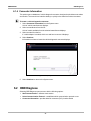
Confirmation messages inform you when you are about to perform an action that cannot be
reversed or when an action that requires your confirmation to continue has been initiated.
When a response is not required, the message displays briefly, then disappears.
4.2.3 Warning Messages
Warning messages inform you when completing the selected action may result in an irreversible
change or loss of data.
4.2.4 Error Messages
Error messages inform you when a system or procedural error has occurred.
Examples of possible errors include:
• A cable is disconnected.
• A peripheral, such as a printer is powered off.
17






















![VERUS PRO User Manual [3980kb PDF File] - Snap](http://vs1.manualzilla.com/store/data/005690474_1-9ff68923f14d7698ce72469cabae3990-150x150.png)