1
•
•
•
•
•
•
•
•
•
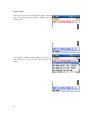
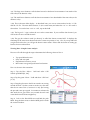
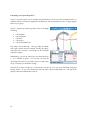
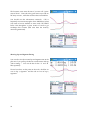
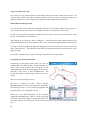
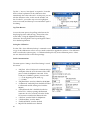
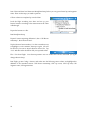
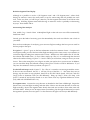
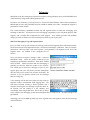
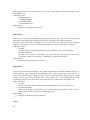
Tap ‚New‛, and then ‚Explore a Bluetooth Device‛. The Pocket PC will search for new
Bluetooth devices. An icon should appear for ‚Aircable xxxxx‛ or similar. The number
‚xxxxx‛ identifies your module. Tap this icon.
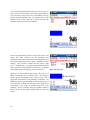
Select ‚Serial Port‛ and ‚Next‛. A shortcut will be created.
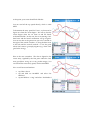
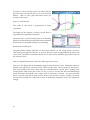
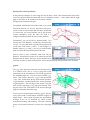
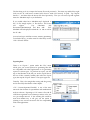
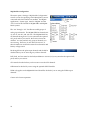
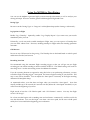
Go back to the Today screen and select ‚Bluetooth Settings‛ from the Bluetooth icon.
Tap the ‚Services‛ tab.
Tap ‚Serial Port‛. Check ‚Enable service‛. Uncheck the other checkboxes.
Tap ‚Advanced‛ and make a note of the ‚Outbound COM Port‛.
Tap ‚OK‛ and ‚OK‛ again to get out of the Bluetooth Settings applet.
Run MaxQData Setup and go to Settings > Serial Port Settings. For ‚GPS Port‛, enter
‚COMx‛, where ‚x‛ is the number of the Outbound COM Port. Select ‚Is Bluetooth‛
under ‚GPS Port‛. Continue with the remaining setup as described below under
‚MQ200 Setup‛.
If you are ever asked for a passkey for the Aircable, it is either 1234 or the module ID
number.
Step 4 – Bluetooth Pairing with an HP iPAQ rx4200 Pocket PC and certain others
•
A few Pocket PCs based on Windows Mobile 2005 use the same pairing process as the
one above for Windows Mobile 2003 devices.
Step 4 – Bluetooth Pairing with most other Windows Mobile 2005 Pocket PCs – Dell Axim X51, etc.
•
•
•
•
•
•
•
•
•
•
•
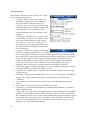
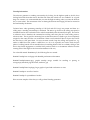
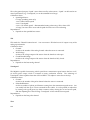
Turn on the MQ200
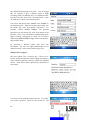
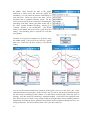
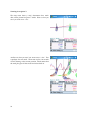
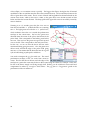
Tap the Bluetooth icon at the lower right of the Today screen.
Check ‚Turn on Bluetooth‛. You can either check or uncheck ‚Make this device
discoverable‛
Go to the ‚Devices‛ tab and tap ‚New Partnership...‛. The Pocket PC will scan for
Bluetooth devices. An entry for ‚Aircable xxxxx‛ or similar will appear. The number
‚xxxxx‛ identifies your GPS module. Tap this entry and then ‚Next‛.
Enter the passkey for the Aircable and tap ‚Next‛. The passkey is either 1234 or the
module ID number.
Check the ‚Serial Port‛ box and tap ‚Finish‛.
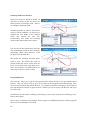
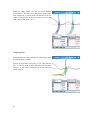
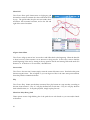
Go to the ‚COM Ports‛ tab.
Tap ‚New Outgoing Port‛
Select your Socket BT GPS module and tap ‚Next‛.
Choose a COM port to use for the connection. ‚COM7‛ is recommended if available.
Uncheck ‚Secure Connection‛. Tap ‚Finish‛. Note: on a Pocket PC Phone Edition device,
your choice of COM port may interfere with the ‚Wireless Modem‛ function. If you find
that you are unable to use the PPCPE as a wireless data modem after pairing the MQ200,
delete the Outgoing Port and try a different COM port number.
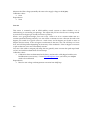
Run MaxQData Setup and go to Settings > Serial Port Settings. For ‚GPS Port‛, enter
‚COMx‛, where ‚x‛ is the number of the Outbound COM Port. Select ‚Is Bluetooth‛
under ‚GPS Port‛.
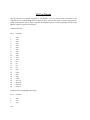
Step 5 - Setup
12