Download MS4800 Series

Transcript
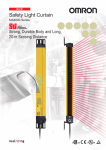
Safety Light Curtain
MS4800 Series
CSM_MS4800 Series_DS_E_6_1
Safety Light Curtains with Durable,
Impact-resistant Body and Long,
20-m Sensing Distance
MS/MSF4800A Advanced Series
• Programming and Diagnostics Module (PDM) makes it easy
to set functions.
• Series connection is possible only with the MSF4800A.
• Blanking can be set.
• Muting is possible only with the MSF4800A by using the
MS4800-RM6 Resource Module.
MS/MSF4800B Basic Series
• Features all necessary basic Safety Light Curtain functions.
• Series connection is possible only with the MSF4800B.
• Programming and Diagnostics Module (PDM) makes it easy
to set functions.
Be sure to read the Precautions for Safe
Use on page 28.
Features
Durable Housing with a Thickness of 3
mm Min. Withstands Vibration and
Impacts
A Wide Lineup for a Variety of Applications
Two series are available to meet your needs: the Advanced Series
with sophisticated functions and the Basic Series with specialized,
basic functions.
Unlike conventional Safety Light Curtains, the MS4800 Series uses a
thick aluminum case (3 mm at its thinnest parts).
This makes it ideal for applications with considerable vibration or
impacts.
3mm
Minimum
detectable Beam gap
object
Advanced Series
MS/MSF4800A
Basic Series
MS/MSF4800B
Protective
height
30-mm
diameter
20 mm
280 to 2,120 mm
40-mm
diameter
30 mm
360 to 2,040 mm
30-mm
diameter
20 mm
280 to 2,120 mm
40-mm
diameter
30 mm
360 to 2,040 mm
Long Maximum Sensing Distance of 20 m
The long, 20-m maximum sensing distance of the MS4800 Series
marks the highest level in the industry.
Even in applications where large, complicated machines are guarded,
the use of mirrors can reduce the number of Safety Light Curtains
required.
Mirror
1
MS4800 Series
Series Connection of Up to Four Systems with No Controller Necessary
(Allowing a total of 256 beams max.) (MSF4800 only)
Up to four systems can be connected in series (for a total of 256 beams) without having to connect a controller. Models for which the smallest
detectable object is different can even be connected to respond flexibly to virtually any application.
Series Connection Cables (for Transmitter)
MS4800-CBLTXIC-@M
Transmitter
Total of 256 beams
Receiver
MSF4800 Slave
MSF4800A/B Master
Series Connection Cables (for Receiver)
MS4800-CBLRXIC-@M
Intuitive Operation with the Programming and Diagnostics Module (PDM)
Complete with an LCD that displays in either English or Japanese, the PDM makes it easy and intuitive to program, change settings, and
troubleshoot the MS4800 Series.
• Easy operation with five function buttons.
• Allows setting changes and status monitoring.
• IP65 protection.
• Safety outputs operate while the PDM is connected, making it possible to monitor during operation.
MAIN
LOAD CONFIG
VIEW/EDIT CONFIG
SAVE CONFIG
Connect to the PDM
connection port at the
bottom of the Safety
Light Curtain. Power is
supplied from the
Safety Light Curtain.
PROGRAM BLANKING
SYSTEM
LOGOUT
The interactive menu
simplifies operation.
(The Safety Light Curtain settings
must be loaded in advance.)
Easy-to-understand Individual Beam Indicators (IBI)
Receiver
Receiver
Beams are shifted
The MS4800-series Receiver is equipped with OMRON STI's unique Individual Beam Indicator (IBI) function. When a beam is interrupted, or when
it is out of alignment, an individual LED lights at each corresponding Receiver beam position to notify the operator. This makes it easy to align
beams even from a distance. An error code is also displayed when an error is occurs. (This function is provided only on the Receiver.)
Transmitter
Transmitter
When the beams
are not aligned...
When the beams are aligned,
all IBIs turn OFF.
The IBIs turn ON at the positions
where the beams are shifted.
The IBIs turn ON at the positions where the beams are interrupted.
This notifies the operator that the beams are interrupted.
2
MS4800 Series
Four Blanking Functions for Disabling Beams (Advanced series only)
When a machine or a workpiece is present inside the sensing area of the Safety Light Curtain, the output
turns OFF and the machine cannot be started.
However, a blanking function can be used to disable the appropriate beams of the Safety Light Curtain
and allow work to continue without stopping the machine. The MS4800 Series provides four blanking
functions to combine both safety and productivity in a wide range of applications.
Fixed Blanking
Fixed Blanking
This function is used when a machine or workpiece constantly interrupts beams in a part of the sensing
area. Fixed Blanking allows the Safety Light Curtain to remain in the RUN state while the obstruction is
fixed (as a non-moving object) within the sensing area. The output is turned OFF when a beam other than
the set fixed blanking beams is interrupted, or when light is incident on a fixed blanking beam.
Floating Blanking
This function turns OFF the output when the total number of interrupted beams inside the sensing area
exceeds the number of set beams (1 or 2).
Monitored Blanking
Floating Blanking
This function is used when a machine or workpiece constantly interrupts beams in a part of the sensing
area and moves within the sensing area. Monitored Blanking allows the Safety Light Curtain to remain in
the RUN state while the obstruction moves within the sensing area. The output is turned OFF when the
machine or workpiece disappears from the monitored blanking area that was set by teaching, or when the
total number of interrupted beams increases due to a different obstruction.
Reduced Resolution Blanking
When the resolution of the MS/MSF4800A is reduced, the size of the smallest detectable object is
increased. The output will not turn OFF regardless of how many continuous interrupted beams there are
in the sensing area as long as the beams are fewer than the set number (1, 2, or 3 beams).
When an object whose size exceeds the set number of beams intrudes, the output is turned OFF. For
example, in an application where a conveyor cart approaches a robot work area, the Safety Light Curtain
can be set so that it does not detect only the wheels of the cart, allowing the MS/MSF4800A to be used
as a presence sensing device.
Reduced Resolution Blanking
Muting Functions for Temporarily Disabling the Safety Light Curtain
(MSF4800A only)
In applications where it is necessary for an object to regularly pass through the sensing area, for example to supply
workpieces to a machine, the output will turn OFF each time the object passes through, thus lowering productivity.
The muting function makes it possible to raise productivity in this kind of application by temporarily disabling the
Safety Light Curtain.
Select from among four muting modes to match each application with the appropriate number and placement of
muting sensors.
The MS4800-RM6 Resource
Module is required when
using the muting function.
Complies with the Newest Global Safety Standards
The MS4800-series Safety Light Curtain is a Type 4 safety sensor that can be used to configure a Category 4 safety circuit conforming with IEC
61496-1 and IEC 61496-2 international standards for Safety Light Curtains. It also complies with the IEC 61508 (SIL3) international standard for
function safety. These standards ensure safe, reliable use virtually anywhere.
Applications
Three-sided Guard
Muting
Floating Blanking
Reduced Resolution Blanking
The durable housing of the MS4800
Series makes it ideal for applications
with strong vibration, like metal
processing systems. Its sensing
distance of up to 20 m also lets you
use mirrors to guard three sides with
a single MS4800 system.
(MSF4800A only)
Combining the MSF4800A and the
MS4800-RM6 Muting Module lets
you set muting without having to use
an external controller.
(Advanced series only)
Floating blanking can be set for one
or two beams. When the number of
set beams are interrupted, the output
is turned OFF.
(Advanced series only)
Reducing the detection resolution of
the MS/MSF4800A Safety Light
Curtain increases the size of the
smallest detectable object. This can
improve productivity by allowing
objects such as carts to enter the
sensing area.
3
MS4800 Series
Ordering Information
Safety Light Curtains
Infrared light
MS/MSF4800-series Safety Light Curtains
Series
Minimum
detectable
object
Beam
gap
30-mmdia.
20 mm
40-mmdia.
30 mm
Appearance
Sensing distance
Number
of
beams
Protective
height
(mm)
Model
14 to 106
280 to
2120
MS4800A-30-@
360 to
2040
MS4800A-40-@
280 to
2120
MS4800B-30-@
360 to
2040
MS4800B-40-@
Individual use
Advanced
Series
12 to 68
0.3 to
20 m
30-mmdia.
20 mm
40-mmdia.
30 mm
14 to 106
Basic
Series
12 to 68
Series connection
(for muting *1)
Master
MSF4800A-30-@
Slave *2
MSF4800-30-@
-XR2
Master
MSF4800A-40-@
Slave *2
MSF4800-40-@
-XR2
Master
MSF4800B-30-@
Slave *2
MSF4800-30-@
-XR2
Master
MSF4800B-40-@
MSF4800-40-@
-XR2
Note: A 4-digit number indicating the protective height of the Light Curtain must be included in place of the box (@) in the model number.
*1. There is no muting function in Basic-series Safety Light Curtains.
*2. The same Slave Light Curtains are used for both the Advanced Series and Basic Series. These Slaves cannot be used individually.
Slave *2
Functional Comparison of Advanced Series and Basic Series
Series
Advanced Series
Basic Series
Model
MS/MSF4800A
MS/MSF4800B
Scan code for mutual interference reduction
Supported. *1
Supported. *1
External device monitoring (EDM)
Supported. *2
Supported. *2
Operation mode
Supported. *1
Supported. *1
Machine test signal (MTS)
Supported. *1
Supported. *1
Auxiliary output (PNP transistor × 1, or NPN transistor × 1)
Supported. *1
Supported.
(PNP/control output synchronizing only)
Function
Muting via the MS4800-RM6 Resource Module
Supported. *1
(MSF4800A only)
Floating blanking
Supported. *1
Fixed blanking
Supported. *1
Monitored blanking
Supported. *1
Reduced resolution blanking
Supported. *1
Sensing distance setting
Supported. *1
Start input method
Supported. *1
Supported. *1
Response time adjustment
Supported. *1
*1. This function can be set by using the Programming and Diagnostics Module (PDM).
*2. This function can be set by using the PDM or a wiring connection.
4
MS4800 Series
Safety Light Curtain Model List
Advanced-series Curtains Used Individually
(Minimum detectable object: 30-mm dia., Beam gap:
20 mm)
Model
MS4800A-30-0280
MS4800A-30-0320
MS4800A-30-0360
MS4800A-30-0400
MS4800A-30-0440
MS4800A-30-0480
MS4800A-30-0520
MS4800A-30-0560
MS4800A-30-0600
MS4800A-30-0640
MS4800A-30-0680
MS4800A-30-0720
MS4800A-30-0760
MS4800A-30-0800
MS4800A-30-0840
MS4800A-30-0880
MS4800A-30-0920
MS4800A-30-0960
MS4800A-30-1000
MS4800A-30-1040
MS4800A-30-1080
MS4800A-30-1120
MS4800A-30-1160
MS4800A-30-1200
MS4800A-30-1240
MS4800A-30-1280
MS4800A-30-1320
MS4800A-30-1360
MS4800A-30-1400
MS4800A-30-1440
MS4800A-30-1480
MS4800A-30-1520
MS4800A-30-1560
MS4800A-30-1600
MS4800A-30-1640
MS4800A-30-1680
MS4800A-30-1720
MS4800A-30-1760
MS4800A-30-1800
MS4800A-30-1840
MS4800A-30-1880
MS4800A-30-1920
MS4800A-30-1960
MS4800A-30-2000
MS4800A-30-2040
MS4800A-30-2080
MS4800A-30-2120
Number of beams Protective height (mm)
14
280
16
320
18
360
20
400
22
440
24
480
26
520
28
560
30
600
32
640
34
680
36
720
38
760
40
800
42
840
44
880
46
920
48
960
50
1000
52
1040
54
1080
56
1120
58
1160
60
1200
62
1240
64
1280
66
1320
68
1360
70
1400
72
1440
74
1480
76
1520
78
1560
80
1600
82
1640
84
1680
86
1720
88
1760
90
1800
92
1840
94
1880
96
1920
98
1960
100
2000
102
2040
104
2080
106
2120
Advanced-series Curtains Used Individually
(Minimum detectable object: 40-mm dia., Beam gap:
30 mm)
Model
MS4800A-40-0360
MS4800A-40-0480
MS4800A-40-0600
MS4800A-40-0720
MS4800A-40-0840
MS4800A-40-0960
MS4800A-40-1080
MS4800A-40-1200
MS4800A-40-1320
MS4800A-40-1440
MS4800A-40-1560
MS4800A-40-1680
MS4800A-40-1800
MS4800A-40-1920
MS4800A-40-2040
Number of beams Protective height (mm)
12
360
16
480
20
600
24
720
28
840
32
960
36
1080
40
1200
44
1320
48
1440
52
1560
56
1680
60
1800
64
1920
68
2040
Basic-series Curtains Used Individually
(Minimum detectable object: 30-mm dia., Beam gap:
20 mm)
Model
MS4800B-30-0280
MS4800B-30-0320
MS4800B-30-0360
MS4800B-30-0400
MS4800B-30-0440
MS4800B-30-0480
MS4800B-30-0520
MS4800B-30-0560
MS4800B-30-0600
MS4800B-30-0640
MS4800B-30-0680
MS4800B-30-0720
MS4800B-30-0760
MS4800B-30-0800
MS4800B-30-0840
MS4800B-30-0880
MS4800B-30-0920
MS4800B-30-0960
MS4800B-30-1000
MS4800B-30-1040
MS4800B-30-1080
MS4800B-30-1120
MS4800B-30-1160
MS4800B-30-1200
MS4800B-30-1240
MS4800B-30-1280
MS4800B-30-1320
MS4800B-30-1360
MS4800B-30-1400
MS4800B-30-1440
MS4800B-30-1480
MS4800B-30-1520
MS4800B-30-1560
MS4800B-30-1600
MS4800B-30-1640
MS4800B-30-1680
MS4800B-30-1720
MS4800B-30-1760
MS4800B-30-1800
MS4800B-30-1840
MS4800B-30-1880
MS4800B-30-1920
MS4800B-30-1960
MS4800B-30-2000
MS4800B-30-2040
MS4800B-30-2080
MS4800B-30-2120
Number of beams Protective height (mm)
14
280
16
320
18
360
20
400
22
440
24
480
26
520
28
560
30
600
32
640
34
680
36
720
38
760
40
800
42
840
44
880
46
920
48
960
50
1000
52
1040
54
1080
56
1120
58
1160
60
1200
62
1240
64
1280
66
1320
68
1360
70
1400
72
1440
74
1480
76
1520
78
1560
80
1600
82
1640
84
1680
86
1720
88
1760
90
1800
92
1840
94
1880
96
1920
98
1960
100
2000
102
2040
104
2080
106
2120
Basic-series Curtains Used Individually
(Minimum detectable object: 40-mm dia., Beam gap:
30 mm)
Model
MS4800B-40-0360
MS4800B-40-0480
MS4800B-40-0600
MS4800B-40-0720
MS4800B-40-0840
MS4800B-40-0960
MS4800B-40-1080
MS4800B-40-1200
MS4800B-40-1320
MS4800B-40-1440
MS4800B-40-1560
MS4800B-40-1680
MS4800B-40-1800
MS4800B-40-1920
MS4800B-40-2040
Number of beams Protective height (mm)
12
360
16
480
20
600
24
720
28
840
32
960
36
1080
40
1200
44
1320
48
1440
52
1560
56
1680
60
1800
64
1920
68
2040
5
MS4800 Series
Advanced-series Curtains Connected in Series
(Minimum detectable object: 30-mm dia., Beam gap:
20 mm)
Basic-series Curtains Connected in Series
(Minimum detectable object: 30-mm dia., Beam gap:
20 mm)
Masters
Masters
Model
MSF4800A-30-0280
MSF4800A-30-0320
MSF4800A-30-0360
MSF4800A-30-0400
MSF4800A-30-0440
MSF4800A-30-0480
MSF4800A-30-0520
MSF4800A-30-0560
MSF4800A-30-0600
MSF4800A-30-0640
MSF4800A-30-0680
MSF4800A-30-0720
MSF4800A-30-0760
MSF4800A-30-0800
MSF4800A-30-0840
MSF4800A-30-0880
MSF4800A-30-0920
MSF4800A-30-0960
MSF4800A-30-1000
MSF4800A-30-1040
MSF4800A-30-1080
MSF4800A-30-1120
MSF4800A-30-1160
MSF4800A-30-1200
MSF4800A-30-1240
MSF4800A-30-1280
MSF4800A-30-1320
MSF4800A-30-1360
MSF4800A-30-1400
MSF4800A-30-1440
MSF4800A-30-1480
MSF4800A-30-1520
MSF4800A-30-1560
MSF4800A-30-1600
MSF4800A-30-1640
MSF4800A-30-1680
MSF4800A-30-1720
MSF4800A-30-1760
MSF4800A-30-1800
MSF4800A-30-1840
MSF4800A-30-1880
MSF4800A-30-1920
MSF4800A-30-1960
MSF4800A-30-2000
MSF4800A-30-2040
MSF4800A-30-2080
MSF4800A-30-2120
Number of beams Protective height (mm)
14
280
16
320
18
360
20
400
22
440
24
480
26
520
28
560
30
600
32
640
34
680
36
720
38
760
40
800
42
840
44
880
46
920
48
960
50
1000
52
1040
54
1080
56
1120
58
1160
60
1200
62
1240
64
1280
66
1320
68
1360
70
1400
72
1440
74
1480
76
1520
78
1560
80
1600
82
1640
84
1680
86
1720
88
1760
90
1800
92
1840
94
1880
96
1920
98
1960
100
2000
102
2040
104
2080
106
2120
Model
MSF4800B-30-0280
MSF4800B-30-0320
MSF4800B-30-0360
MSF4800B-30-0400
MSF4800B-30-0440
MSF4800B-30-0480
MSF4800B-30-0520
MSF4800B-30-0560
MSF4800B-30-0600
MSF4800B-30-0640
MSF4800B-30-0680
MSF4800B-30-0720
MSF4800B-30-0760
MSF4800B-30-0800
MSF4800B-30-0840
MSF4800B-30-0880
MSF4800B-30-0920
MSF4800B-30-0960
MSF4800B-30-1000
MSF4800B-30-1040
MSF4800B-30-1080
MSF4800B-30-1120
MSF4800B-30-1160
MSF4800B-30-1200
MSF4800B-30-1240
MSF4800B-30-1280
MSF4800B-30-1320
MSF4800B-30-1360
MSF4800B-30-1400
MSF4800B-30-1440
MSF4800B-30-1480
MSF4800B-30-1520
MSF4800B-30-1560
MSF4800B-30-1600
MSF4800B-30-1640
MSF4800B-30-1680
MSF4800B-30-1720
MSF4800B-30-1760
MSF4800B-30-1800
MSF4800B-30-1840
MSF4800B-30-1880
MSF4800B-30-1920
MSF4800B-30-1960
MSF4800B-30-2000
MSF4800B-30-2040
MSF4800B-30-2080
MSF4800B-30-2120
Number of beams Protective height (mm)
14
280
16
320
18
360
20
400
22
440
24
480
26
520
28
560
30
600
32
640
34
680
36
720
38
760
40
800
42
840
44
880
46
920
48
960
50
1000
52
1040
54
1080
56
1120
58
1160
60
1200
62
1240
64
1280
66
1320
68
1360
70
1400
72
1440
74
1480
76
1520
78
1560
80
1600
82
1640
84
1680
86
1720
88
1760
90
1800
92
1840
94
1880
96
1920
98
1960
100
2000
102
2040
104
2080
106
2120
Advanced-series Curtains Connected in Series
(Minimum detectable object: 40-mm dia., Beam gap: 30 mm)
Basic-series Curtains Connected in Series
(Minimum detectable object: 40-mm dia., Beam gap: 30 mm)
Masters
Masters
Model
MSF4800A-40-0360
MSF4800A-40-0480
MSF4800A-40-0600
MSF4800A-40-0720
MSF4800A-40-0840
MSF4800A-40-0960
MSF4800A-40-1080
MSF4800A-40-1200
MSF4800A-40-1320
MSF4800A-40-1440
MSF4800A-40-1560
MSF4800A-40-1680
MSF4800A-40-1800
MSF4800A-40-1920
MSF4800A-40-2040
Number of beams Protective height (mm)
12
360
16
480
20
600
24
720
28
840
32
960
36
1080
40
1200
44
1320
48
1440
52
1560
56
1680
60
1800
64
1920
68
2040
Model
MSF4800B-40-0360
MSF4800B-40-0480
MSF4800B-40-0600
MSF4800B-40-0720
MSF4800B-40-0840
MSF4800B-40-0960
MSF4800B-40-1080
MSF4800B-40-1200
MSF4800B-40-1320
MSF4800B-40-1440
MSF4800B-40-1560
MSF4800B-40-1680
MSF4800B-40-1800
MSF4800B-40-1920
MSF4800B-40-2040
Number of beams Protective height (mm)
12
360
16
480
20
600
24
720
28
840
32
960
36
1080
40
1200
44
1320
48
1440
52
1560
56
1680
60
1800
64
1920
68
2040
6
MS4800 Series
Advanced Series/Basic-series Curtains Connected in
Series
(Minimum detectable object: 30-mm dia., Beam gap:
20 mm)
Advanced Series/Basic-series Curtains Connected in
Series
(Minimum detectable object: 40-mm dia., Beam gap:
30 mm)
Slaves
Slaves
Model
MSF4800-30-0280-XR2
MSF4800-30-0320-XR2
MSF4800-30-0360-XR2
MSF4800-30-0400-XR2
MSF4800-30-0440-XR2
MSF4800-30-0480-XR2
MSF4800-30-0520-XR2
MSF4800-30-0560-XR2
MSF4800-30-0600-XR2
MSF4800-30-0640-XR2
MSF4800-30-0680-XR2
MSF4800-30-0720-XR2
MSF4800-30-0760-XR2
MSF4800-30-0800-XR2
MSF4800-30-0840-XR2
MSF4800-30-0880-XR2
MSF4800-30-0920-XR2
MSF4800-30-0960-XR2
MSF4800-30-1000-XR2
MSF4800-30-1040-XR2
MSF4800-30-1080-XR2
MSF4800-30-1120-XR2
MSF4800-30-1160-XR2
MSF4800-30-1200-XR2
MSF4800-30-1240-XR2
MSF4800-30-1280-XR2
MSF4800-30-1320-XR2
MSF4800-30-1360-XR2
MSF4800-30-1400-XR2
MSF4800-30-1440-XR2
MSF4800-30-1480-XR2
MSF4800-30-1520-XR2
MSF4800-30-1560-XR2
MSF4800-30-1600-XR2
MSF4800-30-1640-XR2
MSF4800-30-1680-XR2
MSF4800-30-1720-XR2
MSF4800-30-1760-XR2
MSF4800-30-1800-XR2
MSF4800-30-1840-XR2
MSF4800-30-1880-XR2
MSF4800-30-1920-XR2
MSF4800-30-1960-XR2
MSF4800-30-2000-XR2
MSF4800-30-2040-XR2
MSF4800-30-2080-XR2
MSF4800-30-2120-XR2
Number of beams Protective height (mm)
14
280
16
320
18
360
20
400
22
440
24
480
26
520
28
560
30
600
32
640
34
680
36
720
38
760
40
800
42
840
44
880
46
920
48
960
50
1000
52
1040
54
1080
56
1120
58
1160
60
1200
62
1240
64
1280
66
1320
68
1360
70
1400
72
1440
74
1480
76
1520
78
1560
80
1600
82
1640
84
1680
86
1720
88
1760
90
1800
92
1840
94
1880
96
1920
98
1960
100
2000
102
2040
104
2080
106
2120
Model
MSF4800-40-0360-XR2
MSF4800-40-0480-XR2
MSF4800-40-0600-XR2
MSF4800-40-0720-XR2
MSF4800-40-0840-XR2
MSF4800-40-0960-XR2
MSF4800-40-1080-XR2
MSF4800-40-1200-XR2
MSF4800-40-1320-XR2
MSF4800-40-1440-XR2
MSF4800-40-1560-XR2
MSF4800-40-1680-XR2
MSF4800-40-1800-XR2
MSF4800-40-1920-XR2
MSF4800-40-2040-XR2
Number of beams Protective height (mm)
12
360
16
480
20
600
24
720
28
840
32
960
36
1080
40
1200
44
1320
48
1440
52
1560
56
1680
60
1800
64
1920
68
2040
7
MS4800 Series
Accessories (Sold Separately)
Connector Cables with a Connector on One End
Type
Appearance
Transmitter
Cables
Specifications
M12 connector
(5-pin)
Receiver
Cables
M12 connector
(8-pin)
Cable
length
Model
10 m
MS4800-CBLTX-10M
15 m
MS4800-CBLTX-15M
30 m
MS4800-CBLTX-30M
10 m
MS4800-CBLRX-10M
15 m
MS4800-CBLRX-15M
30 m
MS4800-CBLRX-30M
Cable
length
Model
5m
MS4800-CBLTXT-05M
10 m
MS4800-CBLTXT-10M
15 m
MS4800-CBLTXT-15M
25 m
MS4800-CBLTXT-25M
5m
MS4800-CBLRXT-05M
10 m
MS4800-CBLRXT-10M
15 m
MS4800-CBLRXT-15M
25 m
MS4800-CBLRXT-25M
Cable
length
Model
0.3 m
MS4800-CBLTXIC-003M
0.5 m
MS4800-CBLTXIC-005M
Application
For wiring safety circuits containing individual relays with forcibly
guided contacts, safety relay
units, safety controllers, etc.
Connector Cables with Connectors on Both Ends
Type
Appearance
Transmitter
Cables
Specifications
M12 connector
(5-pin)
Receiver
Cables
M12 connector
(8-pin)
Application
Extension cables for connector
cables with a connector on one
end.
Series Connection Cables
Type
Transmitter
Cables
Receiver
Cables
Appearance
Specifications
M12 connector
(4-pin)
M12 connector
(4-pin)
1m
MS4800-CBLTXIC-01M
2m
MS4800-CBLTXIC-02M
3m
MS4800-CBLTXIC-03M
5m
MS4800-CBLTXIC-05M
10 m
MS4800-CBLTXIC-10M
0.3 m
MS4800-CBLRXIC-003M
0.5 m
MS4800-CBLRXIC-005M
1m
MS4800-CBLRXIC-01M
2m
MS4800-CBLRXIC-02M
3m
MS4800-CBLRXIC-03M
5m
MS4800-CBLRXIC-05M
10 m
MS4800-CBLRXIC-10M
Application
For series connection.
8
MS4800 Series
Adaptor Cables for Replacement Use
Type
Appearance
Transmitter
Cables
Receiver
Cables
Specifications
Cable length
Model
M12 connector
(8-pin)
0.22 m
MS4800-ADPT-TXM
For replacing an MS4600 (with
test input) with an MS4800.
M12 connector
(5-pin)
0.22 m
MS4800-ADPT-TXS
For replacing an F3SL or MS4600
(without test input) with an
MS4800.
M12 connector
(8-pin)
0.22 m
MS4800-ADPT-RX
For replacing an F3SL or MS4600
with an MS4800.
Specifications
Cable length
Model
Application
1m
MS4800-PMCTX-01M
5m
MS4800-PMCTX-05M
Application
Loose-wire Connectors for Relays
Type
Appearance
Transmitter
Cables
M12 connector
(5-pin)
Loose-wire connectors for mounting in relay boxes.
Receiver
Cables
1m
MS4800-PMCRX-01M
5m
MS4800-PMCRX-05M
M12 connector
(8-pin)
Programming and Diagnostics Module (PDM)
Appearance
Model
Remarks
MS4800-PDM
Cable length: 2 m
Mirrors (12% Sensing Distance Attenuation)
Appearance
Mirror material
Glass mirror
Width (mm)
145
Thickness (mm)
32
Length (mm)
Model
406
F39-MLG0406
610
F39-MLG0610
711
F39-MLG0711
914
F39-MLG0914
1,067
F39-MLG1067
1,219
F39-MLG1219
1,422
F39-MLG1422
1,626
F39-MLG1626
1,830
F39-MLG1830
2,134
F39-MLG2134
9
MS4800 Series
MS4800-RM6 Connection Cables
Appearance
Cable length
Model
10 m
MS4800-CBLMT-10M
15 m
MS4800-CBLMT-15M
30 m
MS4800-CBLMT-30M
Application
For connecting an MSF4800A Receiver
and an MS4800-RM6 Resource Module.
Resource Module
Appearance
Model
MS4800-RM6
Application
A special terminal module for using muting.
Water-resistant IP67 Cases (for Both Transmitters and Receivers, 2 Cases Per Set) (10% Maximum Sensing Distance
Attenuation Per Case)
Type
Appearance
Model
Remarks
MS4800-IP67-@ *
For individual use
Accessories: Two mounting brackets (one
top, one bottom)
Material: Acryl
MSF4800-IP67-@ *
For series-connection use
* A 4-digit number indicating the protective height of the Light Curtain must be included in place of the box (@) in the model number.
Spatter Protection Covers (for Both Transmitters and Receivers, 2 Covers Per Set) (10% Maximum Sensing Distance
Attenuation Per Cover)
Type
MS4800 Cover
Appearance
Model
MS4800WS-@ *
Remarks
Material: Acryl
* A 4-digit number indicating the protective height of the Light Curtain must be included in place of the box (@) in the model number.
10
MS4800 Series
Specifications (For details, refer to the Instruction Manual or User's Manual.)
Safety Light Curtains
MS/MSF4800-series Safety Light Curtains
Series
Model Individual use
Item
Series connection
Advanced Series
Basic Series
MS4800A-30-@
MS4800A-40-@
MS4800B-30-@
MS4800B-40-@
MSF4800A-30-@
MSF4800A-40-@
MSF4800B-30-@
MSF4800B-40-@
Sensor type
Type 4 Safety Light Curtain
Setting tool connection
Connectable
Applicable safety category
Category 4, 3, 2, 1, or B
Minimum detectable object
Opaque object:
30-mm dia.
Opaque object:
40-mm dia.
Beam gap (P)
20 mm
30 mm
20 mm
30 mm
Number of beams (n)
14 to 106
12 to 68
14 to 106
12 to 68
Protective height (PH)
280 to 2120 mm
360 to 2040 mm
280 to 2120 mm
360 to 2040 mm
Sensing distance *1
0.3 to 20 m (selectable from 0.3 to 8 m with the Programming and Diagnostics Module)
Lens diameter
Diameter 7 mm
Response time
ON to OFF
(under stable light
incident condition)
(Refer to page 12 for OFF to ON
details.)
Individual: 14 to 32 ms Individual: 14 to 23 ms Individual: 14 to 32 ms Individual: 14 to 23 ms
Startup waiting time
3.5 s max. for individual use, 4.5 s max. for series connection
Power supply voltage (Vs)
Current consumption *2 (no load)
Opaque object:
30-mm dia.
Opaque object:
40-mm dia.
320 ms max.
24 VDC ±20% (ripple p-p: 5% max.)
Transmitter
285 mA max.
Receiver
450 mA max.
Light source (emitted wavelength)
Infrared LEDs (wavelength: 880 nm)
Effective aperture angle (EAA)
Within ±2.5° for the Transmitter and Receiver at a sensing distance of at least 3 m according to
IEC 61496-2.
Control output (OSSD) *3
Output transistor: PNP × 2, Load current: 625 mA max. (at 24 VDC), short-circuit protection
Auxiliary output *3 (non-safety output)
Output transistor:
PNP × 1 or NPN × 1, selectable with the
Programming and Diagnostics Module, Load
current: 100 mA max. (at 24 VDC)
Output mode:
Control output synchronizing or alarm is
selectable with the Programming and
Diagnostics Module
Output operation mode
Control output 1, 2: Light-ON
Auxiliary output:
Control Output Synchronizing Mode: Auxiliary output goes ON when control output goes ON
Alarm Mode: Auxiliary output goes ON when the MS4800 enters alarm (lockout) condition
Input voltage
External device monitoring input ON voltage: 11 to 28.8 V, OFF voltage: 0 to 2.6 V
Start input ON voltage: 11 to 28.8 V, OFF voltage: 0 to 1.2 V
For the MS4800B, use NC contacts for the start input switch.
For the MS4800A, refer to Start Input Methods (MS/MSF4800A Only) on
page 21.
Internal indicators
Output transistor:
PNP × 1, Load current: 100 mA max. (at
24 VDC)
Output mode: Control output synchronizing
Transmitter
Transmitter Indicator (Yellow): Indicator is ON when transmitting
Receiver
Blanking Indicator (Orange): Indicator is ON in Blanking Active State
Interlock or Alarm (Lockout) Indicator: Indicator is ON in Interlock State, and indicator flashes in
Alarm (Lockout) State
Machine Run/Stop Indicator (Green/Red): Green indicator is ON when Control Output is ON, and
red indicator is ON when Control Output is OFF
Mutual interference prevention function
The scan code (A/B) can be switched with the Programming and Diagnostics Module
Series connection
MSF4800 only
• Connectable segments: 4 max.
• Total number of beams: 256 max.
• Maximum cable length between segments: 10 m
• Response time when connected: Refer to page 12.
Test functions
• Self test (when power is turned ON and while power is supplied)
• External test (light emission stop function by test input)
*1. Use of the Spatter Protection Cover causes a 10% maximum sensing distance attenuation.
*2. The consumption current must not exceed 1.35 A for both the control outputs and auxiliary output. The rated current is the sum of the
Transmitter (285 mA), Receiver (450 mA), control output 1 (625 mA), control output 2 (625 mA), and auxiliary output (100 mA).
*3. The 24-VDC value is a nominal value. The actual voltage depends on the supply voltage. Actual voltage = Supply voltage − 1 V.
11
MS4800 Series
Series
Item
Model Individual use
Series connection
Safety functions
Connection method
Protective circuit
Ambient temperature
Ambient humidity
Insulation resistance
Dielectric strength
Degree of protection
Vibration resistance
Shock resistance
Materials
Weight (packed state)
Accessories
Applicable standards
Advanced Series
Basic Series
MS4800A-30-@
MS4800A-40-@
MS4800B-30-@
MS4800B-40-@
MSF4800A-30-@
MSF4800A-40-@
MSF4800B-30-@
MSF4800B-40-@
• Selection of auto start mode and interlock
mode
• External device monitoring
• Muting (MSF4800A only)
• Selection of auto start mode and interlock
(MS4800-RM6 (sold separately) is required.)
mode
• Fixed blanking
• External device monitoring
• Floating blanking
• Monitored blanking
• Reduced resolution blanking
Power supply connectors (M12, Transmitter: 5-pin, Receiver: 8-pin)
Series-connection connectors: (M12, Transmitter: 4-pin, Receiver: 4-pin)
Output short-circuit protection, reverse polarity protection
Operating: −10 to 55°C (with no icing), storage: −25 to 70°C
95% max. (with no condensation)
20 MΩ min. (at 500 VDC)
Transmitter: 350 VAC 60 Hz 1 min
Receiver: 500 VDC 1 min
IP65 (IEC 60529)
Malfunction: 10 to 55 Hz, 0.7-mm double amplitude, 20 sweeps in X, Y, and Z directions
Malfunction: 10G, 1,000 times in X, Y, and Z directions
Case: Aluminum with polyurethane powder coating
Cap: Polycarbonate
• MS4800@-30-@@@@
Weight (g) = α x Protective height + 349
• MSF4800@-30-@@@@
Weight (g) = α x Protective height + 361
• MSF4800@-30-@@@@-XR2 Weight (g) = α x Protective height
• MS4800@-40-@@@@
Weight (g) = α x Protective height + 370
• MSF4800@-40-@@@@
Weight (g) = α x Protective height + 382
• MSF4800@-40-@@@@-XR2 Weight (g) = α x Protective height
The values for a are as follows:
For protective height from 240 to 280: 10
For protective height from 1,120 to 1,840: 7
For protective height from 320 to 360: 9
For protective height from 1,880 to 2,120: 6
For protective height from 400 to 1,080: 8
Test rod, Instruction Manual, mounting set (2 top, 2 bottom mounting brackets), surge absorber
IEC 61496-1, EN 61496-1, UL 61496-1 Type 4 ESPE (Electro-Sensitive Protective Equipment),
IEC 61496-2, prEN 61496-2, UL 61496-2 Type 4 AOPD (Active Opto-electronic Protective Devices), IEC 61508 SIL3
Response Time
Curtains Used Individually (1-segment System)
Minimum number
of beams
Maximum number
of beams
0
Curtains Used in Series Connection (3-segment System)
Response time (ms)
Response time (ms)
Normal
Delayed *
Minimum number
of beams
Maximum number of beams
16
14
23
0
59
23
38
17
71
23
38
60
114
32
53
Normal
Delayed *
72
126
32
53
115
168
41
68
127
180
41
68
169
223
50
83
181
235
50
83
224
256
59
99
236
256
59
99
Curtains Used in Series Connection (4-segment System)
Curtains Used in Series Connection (2-segment System)
Minimum number
of beams
Maximum number of beams
Response time (ms)
Normal
Delayed *
Normal
Delayed *
0
53
23
38
65
23
38
54
108
32
53
66
120
32
53
109
162
41
68
121
174
41
68
163
217
50
83
175
229
50
83
218
256
59
99
230
256
59
99
Minimum number
of beams
Maximum number
of beams
0
Response time (ms)
* Refer to Response Time Adjustment (MS/MSF4800A Only) on page 21.
12
MS4800 Series
Cable Extension Length
The maximum length and wire gauge for input and output signals are given in the following table.
Type
Receiver
Transmitter
Signal name
Control outputs 1 and 2
Auxiliary output
Start input
External device monitoring (EDM) input
+24 V, 0 V
+24 V, 0 V
Machine test signal (MTS)
Wire gauge
22 AWG (0.32 mm)
22 AWG (0.32 mm)
24 AWG (0.20 mm)
24 AWG (0.20 mm)
20 AWG (0.52 mm)
22 AWG (0.32 mm)
22 AWG (0.32 mm)
Rated maximum length
300-mA load: 45 m, 625-mA load: 22 m
50 m
50 m
50 m
1.8-A load: 12.5 m, 1-A load: 22 m
0.3-A load: 47 m
50 m
Note: Keep the cable length within the rated length. Failure to do so is dangerous because it may prevent safety functions from operating normally.
Accessories
Resource Module
Item
Model
MS4800-RM6
Input power supply
24 VDC ±20%, 30 mA max.
Ambient temperature
0 to 55°C
Ambient humidity
95% max. (with no condensation)
Storage temperature
−25 to 75°C
Vibration resistance
Malfunction: 10 to 55 Hz, 0.7-mm double amplitude, 20 sweeps in X, Y, and Z directions
Shock resistance
Malfunction: 10G, 1,000 times in X, Y, and Z directions
Degree of protection
IP20 (IEC 60529)
Muting sensor *1
PNP 24-VDC (power consumption: 20 mA) Dark-ON/Light-ON or NO/NC combination
Muting indicator output *2
10 to 100 mA (NPN), 30 VDC max.
Applicable safety category
IEC 61496-1 Type 4
*1. For details, refer to Mini Safe 4800 Series Light Curtains Installation and Operating Manual.
*2. The muting indicator output contains a current monitoring circuit to confirm normal operation. Connect an external indicator load that supplies
10 to 100 mA of current.
Programming and Diagnostics Module
Item
Model
MS4800-PDM
Display
LCD multi-line display
Language capability
English, Japanese
Degree of protection
Conforms to IP65
13
MS4800 Series
Connection Circuit Examples
Examples of Safety Circuits
Example When Using the MS/MSF4800 Individually (Category 4)
MS/MSF4800 Settings
• Use Start/Restart Interlock Mode. (Use the PDM to set the operation mode to Start/Restart Interlock Mode.)
• Use the external relay monitor function. (Use the PDM to turn ON the EDM function.)
• Use the test input. (Use the PDM to enable the test input.)
Transmitter
Receiver
S1: External test switch
S2: Start input
KM1, KM2: Magnetic contactors
KM3: Solid-state contactor (G3J)
M: 3-phase motor
E1: 24-VDC power supply
PLC: Programmable Controller
(Used for monitoring. This is not a part of a safety system.)
KM2
*1
Shield (Green)
Surge suppressor
0 V (Blue)
Control output 1 (Black)
KM1
Surge suppressor
Control output 2 (White)
KM2
Auxiliary output (Pink)
Start input (Yellow)
KM1
S2
+24 V (Brown)
*4
*3
External device monitoring input (Red)
*5
+24 V (Brown)
Test input return (Black)
Test input (White)
S1
0 V (Blue)
Shield (Green)
KM3
KM1
KM2
*1
*2
M
24 VDC
E1
0V
IN
OUT
Ground
PLC
Light incident
Light interrupted
External test switch (S1)
Start input switch (S2)
Control output
KM1, KM2 NO contacts
KM1, KM2 NC contacts
PLC input *
PLC output
*1. Make sure that both external devices have been suitably suppressed.
*2. For the MS/MSF4800B, use an NC contacts for the start input switch.
For the MS/MSF4800A, refer to Start Input Methods (MS/MSF4800A
Only) on page 21. When using Auto Start Mode, use the PDM to
check that the operation mode is set to Auto Start Mode (default), and
connect the start input to 0 V.
*3. With the default setting, the external relay monitor input (EDM) is set
so that the EDM is enabled and disabled with the start input. This will
prevent accessing the normal functionality of the start input.
To use both the start input and the EDM as shown in the example
safety circuits on this page, connect the PDM to the Receiver and use
the PDM to enable the EDM. If the EDM is not necessary, use the
PDM to disable the EDM, and then connect the EDM (red wire) to 0 V.
For details, refer to Mini Safe 4800 Series Light Curtains Installation
and Operating Manual.
*4. Fuse (provided by the customer).
(The fuse is not required if only the power supply satisfies output
characteristic requirements for class 2 circuit or limited voltage
current circuit defined by UL508.) (e.g., S82K and S8VS)
*5. The test input is disabled with the default setting. To use the test
input, connect the PDM to the Receiver and enable the test input, and
use NC contacts for the test input.
* The output operation mode of the auxiliary output
is the Dark-ON output mode.
14
MS4800 Series
Example When Connected to the G9SA-301 Controller (Category 4)
Transmitter
MS/MSF4800 Settings
• Auto start mode
• External device monitoring not used
• Test input used.
(Use the PDM to enable the test input.)
G9SA-301 Settings
• Manual reset mode
• Feedback loop used
• Emergency stop switch used
Receiver
S1: External test switch
S2: Start input
S3: Interlock reset switch
S4: Emergency stop switch (A165E, A22E, etc.)
KM1, KM2: Magnetic contactors
KM3: Solid-state contactor (G3J)
M: 3-phase motor
E1: 24-VDC power supply
PLC: Programmable Controller
(Used for monitoring. This is not a part of a safety system.)
22
11
21
IN1
Shield (Green)
12
0 V (Blue)
Control output 2 (White)
*1
Control output 1 (Black)
S2 Start input (Yellow)
+24 V (Brown)
*2
Auxiliary output (Pink)
*3
External device
monitoring input (Red)
+24 V (Brown)
Test input return (Black)
S1 Test input (White)
0 V (Blue)
Shield (Green)
PLC
OUT
KM3
*4
+24 VDC
E1
IN2
KM1
KM2
0V
Ground
S4
S3
KM1
KM2
A1
A2
T11
T12
T31
T32
33
M
41
K1
K2
K1
23
3
4
1
a
13
K2
K1
b
K2
a
b
Control
circuit
JP
2
5
1
2
3
4
5
6
Wiring for the Auto
Reset Mode
KM1
KM2
6
PE
T21
T23 T22
A
B
G9SA-301
14
KM1
24
34
42
T31
T32
KM2
K1
K2
Light incident
Control
Circuit
Light interrupted
External test switch (S1)
A
Interlock reset switch (S3)
B
Emergency stop switch (S4)
Control output
K1, K2 NO contacts
KM1, KM2 NO contacts
K1, K2 NC contacts
KM1, KM2 NC contacts
PLC input 1
PLC input 2
PLC output
Depends on the output operation
mode of the auxiliary output
*1. For the MS/MSF4800B, use NC contacts for the
start input switch.
For the MS/MSF4800A, refer to Start Input Methods
(MS/MSF4800A Only) on page 21.
*2. Fuse (provided by the customer).
(The fuse is not required if only the power supply
satisfies output characteristic requirements for class
2 circuit or limited voltage current circuit defined by
UL508.) (e.g., S82K and S8VS)
*3. The test input is disabled with the default setting. To
use the test input, connect the PDM to the Receiver
and enable the test input, and use NC contacts for
the test input.
*4. If an emergency stop switch is not used, connect
control output 1 to T12 terminal and control output 2
to T23 terminal directly.
15
MS4800 Series
Example When Connected to the G9SB-301-D Controller (Category 4)
Transmitter
MS/MSF4800 Settings
• Auto start mode
• External device monitoring not used
• Test input used.
(Use the PDM to enable the test input.)
G9SB-301-D Settings
• Manual reset mode
• Feedback loop used
• Emergency stop switch used
Receiver
S1: External test switch
S2: Start input
S3 : Interlock reset switch
S4: Emergency stop switch (A165E, A22E, etc.)
KM1, KM2: Magnetic contactors
KM3: Solid-state contactor (G3J)
M: 3-phase motor
E1: 24-VDC power supply
PLC: Programmable Controller
(Used for monitoring. This is not a part of a safety system.)
PLC
E1
22
11
21
0 V (Blue)
12
IN2
OUT
Shield (Green)
Control output 2 (White)
+24 VDC
Control output 1 (Black)
Start input (Yellow)
*1
Auxiliary output (Pink)
*2
S2
+24 V (Brown)
+24 V (Brown)
External device
monitoring input (Red)
*3
Test input return (Black)
S1 Test input (White)
0 V (Blue)
Shield (Green)
IN1
KM3
KM1
KM2
0V
Ground
S4
S3
KM1
KM2
A1
A2
T21 T11
T12
T22
T31
K1
T32
K2
K2
K1
a
Control
circuit
13
23
33
41
14
24
34
42
M
K1 K1
K2
a K2
G9SB-301-D
Light incident
KM1
Light interrupted
KM2
External test switch (S1)
Interlock reset switch (S3)
*1. For the MS/MSF4800B, use NC contacts for the start input switch.
For the MS/MSF4800A, refer to Start Input Methods (MS/MSF4800A
Only) on page 21.
*2. Fuse (provided by the customer).
(The fuse is not required if only the power supply satisfies output
characteristic requirements for class 2 circuit or limited voltage
current circuit defined by UL508.) (e.g., S82K and S8VS)
*3. The test input is disabled with the default setting. To use the test input,
connect the PDM to the Receiver and enable the test input, and use
NC contacts for the test input.
Emergency stop switch (S4)
Control output
K1, K2 NO contacts
KM1, KM2 NO contacts
K1, K2 NC contacts
KM1, KM2 NC contacts
PLC input 1
Depends on the output operation
mode of the auxiliary output
PLC input 2
PLC output
16
MS4800 Series
Example When Connected to the G9SX-AD322-T15 Controller (Category 4)
*1
Shield (Green)
0 V (Blue)
Control output 1 (Black)
Control output 2 (White)
Start input (Yellow)
S2
+24 V (Brown)
+24 V (Brown)
*2
S1: External test switch
S2: Start input
KM1 to KM4: Magnetic contactors
M1, M2: 3-phase motor
E1: 24-VDC power supply
PLC: Programmable Controller
(Used for monitoring. This is not a part of a safety system.)
Auxiliary output (Pink)
*3
Receiver
External device monitoring input (Red)
S1
Test input return (Black)
Test input (White)
0 V (Blue)
Shield (Green)
MS/MSF4800 Settings
• Auto start mode
• External device monitoring not used
• Test input used. (Use the PDM to enable the test input.)
G9SX-AD322-T15 Settings
• Auto Reset Mode
Transmitter
• Feedback loop used
Feedback loop
S34
Motor controller
KM1
KM2
KM1
KM3
KM2
KM4
KM3
KM4
M1
M2
+24 VDC
E1
+24 V
0V
Ground
Open
+24 V
Open
AND
A1 T11 T12 T21 T22
T31 T32 T33 Y1
T41 T42
OFF
Open Open
G9SX-AD322-T15
Control circuit
A2
S14 S24 S34 S44 S54
L1
X1
X2
Wiring for the Manual Reset Mode
KM1 KM2
KM3 KM4
PLC, etc.
Feedback loop
KM1
KM2
S3
Motor controller
(operation command)
KM3
Control output
KM4
KM1, KM2 NC contacts
+24 V
KM3, KM4 NC contacts
KM1, KM2 NO contacts
T31 T32 T33 Y1
KM3, KM4 NO contacts
S3: Reset switch
Motor operation command
Motor rotation
OFF-delay time
*1. For the MS/MSF4800B, use NC contacts for the start input switch.
For the MS/MSF4800A, refer to Start Input Methods (MS/MSF4800A Only)
on page 21.
*2. Fuse (provided by the customer).
(The fuse is not required if only the power supply satisfies output
characteristic requirements for class 2 circuit or limited voltage current circuit
defined by UL508.) (e.g., S82K and S8VS)
*3. The test input is disabled with the default setting. To use the test input,
connect the PDM to the Receiver and enable the test input, and use NC
contacts for the test input.
17
MS4800 Series
Connection to the MS4800-RM6 Resource Module (MSF4800A Only)
Power supply
Earth
ground
Suppressor
24 VDC
0V
MSF4800 Receiver
*6
Black
OSSD 1
OSSD 2
White
ED2
*4
*3
*5
*1
output
*2
Red
ED1
ED1 ED2
*6
Pink Auxiliary
Start
Yellow
*9
To machine control
ED1
Start
MS4800-RM6 Resource Module
Brown
EDM
Muting inputs
Sensors with PNP outputs
*11
24 VDC
*8
Dark operate
+VDC
S-In 1
24 VDC
ED2
Blue Return
S-In 2
0V
White +RS485
S-In 3
Dark operate
Ground
Orange −RS485
S-In 4
Light operate
Brown 24 VDC
Light operate
24 VDC
Blue
24 VDC
Green
M12 connector
Shield
Lamp
24 VDC
Ground
MSF4800 Transmitter
MTS
White
MTS
return
Black
Brown 24 VDC
Blue
0V
Green Ground
*10
MTS/Test
*7
*1. When using relays with forcibly guided contacts as the final control
devices, they must be monitored. Connect the red wire to 0 V via the
NC contacts. (Do not use both external devices simultaneously.)
*2. The user can use the Programming and Diagnostics Module to turn
OFF the external device monitoring (EDM) function for pre-installation
testing. When doing this, the EDM wire (red wire) must be connected
to 0 V.
*3. Auxiliary Output PNP: 100 mA max. (default)
*4. Fuse (provided by the customer).
*5. The start connection is shown with NC contacts (connected to 0 V).
*6. Insert suppressors in parallel with the final control devices.
*7. The MTS (test input) is disabled with the default setting. To use the
test input, connect the PDM to the Receiver and enable the test input,
and use NC contacts for the test input.
*8. For details, refer to the Mini Safe 4800 Series Safety Light Curtains
Installation and Operating Manual.
*9. Connect the yellow wire to 24 VDC to enable external device
monitoring (EDM), and to 0 V to disable EDM.
*10.Not used.
*11.There is no need to connect sensor inputs that are not used.
18
MS4800 Series
Nomenclature
Receiver LED Indicators
Transmitter
Transmitter LED Indicators
Machine Run/stop Indicator (Green/Red)
Interlock or Alarm (Lockout)
Indicator (Yellow)
Blanking Active (Amber)
Detection zone
Receiver
Status Indicator
(Yellow)
Receiver
Sealing
Cap
(M8)
Transmitter
Sealing
Cap
(M8)
Programming
Port for PDM
Programming
Port for PDM
T-SLOT
mounting
example
PDM Cable
Individual Beam Indicators
(one per beam)
(Red)
Receiver Connections M-12 (male 8-pin)
(1) 24 VDC (Brown) (6) External device
2
monitoring
(2) 0 V (Blue)
7 (3) Ground (Green)
8
3
(EDM) (Red)
6 (4) Control output 2 (7) Auxiliary output
4
5
(White)
(Pink)
(5) Start or external (8) Control output
1 (Black)
device monitoring
(mode selection)
(Yellow)
1
Transmitter Connections M-12 (male 5-pin)
(1) 0 V (Blue)
1
2
(2) 24 VDC (Brown)
5
(3) Test input (MTS) (White)
(4) Test input (MTS) return
3
4
(Black)
(5) Ground (Green)
Note: Remove the sealing cap (M8) to connect the PDM cable.
Individual Beam Indicators (IBI)
Receiver LED Indicators
All MS4800 Safety Light Curtains have an Individual Beam Indicator
(IBI) next to each infrared beam on the Receiver. The IBI indicates
whether the beam is interrupted or clear. When the beam is
interrupted, the IBI goes ON; when it is clear, the IBI goes OFF. If
there is less than 10 clear beams, every other IBI will light to indicate
that the MS/MSF4800 is not synchronized.
Example of IBI Indication for an Error (Error Code 34)
Front View of the Receiver
Operating
condition
Condition
indication
Machine Run
State
Green
Machine Stop
State
Red
All IBIs starting with the ninth one
from the end cap are OFF.
Interlock State
Yellow Red
Four IBIs indicating the "ones digit"
of the error code are ON.
Alarm (Lockout) state
Yellow Red
Fourth IBI from the end cap is OFF.
Three IBIs indicating the "tens digit"
of the error code are ON.
Error code: 3 4
End cap
This shows that control output 1
has been shorted to ground.
Interlock indicator flashes.
Blanking Active state
OFF
Flashing
ON
Description
Two Receiver control outputs
(safety outputs) are ON, and the
green Machine Run indicator is
ON.
Two Receiver control outputs
(safety outputs) are OFF, and the
red Machine Stop indicator is ON.
Two Receiver control outputs
(safety outputs) are OFF, and the
red Machine Stop indicator and the
yellow Interlock indicator are ON.
Two Receiver control outputs
(safety outputs) are OFF, the red
Machine Stop indicator is ON, the
yellow Interlock indicator is flashing, and the auxiliary output is
OFF.
Operating with blanking enabled.
Amber
Transmitter LED Indicators
Operating
condition
Condition
indication
Note: For details on error codes, refer to the Mini Safe 4800 Series
Safety Light Curtains Installation and Operating Manual.
Transmitting
state
Yellow
Error state/
PDM Programming
state
Yellow
Flashing
ON
Description
When the Transmitter receives
power and enters the Transmitting
state, the indicator turns ON.
When the Machine Test Signal
(MTS) is enabled, the Transmitter
enters the Transmitting Stop state,
and the indicator turns OFF.
When an error occurs due to the
Transmitter, or when the Programming and Diagnostics Module is
being used to change a setting, the
indicator flashes.
19
MS4800 Series
Safety Functions
Operation Modes
Auto Start
If no objects are detected in the sensing area when the power is
turned ON in Auto Start Mode, the system enters the Machine Run
State. If an object is then detected, the system changes from the
Machine Run State to the Machine Stop State, and remains in that
state until the object is removed. When the intrusion into the sensing
area disappears, the system automatically changes from the Machine
Stop State to the Machine Run State.
Start Interlock
If no objects are in the sensing area when the power is turned ON in
Start Interlock Mode and an alarm (lockout) condition does not occur,
the system enters the Interlock State. To shift to the Machine Run
State, an operator must press and release the Start Button on the
Safety Light Curtain. If an object intrudes in the sensing area during
the Machine Run State, the system will change to the Machine Stop
State. When the object is removed from the sensing area, the system
will automatically shift to the Machine Run State.
Start/Restart Interlock
If no objects are in the sensing area when the power is turned ON in
Start/Restart Interlock Mode and an alarm (lockout) condition does
not occur, the system enters the Interlock State. To shift to the
Machine Run State, an operator must press and release the Start
Button on the Safety Light Curtain. If an object intrudes in the sensing
area during the Machine Run State, the system will change to the
Machine Stop State. When the object is removed from the sensing
area, the system will shift to the Interlock State instead of
automatically shifting to the Machine Run State. To shift to the
Machine Run State, an operator must press and release the Start
Button. When there is an object in the sensing area, the Start Button
is disabled.
Blanking Functions (Advanced Series
Only)
Fixed Blanking
This function is used when a machine or workpiece constantly
interrupts beams in a part of the sensing area. Fixed blanking allows
the Safety Light Curtain to remain in the Machine Run State while the
obstruction in the sensing area as a non-moving object. The output is
turned OFF when a beam other than the set fixed blanking beams is
interrupted, or when light is incident on a fixed blanking beam.
Floating Blanking
This function turns OFF the output when the total number of
interrupted beams inside the sensing area exceeds the number of set
beams (1 or 2).
Monitored Blanking
This function is used when a machine or workpiece constantly
interrupts beams in a part of the sensing area and moves within the
sensing area. Monitored blanking allows the Safety Light Curtain to
remain in the Machine Run State while the obstruction moves within
the sensing area. The output is turned OFF when the machine or
workpiece disappears from the monitored blanking area that was set
by teaching, or when the total number of interrupted beams increases
due to a different obstruction.
Reduced Resolution Blanking
When the resolution of the MS/MSF4800A is reduced, the size of the
minimum detectable object is increased. The output will not turn OFF
regardless of how many continuous interrupted beams there are in
the sensing area as long as the beams are fewer than the set number
(1, 2, or 3 beams).
When an object whose size exceeds the set number of beams
intrudes, the output is turned OFF. For example, in an application
where a conveyor cart approaches a robot work area, the Safety Light
Curtain can be set so that it does not detect only the wheels of the
cart, allowing the MS/MSF4800A to be used as a presence sensing
device.
Muting Functions (MSF4800A Only)
Use of the MS4800-RM6 Resource Module (sold separately) makes
it possible to temporarily disable the Safety Light Curtain. Select from
among four muting modes to match each application with the
appropriate number and placement of muting sensors.
Note: For details on blanking and muting, refer to the Mini Safe 4800
Series Safety Light Curtains Installation and Operating Manual.
20
MS4800 Series
Diagnostic Functions
Start Input Methods (MS/MSF4800A Only)
External Device Monitoring (EDM) (MPCE Monitoring)
For the MS/MSF4800A, select one of the following four combinations
of switch and ON/OFF logic for connection to the Start Input line. (The
default is the 0-V connection with NC contacts.) As the following
timing chart shows, the switch is reset by pressing it once, then
returning it.
This function detects malfunctions, such as welded contacts in
external relays (or contactors) that control the hazardous area of a
machine. This function constantly monitors that a specified voltage is
applied to the Receiver's external device monitoring input line, and
enters LOCKOUT state when an error occurs. The relay's operational
delay can be up to 300 ms without being evaluated as an error.
To utilize this function properly, use relays and contactors that have a
forcibly guided contact structure.
Enabling/Disabling External Device Monitoring
The external device monitoring can be enabled or disabled with the
Programming and Diagnostics Module. When using the Auto Start
Mode, enabling and disabling can be switched by combining the start
input line with the external device monitoring wiring.
Note: For details, refer to the Mini Safe 4800 Series Safety Light
Curtains Installation and Operating Manual.
Machine Test Signal (MTS)
The Machine Test Signal (MTS) is used to confirm that the safety
system stops correctly when an MS/MSF4800 beam is interrupted by
purposely halting the emission with an external signal. MTS is
provided by placing a normally closed switch across the MTS and
MTS Return lines of the Transmitter. A close-to-open transition on this
switch will enable the MTS and halt the emission.
NO1: Normally Open (with 0-VDC Connection)
MS4800-NO1
24 VDC
Start
NO
contacts 0 V
Reset
NO2: Normally Open (with 24-VDC Connection)
MS4800-NO2
24 VDC
Start
24 VDC
NO
contacts
0V
Reset
NC1: Normally Closed (with 0-VDC Connection) (Default)
MS4800-NC1
24 VDC
Start
NC
contacts 0 V
Reset
0V
NC2: Normally Closed (with 24-VDC Connection)
(Default)
MS4800-NC2
24 VDC
Start
24 VDC
NC
contacts
Other Functions
0V
0V
Reset
Sensing Distance Selection
Optical Synchronization
The Programming and Diagnostics Module can be used to select the
sensing distance. The Short Range Mode is 8 m, and the Long Range
Mode is 20 m (default). This function is useful when there are many
Safety Light Curtains operating within a small space and the
possibility of mutual interference is likely.
The synchronization between the MS4800-series Transmitter and
Receiver is optical. To establish synchronization, the system needs to
have a certain number of consecutive clear beams.
Note: For details, refer to the Mini Safe 4800 Series Safety Light
Curtains Installation and Operating Manual.
Response Time Adjustment (MS/MSF4800A Only)
The MS4800 allows the user to slow down the scan rate of the Safety
Light Curtain for maximum immunity against environmental
interference. This function may be used in harsh environmental
conditions where electrical noise, ambient smoke, or dust and flying
debris interfere with the Safety Light Curtain. For details, refer to
Response Time on page 12.
WARNING
Recalculate the safety distance whenever the response time has
been changed.
21
MS4800 Series
Dimensions
(Unit: mm)
Safety Light Curtains
Safety Light Curtains Used Individually
MS4800
59.3
Top surface view
30.1
Reversing the
mounting bracket
90.0°
55.6
53.6
52.8
38.1
6.8 dia.
49.1
40.1
58.8
51.0 39.4
23.2
37.2
27.8
50.0
38.0
A
B
C
D
E
PDM
67.8
Sealing Cap
(M8)
18.5
46.3 57.9
69.5
37.2
77.3
Front surface view
195.0
TYP.
56.0
61.5
Left side view
Rear surface view with
mounting brackets reversed
49.1
Left side view
with PDM cable
attached
Bottom surface view
Right side view
Rear surface view
22
MS4800 Series
MS4800-30 Transmitter and Receiver Dimensions
MS4800-40 Transmitter and Receiver Dimensions
Dimensions
Sensing area
A
B
C
D
E
Dimensions
Sensing area
A
B
C
D
E
280
284.4
420.4
381.7
307.3
371.3
360
364.5
500.5
461.8
387.4
451.4
320
324.8
460.8
422.1
347.7
411.7
480
484.3
620.3
581.6
507.2
571.2
360
364.5
500.5
461.8
387.4
451.4
600
604.1
740.1
701.4
627.0
691.0
400
404.2
540.2
501.5
427.1
491.1
720
724.0
860.0
821.3
746.9
810.9
440
443.9
579.9
541.2
466.8
530.8
840
843.4
979.4
940.7
866.3
930.3
480
484.3
620.3
581.6
507.2
571.2
520
523.4
659.4
620.7
546.3
610.3
960
963.6
1099.6
1060.9
986.5
1050.5
560
563.7
699.7
661.0
586.6
650.6
1080
1083.9
1219.9
1181.2
1106.8
1170.8
1200
1203.8
1339.8
1301.1
1226.7
1290.7
730.8
1320
1323.6
1459.6
1420.9
1346.5
1410.5
770.5
1440
1443.4
1579.4
1540.7
1466.3
1530.3
1699.3
1660.6
1586.2
1650.2
600
640
680
604.1
643.9
683.6
740.1
779.9
819.6
701.4
741.2
780.9
627.0
666.8
706.5
691.0
720
724.0
860.0
821.3
746.9
810.9
1560
1563.3
760
763.0
899.0
860.3
785.9
849.9
1680
1683.1
1819.1
1780.4
1706.0
1770.0
800
803.5
939.5
900.8
826.4
890.4
1800
1802.9
1938.9
1900.2
1825.8
1889.8
840
843.8
979.8
941.1
866.7
930.7
1920
1922.8
2058.8
2020.1
1945.7
2009.7
880
882.8
1018.8
980.1
905.7
969.7
2040
2042.6
2178.6
2139.9
2065.5
2129.5
920
922.5
1058.5
1019.8
945.4
1009.4
960
963.6
1099.6
1060.9
986.5
1050.5
1000
1002.6
1138.6
1099.9
1025.5
1089.5
1040
1042.9
1178.9
1140.2
1065.8
1129.8
1080
1083.9
1219.9
1181.2
1106.8
1170.8
1120
1122.3
1258.3
1219.6
1145.2
1209.2
1160
1162.7
1298.7
1260.0
1185.6
1249.6
1200
1203.8
1339.8
1301.1
1226.7
1290.7
1240
1242.1
1378.1
1339.4
1265.0
1329.0
1280
1281.8
1417.8
1379.1
1304.7
1368.7
1320
1323.6
1459.6
1420.9
1346.5
1410.5
1360
1362.0
1498.0
1459.3
1384.9
1448.9
1400
1401.7
1537.7
1499.0
1424.6
1488.6
1440
1443.4
1579.4
1540.7
1466.3
1530.3
1480
1481.8
1617.8
1579.1
1504.7
1568.7
1520
1521.5
1657.5
1618.8
1544.4
1608.4
1560
1563.3
1699.3
1660.6
1586.2
1650.2
1600
1600.9
1736.9
1698.2
1623.8
1687.8
1640
1641.3
1777.3
1738.6
1664.2
1728.2
1680
1681.3
1817.3
1778.6
1704.2
1768.2
1720
1720.8
1856.8
1818.1
1743.7
1807.7
1760
1760.5
1896.5
1857.8
1783.4
1847.4
1800
1802.9
1938.9
1900.2
1825.8
1889.8
1840
1840.6
1976.6
1937.9
1863.5
1927.5
1880
1880.3
2016.3
1977.6
1903.2
1967.2
1920
1922.8
2058.8
2020.1
1945.7
2009.7
1960
1960.4
2096.4
2057.7
1983.3
2047.3
2000
2000.1
2136.1
2097.4
2023.0
2087.0
2040
2042.6
2178.6
2139.9
2065.5
2129.5
2080
2079.6
2215.6
2176.9
2102.5
2166.5
2120
2120.0
2256.0
2217.3
2142.9
2206.9
23
MS4800 Series
Safety Light Curtains in Series Connection
MSF4800
59.3
Top surface view
30.1
Reversing the
mounting bracket
90.0°
55.6
50.0
Sealing Cap
(M12)
55.6
38.1
6.8 dia.
49.1
58.8
51.0 39.4
23.2
40.1
27.8
50.0
38.0
E2
B2
A
C2
18.5
27.8
51.0 39.4
E1
58.8
113.0
TYP.
58.8
51.0 39.4
37.2
27.8
D
A
B1
C1
PDM
67.8
Sealing Cap
(M8)
46.3 57.9
69.5
37.2
77.3
Front surface view
195.0
TYP.
Right side view
56.0
61.5
Left side view
Rear surface view with
mounting bracket reversed
Rear surface view
49.1
Left side view
with PDM cable
attached
Bottom surface view
24
MS4800 Series
MSF4800-30 Transmitter and Receiver Dimensions
MSF4800-40 Transmitter and Receiver Dimensions
Dimensions
Sensing
area
A
B1
B2
C1
C2
D
E1
E2
Dimensions
Sensing
area
A
B1
B2
C1
C2
D
E1
E2
240
244.6
380.6
362.1
341.9
323.3
400.2
327.9
381.6
360
364.5
500.5
482.0
461.8
443.2
520.1
447.8
501.5
280
284.4
420.4
401.9
381.7
363.1
440.0
367.7
421.4
480
484.3
620.3
601.8
581.6
563.0
639.9
567.6
621.3
320
324.8
460.8
442.3
422.1
403.5
480.4
408.1
461.8
600
604.1
740.1
721.6
701.4
682.8
759.7
687.4
741.1
360
364.5
500.5
482.0
461.8
443.2
520.1
447.8
501.5
720
724.0
860.0
841.5
821.3
802.7
879.6
807.3
861.0
400
404.2
540.2
521.7
501.5
482.9
559.8
487.5
541.2
840
843.8
979.8
961.3
941.1
922.5
999.4
927.1
980.8
440
443.9
579.9
561.4
541.2
522.6
599.5
527.2
580.9
960
963.6 1099.6 1081.1 1060.9 1042.3 1119.2 1046.9 1100.6
480
484.3
620.3
601.8
581.6
563.0
639.9
567.6
621.3
1080
1083.9 1219.9 1201.4 1181.2 1162.6 1239.5 1167.2 1220.9
520
523.4
659.4
640.9
620.7
602.1
679.0
606.7
660.4
1200
1203.4 1339.4 1320.9 1300.7 1282.1 1359.0 1286.7 1340.4
560
563.7
699.7
681.2
661.0
642.4
719.3
647.0
700.7
1320
1323.6 1459.6 1441.1 1420.9 1402.3 1479.2 1406.9 1460.6
600
604.1
740.1
721.6
701.4
682.8
759.7
687.4
741.1
1440
1443.4 1579.4 1560.9 1540.7 1522.1 1599.0 1526.7 1580.4
640
643.9
779.9
761.4
741.2
722.6
799.5
727.2
780.9
1560
1563.3 1699.3 1680.8 1660.6 1642.0 1718.9 1646.6 1700.3
680
683.6
819.6
801.1
780.9
762.3
839.2
766.9
820.6
1680
1681.3 1817.3 1798.8 1778.6 1760.0 1836.9 1764.6 1818.3
720
724.0
860.0
841.5
821.3
802.7
879.6
807.3
861.0
1800
1802.9 1938.9 1920.4 1900.2 1881.6 1958.5 1886.2 1939.9
760
763.0
899.0
880.5
860.3
841.7
918.6
846.3
900.0
1920
1922.8 2058.8 2040.3 2020.1 2001.5 2078.4 2006.1 2059.8
800
803.5
939.5
921.0
900.8
882.2
959.1
886.8
940.5
2040
2042.6 2178.6 2160.1 2139.9 2121.3 2198.2 2125.9 2179.6
840
843.8
979.8
961.3
941.1
922.5
999.4
927.1
980.8
880
882.8 1018.8 1000.3 980.1
920
922.5 1058.5 1040.0 1019.8 1001.2 1078.1 1005.8 1059.5
961.5 1038.4 966.1 1019.8
960
963.6 1099.6 1081.1 1060.9 1042.3 1119.2 1046.9 1100.6
1000
1002.6 1138.6 1120.1 1099.9 1081.3 1158.2 1085.9 1139.6
1040
1042.9 1178.9 1160.4 1140.2 1121.6 1198.5 1126.2 1179.9
1080
1083.9 1219.9 1201.4 1181.2 1162.6 1239.5 1167.2 1220.9
1120
1122.3 1258.3 1239.8 1219.6 1201.0 1277.9 1205.6 1259.3
1160
1162.7 1298.7 1280.2 1260.0 1241.4 1318.3 1246.0 1299.7
1200
1203.8 1339.8 1321.3 1301.1 1282.5 1359.4 1287.1 1340.8
1240
1242.1 1378.1 1359.6 1339.4 1320.8 1397.7 1325.4 1379.1
1280
1281.8 1417.8 1399.3 1379.1 1360.5 1437.4 1365.1 1418.8
1320
1323.6 1459.6 1441.1 1420.9 1402.3 1479.2 1406.9 1460.6
1360
1362.0 1498.0 1479.5 1459.3 1440.7 1517.6 1445.3 1499.0
1400
1401.7 1537.7 1519.2 1499.0 1480.4 1557.3 1485.0 1538.7
1440
1443.4 1579.4 1560.9 1540.7 1522.1 1599.0 1526.7 1580.4
1480
1481.8 1617.8 1599.3 1579.1 1560.5 1637.4 1565.1 1618.8
1520
1521.5 1657.5 1639.0 1618.8 1600.2 1677.1 1604.8 1658.5
1560
1563.3 1699.3 1680.8 1660.6 1642.0 1718.9 1646.6 1700.3
1600
1600.9 1736.9 1718.4 1698.2 1679.6 1756.5 1684.2 1737.9
1640
1641.3 1777.3 1758.8 1738.6 1720.0 1796.9 1724.6 1778.3
1680
1683.1 1819.1 1800.6 1780.4 1761.8 1838.7 1766.4 1820.1
1720
1720.8 1856.8 1838.3 1818.1 1799.5 1876.4 1804.1 1857.8
1760
1760.5 1896.5 1878.0 1857.8 1839.2 1916.1 1843.8 1897.5
1800
1802.9 1938.9 1920.4 1900.2 1881.6 1958.5 1886.2 1939.9
1840
1840.6 1976.6 1958.1 1937.9 1919.3 1996.2 1923.9 1977.6
1880
1880.3 2016.3 1997.8 1977.6 1959.0 2035.9 1963.6 2017.3
1920
1922.8 2058.8 2040.3 2020.1 2001.5 2078.4 2006.1 2059.8
1960
1960.4 2096.4 2077.9 2057.7 2039.1 2116.0 2043.7 2097.4
2000
2000.1 2136.1 2117.6 2097.4 2078.8 2155.7 2083.4 2137.1
2040
2042.6 2178.6 2160.1 2139.9 2121.3 2198.2 2125.9 2179.6
2080
2079.6 2215.6 2197.1 2176.9 2158.3 2235.2 2162.9 2216.6
2120
2120.0 2256.0 2237.5 2217.3 2198.7 2275.6 2203.3 2257.0
25
MS4800 Series
Accessories
Cables with Connector on One End for Transmitter
MS4800-CBLTX-10M (L = 10 m)
42.5
MS4800-CBLTX-15M (L = 15 m)
MS4800-CBLTX-30M (L = 30 m)
L
(40)
14.5 dia.
7-dia. vinyl-insulated round cable (black) with 5 conductors
(Conductor Cross Section: 0.32 mm2, Insulation diameter: 1.3 mm),
Standard length L: 10, 15, or 30 m
Cables with Connector on One End for Receiver
MS4800-CBLRX-10M (L = 10 m)
42.5
MS4800-CBLRX-15M (L = 15 m)
MS4800-CBLRX-30M (L = 30 m)
14.5 dia.
*
Wire
color
L
(40)
7-dia. vinyl-insulated round cable (black) with 8 conductors*
Standard length L: 10, 15, or 30 m)
Series Connection Cables for Transmitter
MS4800-CBLTXIC-003M (L = 0.3 m)
MS4800-CBLTXIC-005M (L = 0.5 m)
MS4800-CBLTXIC-01M (L = 1 m)
MS4800-CBLTXIC-02M (L = 2 m)
MS4800-CBLTXIC-03M (L = 3 m)
MS4800-CBLTXIC-05M (L = 5 m)
MS4800-CBLTXIC-10M (L = 10 m)
Brown
Blue
Green
White
Yellow
Red
Pink
Black
Conductor Insulation
cross
outside
sectional diameter
area (mm2)
(mm)
0.52
0.52
0.52
0.32
0.2
0.2
0.32
0.32
1.6 dia.
1.6 dia.
1.6 dia.
1.3 dia.
1.2 dia.
1.2 dia.
1.3 dia.
1.3 dia.
Series Connection Cables for Receiver
MS4800-CBLRXIC-003M (L = 0.3 m)
MS4800-CBLRXIC-005M (L = 0.5 m)
MS4800-CBLRXIC-01M (L = 1 m)
MS4800-CBLRXIC-02M (L = 2 m)
MS4800-CBLRXIC-03M (L = 3 m)
MS4800-CBLRXIC-05M (L = 5 m)
MS4800-CBLRXIC-10M (L = 10 m)
50.5
L
41.1
14 dia.
14 dia.
7-dia. vinyl-insulated round cable (black) with 4 conductors
(2 twisted pairs)
(Conductor Cross Section: 0.2 mm2),
Standard length L: 0.3, 0.5, 1, 2, 3, 5, or 10 m
Resource Module
MS4800-RM6
111.3
22.5
102.9
99.1
Status
indicator
114.3
26
MS4800 Series
Safety Precautions
This document is intended as a guide for product selection. Be sure
to read the Instruction Manual provided with the product for actual
operation.
Regulations and Standards
1. Application of an MS/MSF4800-series Safety Light Curtain alone
cannot receive type certification provided by Article 44-2 of the
Industrial Safety and Health Law of Japan. It is necessary to apply
the Curtain in a system. Therefore, when using the MS/MSF4800series Safety Light Curtain in Japan as a “safety device for presses
or shearing machines” prescribed in Article 42 of that law, the
system must receive type certification.
2. The MS/MSF4800-series Safety Light Curtain is electro-sensitive
protective equipment (ESPE) in accordance with European Union
(EU) Machinery Directive Index Annex IV, B, Safety Components,
Item 1.
3. The MS/MSF4800-series Safety Light Curtain complies with the
following legislation and standards:
(1) EU Regulations
Machinery Directive: Directive 98/37/EC
EMC Directive: Directive 2004/108/EC
(2) European standards:
EN 61496-1 (TYPE 4 ESPE)
prEN 61496-2 (TYPE 4 AOPD)
EN 61508-1 to -7 (SIL3)
EN 954-1 (Category B, 1, 2, 3, 4)
(3) International standards:
IEC 61496-1 (TYPE 4 ESPE)
IEC 61496-2 (TYPE 4 AOPD)
EN 61508-1 to -7 (SIL3)
(4) JIS standards:
JIS B9704-1 (TYPE 4 ESPE)
JIS B9704-2 (TYPE 4 AOPD)
(5) North American standards:
UL 61496-1 (Type 4 ESPE)
UL 61496-2 (Type 4 AOPD)
UL 508, UL 1998, CAN/CSA 22.2 No. 14
CAN/CSA 22.2 No. 0.8
4. The MS/MSF4800 received the following certification from TÜV
Rheinland, an EU-accredited body:
• EC type test based on Machinery Directive
Type 4 ESPE (IEC 61496-1)
Type 4 AOPD (IEC 61496-2)
• TÜV Rheinland type certification
Type 4 ESPE (IEC 61496-1)
Type 4 AOPD (IEC 61496-2)
• SIL3 (IEC 61508)
5. The MS/MSF4800 has received certificates for UL listing for US
and Canadian safety standards from UL, a third party assessment
body.
• Type 4 ESPE (UL 61496-1)
Type 4 AOPD (UL 61496-2)
6. The MS/MSF4800 is designed according to the standards listed
below. To make sure that the final system complies with the
following standards and regulations, you are asked to design and
use it in accordance with all other related standards, laws, and
regulations.
If you have any questions, consult with UL or other specialized
organizations.
• European standards: EN 415-4, EN 692, EN 693
• US Occupational Safety and Health Administration:
OSHA 29 CFR 1910.212
• US Occupational Safety and Health Administration:
OSHA 29 CFR 1910.217
• American National Standard Institute: ANSI B11.1 to B11.19
• American National Standard Institute: ANSI/RIA 15.06
• Canadian Standards Association: CSA Z142, Z432, Z434
• SEMI standard SEMI S2
27
MS4800 Series
Precautions for Safe Use
Indications and Meanings for Safe Use
To ensure safe use of the MS/MSF4800, signal words and an alert
symbol are used in this document to indicate safety-related
instructions. These instructions describe details very important to
your safety. It is extremely important that you understand and follow
the instructions. The signal words and alert symbol used in this
document are shown below.
WARNING
Indicates a potentially hazardous
situation which, if not avoided, will result
in minor or moderate injury, or may result
in serious injury or death. Additionally,
there may by significant property damage.
Machine Installation
WARNING
Do not use this sensor for machines that cannot possibly be
quickly stopped by electrical controls. For example, do not use
it for a pressing machine that uses a full-rotation clutch.
Otherwise, the machine may not stop before a person reaches
the hazardous part, resulting in serious injury.
Do not use the auxiliary output for safety applications. Failure of
the MS/MSF4800 may cause a person to go undetected, resulting
in serious injury.
The guarded machine must not present a hazard from flying
parts.
Meaning of Symbol
General Prohibition
Indicates a general prohibition
The guarded machine must have a consistent stopping time and
adequate control mechanisms.
All safety-related machine control elements must be designed
so that a failure in the control logic or a failure in the control
circuit does not lead to danger.
Warning Indications
WARNING
The MS/MSF4800 is a safety area sensor that is designed to
protect operators who work in hazardous environments, such as
those containing operating machinery.
MS/MSF4800 safety levels for specific applications and
installation conditions can be attained only by achieving safe
usage, installation, maintenance, and operation of the MS/
MSF4800. These factors must be thoroughly confirmed by the
customer who purchased the MS/MSF4800, as well as installers
and employers.
Precautions for Users
WARNING
The MS/MSF4800 must be installed, set, and integrated into the
mechanical control system by a qualified technician who has
received the appropriate training. Installation by an unqualified
person may prevent the MS/MSF4800 from operating correctly,
with the result that people may go undetected, and serious
injuries may occur.
When changing parameters with the Programming and
Diagnostics Module, the change must be made and the contents
of the change must be managed by the person in charge of the
system. Unintentional or mistaken parameter changes may
prevent detection of people and result in serious injury.
The manager of the system is responsible for the selection and
training of personnel to properly install, operate, and maintain
the machine and its safeguarding systems.
The MS/MSF4800 must be installed, verified, and maintained by
a qualified person. A qualified person is defined as someone
who holds credentials or certification proving that he or she has
received relevant professional training, or someone whose
ability to solve problems related to the specific matters or
operations at hand has been verified by considerable
knowledge, training or considerable experience. (See ANSI/
PMMI B155.1-2006 for details.)
Additional guarding may be required for access to dangerous
areas not covered by the MS/MSF4800 system.
For mounting
WARNING
Be sure to test the operation of the MS/MSF4800 after installation
with the machine in a non-operating condition to verify that the
MS/MSF4800 operates as intended. Unintended function
settings may cause a person to go undetected, resulting in
serious injury.
Be sure to secure the safety distance between the MS/MSF4800
and the hazardous parts. Otherwise, the machine may not stop
before a person reaches the hazardous part, resulting in serious
injury.
Install a protective structure so that the hazardous part of a
machine can only be reached by passing through the sensor's
detection zone. Install the sensors so that part of the person is
always present in the detection zone when working in a
machine's hazardous areas. If a person is able to step into the
hazardous area of a machine and remain behind the MS/
MSF4800's detection zone, configure the system with an
interlock function that prevents the machine from being
restarted. Otherwise it may result in heavy injury.
When using Start/Restart Interlock Mode, install the interlock
reset switch in a location that provides a clear view of the entire
hazardous area and where it cannot be activated from within the
hazardous area.
The MS/MSF4800 cannot protect a person from an object flying
from a hazardous area. Install protective cover(s) or fence(s).
When detection of an area has been disabled by the fixed
blanking function, provide a protective structure around the
entire area that will prevent a person from passing through it and
reaching the hazardous part of the machinery. Failure to do so
may prevent detection of people and result in serious injury.
After setting the fixed blanking function, be sure to confirm that
a test rod is detected within all areas that require detection.
Failure to do so may prevent detection of people and result in
serious injury.
28
MS4800 Series
When the fixed blanking, floating blanking, monitored blanking,
or reduced resolution blanking function is used, the diameter for
the minimum detectable object becomes larger. Be sure to use
the diameter for the minimum detectable object for the fixed
blanking, floating blanking, monitored blanking, or reduced
resolution blanking function when calculating the safety
distance. Failure to do so may prevent the machinery from
stopping before a person reaches the hazardous part of the
machinery, and result in serious injury.
Do not use the sensor system with mirrors in a retro-reflective
configuration as shown in the following diagram. Doing so may
hinder detection. It is possible to use mirrors to “bend” the
detection zone to a 90-degree angle.
Reflector
The muting and override functions disable the safety functions
of the device. Additional safety measures must be taken to
ensure safety while these functions are working.
Reflector
Muting lamps that indicate the state of the muting and override
functions must be installed where they are clearly visible to
workers from all the operating positions.
Install Muting Sensors so that they can distinguish between the
object that is being allowed to be passed through the detection
zone and a person. If the muting function is activated by the
detection of a person, it may result in serious injury.
Muting times must be precisely set according to the application
by qualified personnel who have received appropriate training.
In particular, if the muting time limit is to be set to infinity, the
person who makes the setting must bear responsibility.
Use two independent input devices for the muting inputs.
Install the MS/MSF4800, Muting Sensors, or a protective wall so
that workers cannot enter hazardous areas while muting is in
effect, and set muting times.
Position the switch that is used to activate the override function
in a location where the entire hazardous area can be seen, and
where the switch cannot be operated from inside the hazardous
area. Make sure that nobody is in the hazardous area before
activating the override function.
Install the MS/MSF4800 so that it is not affected by reflective
surfaces. Failure to do so may hinder detection, resulting in
serious injury.
When using more than one set of MS/MSF4800, install them so
that mutual interference does not occur, such as by configuring
series connections, using physical, light-blocking barriers, or
changing scan codes between adjacent sets.
Position with retro-reflection
Position with detection
zone bent at 90°
Inspect all MS/MSF4800 systems as instructed in the Mini Safe
4800 Series Light Curtains Installation and Operating Manual.
When using series connections, perform inspection of all
connected MS/MSF4800 Curtains as instructed in the Manual.
Recalculate the safety distance whenever the response time has
been changed.
Conduct all tests and repairs with the procedures given in the
Mini Safe 4800 Series Light Curtains Installation and Operating
Manual.
Conduct the test procedures given in the Mini Safe 4800 Series
Light Curtains Installation and Operating Manual according to
the periodic inspection system established by the employer.
These test procedures must be conducted after performing
maintenance, changing tools, setting up the system, making
adjustments, or otherwise making changes to the MS/MSF4800
or the guarded machine. When more than one operator uses the
guarded machine, or when the guarded machine is used in
shifts, it is recommended that these test procedures be
conducted after each operation change or shift change. It is
necessary to confirm that the MS/MSF4800 and the safety
system of the guarded machine function properly and that the
machine stops as intended. If the test results in failure, there is
a strong possibility that a serious accident could occur involving
an operator.
Make sure that the MS/MSF4800 is securely mounted and its
cables and connectors are properly connected.
Make sure that no foreign material, such as water, oil or dust,
enters the MS/MSF4800 or connectors while caps are removed.
29
MS4800 Series
Wiring Precautions
Other Precautions
WARNING
For an PNP output, connect the load between the output and 0 V
line. Connecting the load between the output and +24 V line
results in a dangerous condition because the operation mode is
reversed to “ON when light is interrupted.”
Do not interconnect an output line with the +24-V line. Otherwise,
the output is always ON, creating a dangerous situation. Also, 0
V of the power supply must be grounded so that output does not
turn ON due to grounding of the output line.
WARNING
To use the MS/MSF4800 in PSDI Mode (i.e., restarting cycle
operation by the sensor), you must configure an appropriate
control circuit between the MS/MSF4800 and the machine. For
details about PSDI, refer to ANSI RIA 15.06-1999, OSHA 1910.217
(h), ANSI B11.2-1995 (R2005), and other relevant standards and
regulations.
Do not try to disassemble, repair, or modify this product. Doing
so may cause the safety functions to stop working properly.
Configure the system by using the optimal number of control
outputs that satisfy the requirements of the necessary safety
category.
Do not use the MS/MSF4800 in environments where flammable
or explosive gases are present. Doing so may result in
explosion.
Do not connect the lines of the MS/MSF4800 to a DC power
supply higher than 24 VDC +20%. Also, do not connect to an AC
power supply. Otherwise, it may result in electric shock.
Perform daily and 6-month inspections for the MS/MSF4800.
Otherwise, the system may fail to work properly, resulting in
serious injury.
For the MS/MSF4800 to comply with IEC 61496-1 and UL 508, the
DC power supply unit must satisfy all of the following
conditions:
• Must be within rated power voltage (24 VDC ±20%).
• Must have tolerance against the total rated current of devices
if it is connected to multiple devices.
• Must comply with EMC directives (industrial environment).
• Double or enhanced insulation must be applied between the
primary and secondary circuits.
• Automatic recovery must be possible for overcurrent
protection.
• Output holding time must be 20 ms or longer.
• Must satisfy output characteristic requirements for class 2
circuit or limited voltage current circuit defined by UL508.
• Must comply with the EMC, laws, and regulations of the
country or region where the MS/MSF4800 is used. (For
example, in the EU, the power supply must comply with the
EMC Low Voltage Directive.)
Double or enhanced insulation from hazardous voltage must be
applied to all input and output lines. Failure to do so may result
in electric shock.
The cable extension length must be no greater than the specified
length. Otherwise, the safety functions may fail to work properly,
resulting in danger.
Safety Distance
WARNING
Be sure to secure the safety distance between the MS/MSF4800
and the hazardous part. Otherwise, the machine may not stop
before a person reaches the hazardous part, resulting in serious
injury.
Note: The response time of a machine is the time period from when
the machine receives a stop signal to when the machine's
hazardous part stops. Measure the response time on the actual
system. Also, periodically check that the response time of the
machine has not changed.
How to Calculate the Safety Distance Specified by
International Standard ISO 13855-2002 (European
Standard EN 999-1999) (Reference)
The following explanation is based on standard EN 999. This
standard applies to Safety Light Curtains used in an industrial
environment.
Systems with a Detection Capability of 40 mm Max.
Use the following calculation for a system that detects objects with a
minimum detectable diameter of 40 mm max.
S = (K × T) + C
Where,
S: The shortest distance (in mm) between the hazardous part and the
detection point (edge, surface, or area).
K = 2000 mm/s
T: The time (in seconds) required to stop the entire system.
T = t1 + t2
t1: The response time (in seconds) of the Safety Light Curtain.
This response time is listed in the Response Time on page 12.
t2 = Maximum time (in seconds) required to stop the machine.
C = 8 (d − 14 mm), however, this must be 0 or more.
d: Minimum detectable object (in mm) of the MS/MSF4800.
The following calculation is given as an example:
S = (2000 mm/s × T) + 8 (d − 14 mm)
This calculation applies to all shortest distance S values to 500 mm
max. The S value must be 100 mm min.
If the above-described calculation results in an S value greater than
500 mm, use the following calculation:
For this calculation the S value must be 500 mm min.
S = (1600 mm/s × T) + 8 (d − 14 mm)
30
MS4800 Series
Systems with a Detection Capability Greater Than 40 mm
Use the following calculation for a system that detects objects with a
minimum detectable diameter greater than 40 mm.
S = (K × T) + C
Where,
S: The shortest distance (in mm) between the hazardous part and the
detection point (edge, surface, or area).
K = 1600 mm/s
T: The time (in seconds) required to stop the entire system.
T = t1 + t2
t1: The response time (in seconds) of the Safety Light Curtain.
This is given in the Response Time on page 12.
t2: Maximum time (in seconds) required to stop the machine.
C = 850 mm
The following calculation is given as an example:
S = (1600 mm/s × T) + 850 mm
How to Calculate the Safety Distance Specified by
American Standard ANSI B11.19 (Reference)
If a person approaches the detection zone of the MS/MSF4800
perpendicularly, calculate the safety distance as shown below.
Ds = K × (Ts + Tc + Tr + Tbm) + Dpf
Where,
Ds: Safety distance (in inches)
K: Approach speed to the detection zone (in inches)
Assuming that the operator is beginning to perform a manual task, the
ANSI standard value for K is 63 inches/second. ANSI B11.19-2003
requires that the following factors be considered in determining the K
value.
a. Movement of hands or arms
b. Twisting of the body or shoulder, or bending of the waist
c. Walking or running
Use the above-described factors to determine the approach speed for
the actual application.
Ts: The time (in seconds) required to stop the machine.
Tc: The maximum response time (in seconds) of the machine's
control circuit required to activate the braking device of the
machine.
Note: Ts + Tc are normally measured simultaneously by a device for
measuring the time required for stopping.
Tr: The response time (in seconds) for the MS/MSF4800.
This is given in the Response Time on page 12.
Tbm: The stopping time (in seconds) added by a brake monitor before
determining degradation in the machine stopping time.
If a machine has a brake monitor, “Tbm = Brake monitor setting time
− (Ts + Tc).” If it has no brake monitor, it is necessary to increase the
value added to the machine's stopping time somewhat to account for
brake wear. For details, consult the manufacturer of the machine.
The depth penetration factor (Dpf) is related to the minimum
detectable object diameter of the MS/MSF4800. Determine the
minimum detectable object diameter (S) and the model number of the
MS/MSF4800 that is being used, then obtain the Dpf directly from the
following table, Examples of Minimum Detectable Object (S),
Additional Safety Distance (C), and Dpf.
Examples of Minimum Detectable Object (S), Additional Safety Distance (C), and Dpf
Model
MS/MSF4800-30
MS/MSF4800-40
Total number of beams
disabled by fixed or floating blanking
Additional safety distance obMinimum detect- tained by ISO 13855-2002
Depth penetration factor usable object diame- (European standard EN 999ing the ANSI calculation (Dpf)
1999) calculation: C (mm)
ter: S (mm)
Dpf = 3.4 (S − 0.276) inches
C = 8 (S − 14)
None
30
1
50
2 or more
Greater than 64
None
40
1 or more
Greater than 64
128
850 (for S = 40 mm min.)
3.1 inches (78 mm)
5.76 inches (146 mm)
36 inches (900 mm)
4.4 inches (112 mm)
36 inches (900 mm)
31
MS4800 Series
Installation
Reflective Surface Interference
Fig. 4 Worst Placement Example
This example shows the minimum distance d from the reflective
surface to one of the beam centerlines.
WARNING
Sensing distance R
Install the MS/MSF4800 where it will not be affected by reflective
surfaces. Failure to do so may prevent detection and result in
serious injury.
Fig. 1 Example of Correct Installation with Proper Placement
The interruption of the beam due to the obstacle is accurately
detected. The reflective object is outside the directional angle.
Sensing distance R
Approaching direction
Receiver
a
Directional angle a
d
Reflective surface
Hazardous area borderline
Fig. 5 Sensing Distance vs. Minimum Distance from the
Reflective Surface
Minimum distance d (mm)
There is a possibility that reflective surfaces next to the sensing area
may reflect light and prevent the detection of beam interruption due to
obstacles within the area (refer to Figs. 1 to 5). Reflective surfaces
may exist on parts of machinery, mechanical protective devices, or
products. The minimum distance (d) must be set between the
reflective object and the beam centerline of the MS/MSF4800 sensing
area.
For information on how to test this condition, refer to the Mini Safe
4800 Series Light Curtains Installation and Operating Manual.
a
Transmitter
1,300
1,100
900
700
Beam angle a
Light interruption
500
a
Beam centerline
Interrupted beam
Transmitter
Receiver
300
d
Reflective
surface
100
0
Hazardous area zone
Fig. 2 Example of Unsafe Installation
Reflection prevents the obstacle from being detected. The reflective
object is inside the beam angle.
Approaching direction
2
4
6
8
10
12
14
16
18
20
Sensing distance (m)
Prevention of Mutual Interference
WARNING
Directional angle a
Obstacle
a
Interrupted beam
Beam centerline
0.3
Do not use the sensor system with mirrors in a retro-reflective
configuration. Doing so may hinder detection. It is possible to
use mirrors to change the route of the light.
Receiver
Transmitter
When using more than 1 set of MS/MSF4800, install them so that
mutual interference does not occur, such as by configuring a
series connection or using physical barriers between adjacent
sets.
d
Reflection
Reflective surface
Hazardous area borderline
Fig. 3 Example of Unsafe Installation
The interruption of the beam due to the obstacle is not detected
because of reflection. Reflective surface interference can occur from
either above or below the sensing area.
The MS/ MSF4800 is equipped with two scan codes, A and B, to
reduce mutual interference from other Safety Light Curtains. The
Transmitter and Receiver must both be set to the same scan code to
enable the Receiver to change to Machine Run State.
Sensing area
Obstacle
a
Transmitter
Reflection
Receiver
Reflective surface
Hazardous area borderline
32
MS4800 Series
WARNING
Install a protective structure so that the hazardous part of a
machine can only be reached by passing through the sensor's
detection zone. Install the sensors so that part of the person is
always present in the detection zone when working in a
machine's hazardous areas. If a person is able to step into the
hazardous area of a machine and remain behind the MS/
MSF4800's detection zone, configure the system with an
interlock function that prevents the machine from being
restarted. Otherwise it may result in heavy injury.
Additional Protection
It is necessary to use an appropriate means, such as a fixed barrier
guard, interlock guard, or safety mat, to protect areas that provide
access to any hazardous areas of a machine that are not protected by
the MS/MSF4800. See the examples in the following diagram.
Correct Safety Light Curtain Installation Examples
Ds
Auxiliary
protection
Safety Light Curtain
Basic Installation Precautions
Do not use this sensor for machines that cannot possibly be
quickly stopped by electrical controls. For example, do not use
it for a pressing machine that uses a full-rotation clutch.
Otherwise, the machine may not stop before a person reaches
the hazardous part, resulting in serious injury.
Hazardous
area
Example of auxiliary protection
Using the MS/MSF4800 in Presence Sensing Device Initiation
(PSDI) Mode, which is used to restart machine cycle operation,
requires that an appropriate control circuit be configured
between the MS/MSF4800 and the guarded machine. For details
on PSDI, refer to related standards and regulations, including
ANSI RIA 15.06-1999, OSHA 1910.217(h), and ANSI B11.2-1995
(R2005).
Mechanical protection
Auxiliary
protection
Adding Mechanical Protection to
the MS4800
Three-directional MSF4800
Protection
Auxiliary protection
When using the Start/Restart Interlock Mode, install the interlock
reset switch in a location that provides a clear view of the entire
hazardous area and where it cannot be activated from within the
hazardous area.
Do not use the MS/MSF4800 in environments where flammable
or explosive gases are present. Doing so may result in
explosion.
The MS/MSF4800 cannot protect a person from an object flying
from a hazardous area. Install protective cover(s) or fence(s).
Auxiliary
protection
Make sure that the MS/MSF4800 is securely mounted and its
cables and connectors are properly connected.
Be sure to test the operation of the MS/MSF4800 after installation
with the machine in a non-operating condition to verify that the
MS/MSF4800 operates as intended. Unintended function
settings may cause a person to go undetected, resulting in
serious injury.
Two-axis MSF4800 Protection
33
MS4800 Series
Receiver
Transmitter
Setting the Scan Codes When Installing Multiple Safety
Light Curtains
Receiver
To increase rigidity, it is recommended that mounting brackets be
added when installing an MS/MSF4800 system that has a length of
1,000 mm or more. Use the T-slot groove on the back of the MS/
MSF4800 to install the mounting brackets to the rear surfaces of both
the Transmitter and Receiver.
Transmitter
Strengthening Rigidity during Installation
Machine 1
Machine 2
Code A
Code B
Sensing Area
The sensing area of the MS/MSF4800 can be delineated by drawing
lines from the inside edges of the End Caps on the Transmitter and
Receiver. The area outside these lines is not sensed. Install the MS/
MSF4800 so that it is not possible to enter the hazardous area without
passing through the sensing area.
Alternative
T-slot mounting
Installation Adjustment
The installation adjustment for the Transmitter and Receiver is
easiest when the system is in Auto Start Mode with the fixed blanking
function disabled. Install the Transmitter and Receiver at the same
height, on the same flat surface. The individual beam indicators (IBI)
will turn ON when the beams are not aligned. For details, refer to
Individual Beam Indicators (IBI) on page 19.
Alternative
T-slot mounting
Input Power Supply Requirements
Note: When the alternate T-slot mounting is used to secure the MS/
MSF4800, the mounting bracket can no longer be used to
adjust the beams.
Installing Multiple Systems
When installing two or more MS/MSF4800 systems with the same
scan code in a line in close proximity, measures must be taken to
prevent mutual interference between the systems. This problem can
be solved by positioning Transmitters and Receivers back-to-back, or
by stacking the systems.
Staggering Positions When Installing Multiple Safety
Light Curtains
Transmitter
Receiver
Receiver
Transmitter
Machine 2
Code A
Code A
Peripheral Protection Requirements
For peripheral protection, install the MS/MSF4800 so that its sensing
area is outside the periphery of the guarded machine or robot. This
installation method can be used to provide space for the operator to
stand between the sensing area and the hazardous area. In this
configuration, the guarded machine must be restartable only by using
a key switch, and the key switch must be outside the hazardous
operation area, in a location where the entire hazardous area is
visible. Start/Restart Interlock Mode is well suited to peripheral
protection applications.
Minimum Detectable Object Diameter Indication
Recommended Installation
Machine 1
The MS/MSF4800 operates at 24 VDC ±20%. The power supply for
the MS/MSF4800 must satisfy the momentary power interruption and
voltage drop requirements of IEC 61496-1 (4.3.2.2, 5.4.3.2) and IEC
60204-1 (4.3.3). Use the OMRON power supply with STI Parts No.
42992 or equivalent.
The serial number labels on the Transmitter and Receiver have marks
for four minimum detectable object diameters. When installing the
MS/MSF4800, use an oil-based marking pen to cross out the
minimum detectable object diameters that were not set. The minimum
detectable object diameter differs when floating blanking is not used
and when floating blanking is set for one or two beams. For details,
refer to the Mini Safe 4800 Series Light Curtains Installation and
Operating Manual.
Receiver
Transmitter
Receiver
Transmitter
Non-recommended Installation
Machine 1
Machine 2
Code A
Code A
The MS/MSF4800 scan code function can also be used to install
multiple systems in a line in close proximity. Special coding for the
light beams allows unique system operation, and can be used with
other systems possessing different scan codes. The MS/MSF4800 is
equipped with two scan codes.
34
MS4800 Series
Sensor Restart of Machine Cycle Operation (PSDI)
Using the Safety Light Curtain to initiate a machine cycle after an
object is removed from the sensing area is called Presence Sensing
Device Initiation (PSDI). Use of PSDI places additional requirements
on the guarding and safety controls. It can restrict advanced Safety
Light Curtain features such as floating blanking and fixed blanking.
Details on PSDI can be found in ANSI RIA 15.06-1999, OSHA
1910.217(h), and ANSI B11.2-1995 (R2005).
For wiring
WARNING
For PNP output, connect the load between the output and 0 V
line. Connecting the load between the output and +24 V line
results in a dangerous condition because the operation mode is
reversed to “ON when light is interrupted.”
Do not interconnect an output line with a +24-V line. Otherwise,
the output is always ON, creating a dangerous situation. Also, 0
V of the power supply must be grounded so that output does not
turn ON due to grounding of the output line.
Configure the system by using the optimal number of control
outputs that satisfy the requirements of the necessary safety
category.
Do not connect the lines of the MS/MSF4800 to a DC power
supply higher than 24 V +20%. Also, do not connect to an AC
power supply. Otherwise, it may result in electric shock.
For the MS/MSF4800 to comply with IEC 61496-1 and UL 508, the
DC power supply unit must satisfy all of the following
conditions:
• Must be within rated power voltage (24 VDC ±20%).
• Must have tolerance against the total rated current of devices
if it is connected to multiple devices.
• Must comply with EMC directives (industrial environment).
• Double or enhanced insulation must be applied between the
primary and secondary circuits.
• Automatic recovery must be possible for overcurrent
protection.
• Output holding time must be 20 ms or longer.
• Must satisfy output characteristic requirements for class 2
circuit or limited voltage current circuit defined by UL508.
• Must comply with the EMC, laws, and regulations of the
country or region where the MS/MSF4800 is used. (For
example, in the EU, the power supply must comply with the
EMC Low Voltage Directive.)
Double or enhanced insulation from hazardous voltage must be
applied to all input and output lines. Failure to do so may result
in electric shock.
The cable extension length must be no greater than the specified
length. Otherwise, the safety functions may fail to work properly,
resulting in danger.
Programming and Diagnostics Module
The MS/MSF4800-series Safety Light Curtains require the use of a
Programming and Diagnostics Module (PDM) to program the
operating parameters of the Light Curtain. In addition to Safety Light
Curtain configuration, this Module also serves as a diagnostics
device, allowing the user to retrieve fault information.
• Displays programming and diagnostics information on a multi-line
LCD display.
• Supports English and Japanese languages. To switch between
English and Japanese, continue to press the right Forward/
Backward Scroll Button more than ten times at the log-in screen
that appears after the PDM is connected to the MS/MSF4800.
• The housing is rated IP65, allowing permanent mounting near the
Safety Light Curtain.
Note: The light curtain does not require the PDM to operate. The
factory default settings allow for basic guarding operation.
Up/Down Scroll Buttons
Enter Button
PDM Navigation Buttons
Name
Shape
Description
Forward/
Backward
Scroll Buttons
Scroll forward and backward to
review the previous and next
menu, or to move within the
same screen.
Up/Down
Scroll Buttons
Scroll up and down to review the
selection of the current menu.
Enter Button
When pressed the selected function will be accessed.
Note: For information on the operating method, refer to the Mini Safe
4800 Series Safety Light Curtains Installation and Operating
Manual.
Forward/Backward
Scroll Buttons
In the interest of product improvement, specifications are subject to change without notice.
35
Read and Understand This Catalog
Please read and understand this catalog before purchasing the products. Please consult your OMRON representative if you have any questions or
comments.
Warranty and Limitations of Liability
WARRANTY
OMRON's exclusive warranty is that the products are free from defects in materials and workmanship for a period of one year (or other period if specified)
from date of sale by OMRON.
OMRON MAKES NO WARRANTY OR REPRESENTATION, EXPRESS OR IMPLIED, REGARDING NON-INFRINGEMENT, MERCHANTABILITY, OR
FITNESS FOR PARTICULAR PURPOSE OF THE PRODUCTS. ANY BUYER OR USER ACKNOWLEDGES THAT THE BUYER OR USER ALONE HAS
DETERMINED THAT THE PRODUCTS WILL SUITABLY MEET THE REQUIREMENTS OF THEIR INTENDED USE. OMRON DISCLAIMS ALL OTHER
WARRANTIES, EXPRESS OR IMPLIED.
LIMITATIONS OF LIABILITY
OMRON SHALL NOT BE RESPONSIBLE FOR SPECIAL, INDIRECT, OR CONSEQUENTIAL DAMAGES, LOSS OF PROFITS OR COMMERCIAL LOSS
IN ANY WAY CONNECTED WITH THE PRODUCTS, WHETHER SUCH CLAIM IS BASED ON CONTRACT, WARRANTY, NEGLIGENCE, OR STRICT
LIABILITY.
In no event shall the responsibility of OMRON for any act exceed the individual price of the product on which liability is asserted.
IN NO EVENT SHALL OMRON BE RESPONSIBLE FOR WARRANTY, REPAIR, OR OTHER CLAIMS REGARDING THE PRODUCTS UNLESS
OMRON'S ANALYSIS CONFIRMS THAT THE PRODUCTS WERE PROPERLY HANDLED, STORED, INSTALLED, AND MAINTAINED AND NOT
SUBJECT TO CONTAMINATION, ABUSE, MISUSE, OR INAPPROPRIATE MODIFICATION OR REPAIR.
Application Considerations
SUITABILITY FOR USE
OMRON shall not be responsible for conformity with any standards, codes, or regulations that apply to the combination of products in the customer's
application or use of the products.
At the customer's request, OMRON will provide applicable third party certification documents identifying ratings and limitations of use that apply to the
products. This information by itself is not sufficient for a complete determination of the suitability of the products in combination with the end product,
machine, system, or other application or use.
The following are some examples of applications for which particular attention must be given. This is not intended to be an exhaustive list of all possible
uses of the products, nor is it intended to imply that the uses listed may be suitable for the products:
• Outdoor use, uses involving potential chemical contamination or electrical interference, or conditions or uses not described in this catalog.
• Nuclear energy control systems, combustion systems, railroad systems, aviation systems, medical equipment, amusement machines, vehicles,
safety equipment, and installations subject to separate industry or government regulations.
• Systems, machines, and equipment that could present a risk to life or property.
Please know and observe all prohibitions of use applicable to the products.
NEVER USE THE PRODUCTS FOR AN APPLICATION INVOLVING SERIOUS RISK TO LIFE OR PROPERTY WITHOUT ENSURING THAT THE
SYSTEM AS A WHOLE HAS BEEN DESIGNED TO ADDRESS THE RISKS, AND THAT THE OMRON PRODUCTS ARE PROPERLY RATED AND
INSTALLED FOR THE INTENDED USE WITHIN THE OVERALL EQUIPMENT OR SYSTEM.
PROGRAMMABLE PRODUCTS
OMRON shall not be responsible for the user's programming of a programmable product, or any consequence thereof.
Disclaimers
CHANGE IN SPECIFICATIONS
Product specifications and accessories may be changed at any time based on improvements and other reasons.
It is our practice to change model numbers when published ratings or features are changed, or when significant construction changes are made.
However, some specifications of the products may be changed without any notice. When in doubt, special model numbers may be assigned to fix or
establish key specifications for your application on your request. Please consult with your OMRON representative at any time to confirm actual
specifications of purchased products.
DIMENSIONS AND WEIGHTS
Dimensions and weights are nominal and are not to be used for manufacturing purposes, even when tolerances are shown.
PERFORMANCE DATA
Performance data given in this catalog is provided as a guide for the user in determining suitability and does not constitute a warranty. It may represent the
result of OMRON’s test conditions, and the users must correlate it to actual application requirements. Actual performance is subject to the OMRON
Warranty and Limitations of Liability.
ERRORS AND OMISSIONS
The information in this document has been carefully checked and is believed to be accurate; however, no responsibility is assumed for clerical,
typographical, or proofreading errors, or omissions.
2010.5
In the interest of product improvement, specifications are subject to change without notice.
OMRON Corporation
Industrial Automation Company
http://www.ia.omron.com/
(c)Copyright OMRON Corporation 2010 All Right Reserved.