1
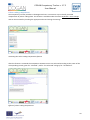
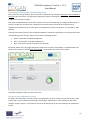
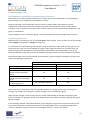
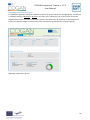
COGAN Competency Tracker v. 1.7.2 User Manual Achievement method: o “self evaluation”, meaning that the evaluation has been made solely by the user owning the competence, o “independent evaluation”, meaning that a body external to the company evaluated the user competences, o “line manager evaluation”, meaning that a person or body inside the company evaluated the user competences Level: this field expresses your level of competence in the area. Please note that the number and wording of the levels can be customised, and in general may vary from company to company. By default, the Competency Tracker provides three levels of competence: o “supervised”, meaning you are able to undertake work under supervision, o “unsupervised”, meaning you are able to undertake work autonomously, o “expert”, meaning that you are able to act as an advisor and lead work teams. Date: the last date the record was edited; by default the current date, but it can be overwritten. Comments: a free field where comments, limitations and clarifications can be provided. After saving your Technical Area record you can review the saved information by clicking Technical Area Record > View . In a similar way it is possible to edit your competence statement record. Select a competence statement in the master area of the page: the detail of the competence statement will appear in the detail area. Now click on Competence Record > Edit to access the record editing form. Complete the required fields and click on the save button: your competence statement record will be saved in the database. Competence statement records have the following editable fields: Status: either “achieved” or “not achieved”, meaning that you possess the competence or not. Achievement method: either “self evaluation”, “independent evaluation” or “line manager evaluation”. Date: the last date the record was edited; by default the current date, but it can be overwritten. Comments: a free field where comments, limitations and clarifications can be provided. After saving your competence statement record you can review the saved information by clicking Competence Record > View. Other fields automatically generated by the Competency Tracker are: Edited by: either “User”, if directly generated/updated by the user, or “Competency Tracker”, if the competence record has been automatically ported by the Competency Tracker from a previous version of the Educational Base. The latter case will occur when the Educational Base is edited and a new version is published. Up-to-date: either “Yes” or “Needs reviewing”. The latter indicates that the competence statement the has got a major update, therefore the competence record needs to be reviewed by the user. 18