1
COGAN Competency Tracker v. 1.7.2
User Manual
Managing groups
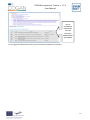
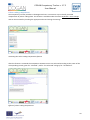
Group management is available by clicking Groups > Manage Groups in the main menu. The Competency
Tracker will show a list of the existing user groups in the master area of the page. The detail menu will
present a Group > Add button. When the group manager selects an existing group, the detail menu will
present the full list of group management options: View, Edit, Add and Delete.
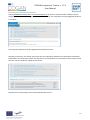
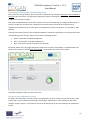
Creating a new group (1)
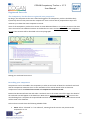
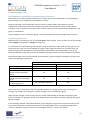
Creating a new group (2)
When a group manager creates a new group, the tracker automatically set him/her as manager of the
group: the new group is populated only by the group manager herself. To add users to the group please
refer to the “managing users” and “populating groups” chapters that follow.
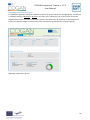
Editing an existing group will not affect the members of the group and their group role. Deleting a group of
users is, in general, a safe operation: users will not be deleted, as well as their competences recorded in the
tracker, and the group can be created again later on.
23