1
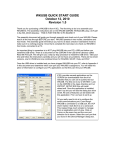
If the VoiceUSB connects to the Internet, red indicator denoted as Disconnected on the left
corner of MCT window turns green and will be denoted as Connected.
When connected to the Internet, on the left side of MCT you will be able to monitor
downloaded/uploaded traffic, upload/download speed time while connected.
In order to disconnect from the Internet, click Disconnect in the main MCT window.
4.2.2 Sending SMS
With VoiceUSB you can send and receive SMS messages. Before sending/receiving SMS
messages you must disconnect from Internet! In order to send SMS, click SMS in the main MCT
window. A Short message service window will open.
In the opened window, enter the receiver’s phone number in the Phone number field. “+“is
entered automatically. The message text is entered in the Message text field. Message can be of 160
characters. If you tick the Use extended character set, you will be able to use specific symbols in your
message, but the number of characters will be reduced to 70.
18