1
Wireless
Solution
21.9687.1860
(Wireless Solution)
21.9687.1861
(Lumen Radio)
21.9687.1862
(City Theatrical)
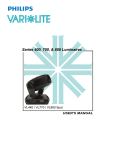
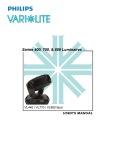
Wireless DMX Receivers Installation & User’s Manual
For use with VL440 Spot, VL770 Spot, VL880 Spot and VLX3 Wash Luminaires
Wireless DMX Receivers
Installation & User’s Manual
PREFACE
1. Customer Service
Our Goal
At Philips Vari-Lite, we are committed to providing you the highest quality in customer service. Our comprehensive
resources are available to help your business succeed and ensure you get the full benefit of being a Philips Vari-Lite
customer. Whether your needs are telephone troubleshooting assistance, product training or technical service, our
full-time staff of experienced professionals are on-hand to provide support.
How to Reach Us
For assistance in your area, call the dealer from which your product was purchased.
or Contact an Authorized Dealer or Service Center
or Contact the Philips Vari-Lite Customer Service Department, 7am - 6pm CST Monday through Friday, at the
following:
phone: 1-877-VARI-LITE (1-877-827-4548) or +1-214-647-7880
e-mail: [email protected]
Additional Resources
For additional resources and documentation, please visit our website at www.vari-lite.com and follow the Support
link.
2. Additional Documentation
For more information regarding DMX512 systems, refer to the following document available from United States
Institute for Theatre Technology, Inc. (USITT): Digital Data Transmission Standard for Dimmers & Controllers plus
AMX 192 Analog Multiplex Data Transmission Standard for Dimmers & Controllers. (A copy of Recommended
Practice for DMX512 is included.)
USITT
315 South Crouse Avenue, Suite 200
Syracuse, New York 13210-1844 USA
Phone: 800-938-7488 or +1-315-463-6463
Fax: 866-398-7488 or +1-315-463-6525
Web Site: www.usitt.org
Document Number: 02.9687.0100
Version as of: 20 February 2013
Wireless DMX Receivers Installation & User’s Manual
©2013 Philips Group. All rights reserved.
1
PREFACE
Wireless DMX Receivers
Installation & User’s Manual
IMPORTANT INFORMATION
1. Warnings and Notices
When using electrical equipment, basic safety precautions should always be followed including the following:
a. READ AND FOLLOW ALL SAFETY INSTRUCTIONS.
b. Do not use outdoors.
c. Do not use near gas or electric heaters.
d. The use of accessory equipment not recommended by the manufacturer may cause an unsafe
condition.
e. Do not use this equipment for other than intended use.
f. Refer service to qualified personnel.
SAVE THESE INSTRUCTIONS.
WARNING: You must have access to a main circuit breaker or other power disconnect device
before installing any wiring. Be sure that power is disconnected by removing fuses or turning the
main circuit breaker off before installation. Installing the device with power on may expose you to
dangerous voltages and damage the device. A qualified electrician must perform this installation.
WARNING: Refer to National Electrical Code® and local codes for proper use specifications.
WARNING: This equipment is intended for use in accordance with the National Electric Code® and
local regulations. It is also intended for installation in indoor applications only. Before any electrical
work is performed, disconnect power at the circuit breaker or remove the fuse to avoid shock or
damage to the control. It is recommended that a qualified electrician perform this installation.
2. FCC Compliance
The DMX wireless receivers described herein comply with Part 15 of the FCC Rules and are
CE marked.
Operation is subject to the following two conditions:
1) this device may not cause harmful interference, and
2) this device must accept any interference received, including interference that may
cause undesired operation.
To assure continued compliance, any changes or modifications not expressly approved by the party responsible for
compliance could void the user's authority to operate this equipment.
Note: This equipment has been tested and found to comply with the limits for a Class B digital device, pursuant to
Part 15 of the FCC Rules. These limits are designed to provide reasonable protection against harmful interference in
a residential installation.
This equipment generates, uses, and can radiate radio frequency energy and, if not installed and used in accordance
with the instructions, may cause harmful interference to radio communications.
However, there is no guarantee that interference will not occur in a particular installation. If this equipment does
cause harmful interference to radio or television reception, which can be determined by turning the equipment off and
on, the user is encouraged to try and correct the interference by one or more of the following measures:
• Reorient the receiving antenna.
Warnings and Notices
2
Wireless DMX Receivers
Installation & User’s Manual
• Increase the separation between the equipment and receiver.
• Connect the equipment into an outlet on a circuit different from that to which the receiver is connected.
• Consult the dealer or an experienced radio/TV technician for help.
WARNING! RF Exposure Warning for North America and Australia - To meet FCC and other national safety
guidelines for RF exposure, the antenna for this device must be positioned to ensure a minimum separation distance
of 20 centimeters (7.9 inches) from persons.
FCC Markings
Model
FCC ID
Version
21.9687.1860
UQT-WDMXOEMPCBF
Wireless Solution
21.9687.1861
XRSCRMXNOVA101
Lumen Radio
21.9687.1862
VU65792
City Theatrical
3. Industry Canada Compliance
• This Class B Digital apparatus meets all the requirements of the Canadian Interference Causing Equipment Regulations ICES 003.
• Cet appareil numerique de classe B respecte les exigences du reglement du Canada sur le materiel
brouilleur NMB-003.
The device is certified to the requirements of RSS-210 for 2.4 GHz spread spectrum devices. The use of this device in
a system operating either partially or completely outdoors may require the user to obtain a license for the system
according to the Canadian regulations. For further information, contact your local Industry Canada office.
Industry Canada (IC) Markings
Model
IC Number
6612A-WDMXOEM
Wireless Solution
21.9687.1861
8879A-CRMXN101
Lumen Radio
21.9687.1862
7480A-5972
City Theatrical
4. CE Marking
The DMX wireless receivers described herein are CE marked and
are designed to install and operate with the Philips VARI❋LITE
luminaires described in this manual only.
3
Version
21.9687.1860
IMPORTANT INFORMATION
Wireless DMX Receivers
Installation & User’s Manual
TABLE OF CONTENTS
PREFACE
Customer Service.................................................................................................................................................... 1
Our Goal.......................................................................................................................................................... 1
How to Reach Us............................................................................................................................................. 1
Additional Resources ...................................................................................................................................... 1
Additional Documentation ..................................................................................................................................... 1
IMPORTANT INFORMATION
Warnings and Notices............................................................................................................................................. 2
FCC Compliance .................................................................................................................................................... 2
FCC Markings ................................................................................................................................................. 3
Industry Canada Compliance ................................................................................................................................. 3
Industry Canada (IC) Markings....................................................................................................................... 3
CE Marking ............................................................................................................................................................ 3
TABLE OF CONTENTS
INTRODUCTION
About this Guide..................................................................................................................................................... 5
Product Description ................................................................................................................................................ 5
Wireless DMX Receiver Features .......................................................................................................................... 5
WIRELESS DMX RECEIVER INSTALLATION
Installing Wireless DMX Receivers ....................................................................................................................... 6
WIRELESS DMX RECEIVER OPERATION
Configuring the Luminaire to Operate with Receiver............................................................................................ 8
LCD Display - Status / Message Screens ............................................................................................................... 8
Linking Screen ................................................................................................................................................ 8
Connected Screens .......................................................................................................................................... 8
No Status Screen ............................................................................................................................................. 9
Disconnected Screen ....................................................................................................................................... 9
Unlinking Receiver from Connected Transmitter .................................................................................................. 9
Wireless Solution / Lumen Radio Wireless DMX Receivers ......................................................................... 9
City Theatrical SHoW DMX Wireless DMX Receivers .............................................................................. 10
Troubleshooting.................................................................................................................................................... 10
CE Marking
4
Wireless DMX Receivers
Installation & User’s Manual
INTRODUCTION
1. About this Guide
The document provides installation and operation instructions for the following products:
• 21.9687.1860, Wireless Solution W-DMX Wireless DMX512 Receiver, Black
• 21.9687.1861, Lumen Radio Wireless DMX512 Receiver, Black
• 21.9687.1862, City Theatrical SHoW DMX DMX512 Receiver, Black
Please read all instructions before using these products. Retain this manual for future reference.
2. Product Description
The wireless DMX receivers are used to connect to VL440 Spot, VL770 Spot, VL880 Spot or VLX3 Wash
Luminaires to allow wireless DMX512 communications and control. These receivers are offered in three wireless
standards:
• Wireless Solution W-DMX
• Lumen Radio Wireless DMX
• City Theatrical SHoW DMX
Each wireless DMX receiver installs directly on to, and is powered by, the luminaire.
3. Wireless DMX Receiver Features
Refer to Figure 1 for the features of the wireless DMX receiver. Note, each receiver has same physical features.
Front of Unit
Mounting Points Each wireless DMX receiver is specifically
designed to install on VL440 Spot, VL770
Spot, VL880 Spot and VLX3 Wash
luminaires with two screws (two 6-32 x 1inch screws are provided with each unit)
Omni-Directional, 2.4GHz Antenna Antenna installs easily and rotates for optimum
signal reception.
Rear of Unit
Note: Observe red stripe
on interconnection ribbon
cable. See "Installing
Wireless DMX
Receivers" on page 6 for
more information.
Interconnection Ribbon Cable
(on rear of unit) 20-pin ribbon cable that easily
connects receiver to luminaire.
20-pin female mating connector
already on luminaire.
Figure 1: Wireless DMX Receiver Features
5
INTRODUCTION
Wireless DMX Receivers
Installation & User’s Manual
WIRELESS DMX RECEIVER INSTALLATION
1. Installing Wireless DMX Receivers
To install on a wireless DMX receiver on a VL440, VL770, VL880 spot or VLX3 wash luminaires:
WARNING! Before proceeding, all power must be remove from luminaire.
Note: The fixture(s) must have the following software version (or later) installed - For VL440/770/880 Spots:
08.08.12 / For VLX3 Wash: 06.28.12. Software downloads are available from the Support Section of the Vari-Lite
web site at www.vari-lite.com.
Step 1. Unpack unit and make sure all parts are present.
Step 2. If antenna is not installed, install antenna.
CAUTION: In next step, do not twist ribbon cable. The RED stripe on ribbon cable should be oriented as shown in
Figure 2.
Step 3. At rear of receiver, connect 20-pin ribbon cable (provided with unit) to 20-pin female header connector on
luminaire. Take care to ensure that the pins are properly aligned before seating connector.
Step 4. Position receiver over luminaire mounting position as shown in Figure 2. Make sure ribbon cable is
completely encased in receiver housing before securing to luminaire. Do not pinch ribbon cable.
Enclosure Assembly
Wireless DMX Receiver
Mounting Button
20-Pin Female Connector
20-Pin Interconnect Ribbon Cable*
Note: *Make sure the red stripe (on cable) is
towards the mounting buttons (UP in this
graphic) of enclosure.
Wireless DMX Receiver
6-32 x 1 in. Screw (x2)
Mounting Detail
Figure 2: Wireless DMX Receiver Installation
Installing Wireless DMX Receivers
6
Wireless DMX Receivers
Installation & User’s Manual
Step 5. Install receiver unit by inserting two 6-32 x 1 inch screws (provided with receiver) through holes in receiver
housing into luminaire. Hand-tighten screws. Do not over tighten!
Step 6. As shown in Figure 3, (A) rotate antenna from unit out and (B) up / down to receive communication signals
from transmitter. Then the antenna can be positioned desired.
A
B
CAUTION: Be sure to rotate antenna
into unit (stowed position) before
placing fixture in a road case or box.
Figure 3: Wireless DMX Receiver Antenna
Step 7. Once installation is complete, proceed to "WIRELESS DMX RECEIVER OPERATION" on page 8 for
configuration instructions.
7
WIRELESS DMX RECEIVER INSTALLATION
Wireless DMX Receivers
Installation & User’s Manual
WIRELESS DMX RECEIVER OPERATION
1. Configuring the Luminaire to Operate with Receiver
To enable wireless DMX communications:
Step 1. Install unit according to instructions contained in "WIRELESS DMX RECEIVER INSTALLATION" on
page 6.
Step 2. Power on luminaire.
Step 3. At luminaire display, enable luminaire to operate with wireless DMX receiver as follows:
a. Press [Menu]
b. Press [Up] / [Down] arrows until DMX appears. Press [Enter].
c. Use [Up] / [Down] arrows until Wireless? appears.
d. Use [Up] / [Down] arrows to select Yes or No. Press [Enter] to select.
Step 4. Receiver is ready to connect to a wireless DMX transmitter. Refer to transmitter manual for signal
assigning/connecting to transmitter and DMX512 signal set up.
2. LCD Display - Status / Message Screens
Linking Screen
As illustrated in Figure 4, the display will show LINKING under the DMX address - in the DMX address screen when the unit is trying to established a connection with a wireless DMX transmitter.
031
LINKING
Figure 4: LCD Display - Linking Screen
Connected Screens
Once linked to a wireless transmitter, the display will state CONNECTED. There are two versions of this screen
and their meanings as described in Figure 5.
031
031
CONNECTED
CONNECTED
When Connected is displayed with a
normal background, the wireless connection
is established between transmitter and
receiver, but DMX signal is not detected /
present.
When Connected is displayed with an
inverted (or dark) background, the wireless
connection is established between
transmitter and receiver, and a DMX signal is
detected / present.
Figure 5: LCD Display - Connected Screens
Configuring the Luminaire to Operate with Receiver
8
Wireless DMX Receivers
Installation & User’s Manual
Note: Once the wireless DMX device is linked to its transmitter, other fixtures or devices (without a wireless DMX
device) can be connected via hard wire to the DMX output of the luminaire to receive DMX commands.
No Status Screen
When the display shows NO STATUS under the DMX address, as shown in Figure 6, the unit is checking for any
available connections. Note, this message will only display for a short period.
031
NO STATUS
Figure 6: LCD Display - No Status Screen
Disconnected Screen
As shown in Figure 6, the display will show DISCONNECTED under the DMX address - in the DMX address
screen - when the unit is not connected with a wireless DMX transmitter.
031
DISCONNECTED
Figure 7: LCD Display - Disconnected Screen
Note: If none of the preceding status (messages) exists under the DMX address, the fixture is not enabled for a
wireless DMX receiver. Refer to "Configuring the Luminaire to Operate with Receiver" on page 8 to enable fixture.
3. Unlinking Receiver from Connected Transmitter
Wireless Solution / Lumen Radio Wireless DMX Receivers
Note: This section is only applicable to 21.9687.1860, Wireless Solution wireless and 21.9687.1861, Lumen Radio
wireless DMX receivers. For 21.9687.1862, City Theatrical SHoW DMX models, refer to "City Theatrical SHoW
DMX Wireless DMX Receivers" on page 10.
To unlink (disconnect) receiver (21.9687.1860 or 21.9687.1861 models only) from its connected transmitter:
Step 1. Press [Menu]
Step 2. Press [Up] / [Down] arrows until DMX appears. Press [Enter].
Step 3. Use [Up] / [Down] arrows to select Unlink/Reset Receiver. Press [Enter] to unlink.
9
WIRELESS DMX RECEIVER OPERATION
Wireless DMX Receivers
Installation & User’s Manual
City Theatrical SHoW DMX Wireless DMX Receivers
Note: This section is only applicable to 21.9687.1862, City Theatrical SHoW DMX wireless DMX receivers. For
21.9687.1860, Wireless Solution wireless and 21.9687.1861, Lumen Radio wireless DMX receivers, refer to
"Wireless Solution / Lumen Radio Wireless DMX Receivers" on page 9.
Returning a 21.9687.1862 receiver to a Known ShowID (ShowID 201):
Step 1. Press [Menu]
Step 2. Press [Up] / [Down] arrows until DMX appears. Press [Enter].
Step 3. Use [Up] / [Down] arrows to select Unlink/Reset Receiver. Press [Enter] to Reset.
The Receiver is now set to ShowID 201 and will connect to a transmitter with the same ShowID. Refer to City
Theatrical documentation on changing the Receiver's setting using RDM, through the Transmitter.
4. Troubleshooting
Table 1 below shows some common issues that may be encountered with the receivers and remedies for these issues.
Table 1: Troubleshooting Guide
Symptom
Description
Possible Cause/Remedy
•
Check 20-pin ribbon cable between wireless DMX receiver and fixture.
•
There is a green LED indicator on the board near the cable connection
that will illuminate ONLY when the connector is properly connected to the
fixture and the unit is powered on. Refer to Figure 8.
No wireless
functions.
Receiver not
connected properly.
•
Make sure fixture is set to Wireless DMX -> Yes (enabled).
Fixture states
connected, but does
not respond to DMX.
No DMX connection the wireless
transmitter is not
sending DMX.
•
Check ALL DMX connections and wiring (from DMX source to wireless
transmitter).
•
The DMX Address screen will invert to a black background when DMX is
received via a wireless connection.
No wireless DMX
connection.
Fixture will not link
with a wireless DMX
transmitter.
•
Check and make sure wireless DMX transmitter is functioning.
•
Ensure the wireless receiver model matches the transmitter (same type,
brand).
Fixture does not
respond to DMX
input from XLR
connection.
•
Wireless mode is ON
(enabled).
Turn off (disable) Wireless mode to enable the fixture to accept and
respond to hard-wire XLR DMX input.
For additional assistance, please refer to "Customer Service" on page 1.
Rear of Unit
Green LED Indicator
(illuminates when unit is properly
connected and powered on)
20-pin Ribbon Cable
Figure 8: Green LED Indicator (Rear of Wireless Receiver)
Troubleshooting
10
Philips Vari-Lite
10911 Petal Street
Dallas, Texas 75238 USA
1-877-VARI-LITE ❋ 1-214-647-7880
www.vari-lite.com
©2013 Philips Vari-Lite, a Philips group company. All Rights Reserved.