1
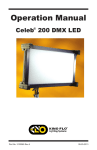
Operation Manual
Celeb® 401 DMX LED
Part No. 3100085 Rev 01
07-24-2015
Celeb 401 DMX LED Fixtures
Celeb 401 Center Mount
CEL-401C-120U
Celeb 401 DMX Center Mount, Univ 120U
CEL-401C-230U
Celeb 401 DMX Center Mount, Univ 230U
Celeb 401 Yoke Mount
CEL-401Y-120U
Celeb 401 DMX Yoke Mount, Univ 120U
CEL-401Y-230U
Celeb 401 DMX Yoke Mount, Univ 230U
Celeb 401 Pole-Op
CEL-401P-120U
Celeb 401 DMX Pole-Op, Univ 120U
CEL-401P-230U
Celeb 401 DMX Pole-Op, Univ 230U
Included w/ all Celeb 401 Models
LVR-CE490-P
Celeb 401 Louver/HP, 90° (Included)
GFR-CE4
Celeb 401 Gel Frame (Included)
2
Celeb 401 DMX LED Kits
KIT-C401-120U
Celeb 401 DMX Center Mount Kit,
Univ 120U
KIT-C401-230U
Celeb 401 DMX Center Mount Kit,
Univ 230U
Celeb 401 Center Mount Kit
Kit Contents:
1 Celeb 401 DMX Center Mount
1 Flight Case
Weight: 52.5 lb (24kg)
Dimensions: 53.5 x 11 x 16.5”
(136 x 28 x 42cm)
KIT-C401Y-120U
Celeb 401 DMX Yoke Mount Kit,
Univ 120U
KIT-C401Y-230U
Celeb 401 DMX Yoke Mount Kit,
Univ 230U
Celeb 401 Yoke Mount Kit
Kit Contents:
1 Celeb 401 DMX Yoke Mount
1 Jr. Pin
1 Ship Case
Weight: 57 lb (26kg)
Dimensions: 54.5 x 9.5 x 25”
(138.5 x 24 x 63.5cm)
3
Celeb 401 DMX Control Panel
A
B
C
D E
F
G
A) Kelvin Preset Buttons: Kelvin buttons come preset at the factory.
Factory defaults left to right are: 2700K, 3200K, 4500K, 5500K, 6500K.
User can also use these preset buttons to store custom Kelvin settings.
B) DMX ADDRESS – Use to set DMX address. The Celeb 401 automatically
assigns 2 channels. First Channel controls Dimming; Second Channel
controls Kelvin.
C) KELVIN / DIM: In KELVIN mode, an amber light appears to the left of
the button and Kelvin is displayed. Press the button again to change to
DIM mode. In DIM mode, a green light will appear to the left of the button
and Dim level is displayed.
D) Display: Provides Kelvin, Dim level and software revision data.
E) LOCK / RESET: In LOCK mode, an amber light is displayed to the left
of the button. In RESET mode, the indicator light is green. To reset to
factory presets, hold the LOCK / RESET button for 5 seconds.
F) On / Off: On = Green light displayed. Off = Amber light displayed.
G) Kelvin / Dimmer Knob: Manually adjusts Kelvin or Dim levels.
Press the knob to toggle between fine and coarse adjustments.
Note: Each Celeb 401 DMX fixture has an “AUTO TERMINATE” feature.
The last fixture that does not have an XLR cable attached to the
DMX “Out” port will automatically terminate.
4
Fixture Power
AC Input
The Celeb is powered AC and includes an IEC connection. A locking
power cord is included with the fixture. To remove the plug, move the red tab
to release. The ballast has a built-in power supply with universal input from
100-240VAC.
DC Input
The Celeb can also be operated on 24VDC (input range 18-28VDC) through
a 3-Pin XLR. A low voltage warning will display “LPWR” when the battery is
running low.
The pin polarity is:
Pin #1 – Ground
Pin #2 + 18-28VDC
Pin #3 not used
Ambient Operating Temperature
The Celeb is designed to operate at temperatures from 14°F to 104°F
(-10°C to 40°C).
5
Start Up
When power is first applied to
the fixture, the alphanumeric
display shows the current
software version.
Press the On/Off button
to turn on the fixture.
The display will show its last
setting.
Kelvin Selection
There are 5 Kelvin factory
preset buttons. Left to right
they display 2700K, 3200K,
4500K, 5500K and 6500K.
A green indicator will light to
the left of the active button.
Rotating the adjustment knob
will change the Kelvin.
Press the rotating knob once
to shift the Kelvin profile from
Coarse to Fine increments.
In the Coarse mode,
the fixture can be adjusted in
one rotation of the knob.
In Fine mode, it will require
8 rotations for full range of
adjustment.
6
Kelvin Custom Settings
In KELVIN mode, the Kelvin
can be fine tuned with the
adjustment knob to custom
settings between 2700K to
6500K.
The setting can be assigned
to any preset button by
holding down the desired
button for 5 seconds.
The Kelvin display will flash
once the setting is registered.
Note: When the power is
turned off or removed,
the fixture will remember
its last setting.
Dimming
Press the KELVIN / DIM
button. The indicator light to
the left of the button will turn
green.
Rotating the adjustment knob
will dim the light of the fixture.
Press the rotating knob once
to shift the Dim profile from
Coarse to Fine increments.
In the Coarse mode, the
fixture can be adjusted in
one rotation of the knob.
In Fine mode, it will require
8 rotations for full range of
adjustment.
7
Reset Factory Settings
To reset factory settings,
press and hold the LOCK /
RESET button for 5 seconds.
The indicator light will turn
green and settings will reset
to factory settings.
Lock Mode
Press the LOCK / RESET
button to lock the Kelvin
and Dim settings. An amber
indicator will display in
LOCK mode.
In LOCK mode, controls
are disabled and LOCK
will appear in the display.
To unlock, press the
LOCK / RESET button again.
The indicator light will turn
green.
In LOCK mode, you can
toggle back and forth on
the KELVIN / DIM button
and review your Kelvin and
Dim settings.
Note: When the power is
removed, the fixture will
reset to unlock.
8
DMX Operation
The Celeb 401 DMX operates
on two DMX channels using
DMX512. The first channel
operates dimming; the 2nd
channel operates Kelvin color
temperature control.
Once an address is selected,
the fixture automatically
assigns 2 channels.
Press and hold the DMX
ADDRESS button to select a
DMX address. The displayed
number will flash while in edit
mode.
Turn the dimming knob to
select a valid address from
1-512. (Note: 0 or 513-999
are invalid addresses.)
Press the rotating knob once
to shift between Fine (single
digits) and Coarse (in 10th’s)
address selection.
To save the DMX channel,
press the DMX ADDRESS
button again. When set,
the displayed number will stop
flashing.
9
Note: All Kelvin indicator lights will turn green if a valid DMX signal is present.
If a fixture loses its DMX signal, it will hold its last DMX command.
For this reason, it is important to turn a fixture off using the DMX commands.
For example, if you try to turn off the lights by turning off the dimmer board, the lights
will remember their last DMX command and stay on. The fixtures require a DMX “Off”
or “Black-Out” command in order to turn off.
All manual controls are disabled once the
DMX cable is applied and DMX is turned on.
Note: To regain manual control with the DMX
cable plugged in, set the DMX address to “0”.
AUTO TERMINATE FEATURE
The Celeb 401 DMX fixtures have an AUTO
TERMINATE feature. The last fixture that
does not have an XLR cable attached to the
DMX “Out” port will automatically terminate.
Note: When operating fixtures at
great distances from the dimmer
board, it is recommended to use
Opto-Isolators to provide DMX
signal amplification.
Any theatrical lighting board with DMX512
protocol can be used to control the Celeb 401
DMX fixture. The fixtures can be jumpered
using the IN and OUT ports. As many as 100
fixtures can be jumpered on one chain as long
as the DMX cable run remains under 1000 feet
or 40 x 25ft DMX cables.
DMX Kelvin Dimmer Control
Kelvin Color Temperature – Dimmer level
When DMX is applied, the DMX signal will override the manual settings and the
Celeb Kelvin temperature will default to 6500K and dim setting will be at 100%.
Sliding the fader on the 1st channel will lower the light level. Sliding the fader on the
2nd channel will lower the Kelvin from 6500K to 2700K. (See chart on the following
page for approximate Kelvin dimmer levels.). The fixture may respond ± 4 slider
channels, depending on the dimmer board.
10
Celeb 401 DMX
Kelvin Color Temperature
Dimmer Level
Kelvin Color
Temperature
Dimmer
Level
6500K
100%
5500K
75%
4500K
50%
3200K
15%
2700K
0%
Note: The detailed DMX mapping for the Celeb 401 DMX fixture can be downloaded
fromour website at www.kinoflo.com.
IMPORTANT!
The dimmer board/light console should have its channel set to LINEAR light output
response. (LINEAR response is the default setting on most dimmer boards.)
DMX Cables
DMX Cables
The Celeb 401 DMX fixtures use five-pin XLR male and
female connectors to receive DMX signals from the Dimmer
Board and jumper the fixtures in a series. DMX pin-out
wiring follows the USITT DMX512 standard:
Pin 1: Shield
Pin 2: Data –
Pin 3: Date +
Pin 4: Spare –
Pin 5: Spare +
Note: Pin four and five in the fixture are connected internally
as Pin four to four and Pin five to five. Connecting Pin
four and five as the pass-thru allows secondary data to be
passed through other equipment.
Do not use Microphone Cables and other general purpose, two-core cables designed
for audio or signaling use. They are not suitable for DMX512. Problems due to
incorrect cabling may not be immediately apparent. Microphone Cables may appear
to work fine, but systems built with such cables may fail or be prone to random errors.
Cable must comply with EIA-485 (RS485).
11
Celeb 401 Wireless Operation
The Celeb 401 includes a built-in Lumen Radio receiver and can be operated
wirelessly with aALumen Radio transmitter (sold separately). Wireless is an option to
using DMX cables. Set DMX address as previously instructed on p. 9. For more information on Lumen Radio Receiver/Transmitter, see www.LumenRadio.com.
A
B
C
A) Signal Strength Indicator:
Blue
On - Wireless Enabled/Unlinked
Green
100% - 60%
Orange
59% - 20%
Red
Less than 10%
B) Power/Wireless (white): On/Off
C) Unlink (red): Hold for 3 seconds to unlink
Note: Fixture must be powered on and Power/Wireless must be
in “On” position. In addition, transmitter must be connected to a
DMX controller with a valid DMX output.
Press the white Power/Wireless button. A blue light indicates
fixture is ready to link to transmitter.
Note: The transmitter will not link to the fixture if the
Power/Wireless button is not on.
Press the link/unlink button on the transmitter to link to the
Celeb 401. A fast red blinking light is displayed while searching
for signal. A slow green blinking light* displays when linked.
A solid green light* is displayed when linked and DMX data is
present with a strong signal.
Note: Fixture should only receive DMX wirelessly or through
DMX cables, not both. Otherwise, the fixture will not respond
properly.
*Green, Orange or Red light indicates signal strength.
To unlink from the fixture: Press and hold the red unlink button
for 3 seconds. A blue light is displayed when unlinked.
To unlink from the transmitter: Press and hold the link/unlink
button for 3 seconds. This will unlink all powered fixtures linked
to the transmitter.
Note: When power is removed from fixture, it will remember its
linked/unlinked state.
12
Center Mount
MTP-LM
Mounted on
a junior stand
Mounted to pipe grid
The Celeb 401 Center Mount fixture includes a Lollipop w/ Junior Pin
(28mm) (MTP-LM) which allows the fixture to be mounted directly onto a
junior stand or hung from a grid with a junior pipe clamp.
Note: The handles on the back of the fixture provide attachment points for a
safety chain.
A 180° turn loosens the orientation of the mount. A right turn tightens the
mount.
The tension on the lock lever may be adjusted by pulling the handle away
from the mount. This disengages the handle from the screw mechanism and
allows the lever to be reoriented.
You can also use a screwdriver to adjust the tension. Pull back on handle
and adjust screw.
13
Yoke Mount
MTP-I80
The yoke has a ½” hole to accept industry standard mounting hardware.
The Celeb 401 Yoke Mount fixture can hang from a grid by a junior pipe
hanger using a Junior Pin Assembly for Yoke (MTP-I80), sold separately.
Note: The yoke also provides an attachment point for a safety chain.
Warning: Use only M5 X 10mm screws (supplied) to assemble yoke.
Note that threads on the fixture are self-locking and may seem tight.
Replacement screws: Part No. 2020127
Recommended torque setting:
USA: 18 lb-in
Metric: 2 Nm
Pole-Op
The Celeb 401 Pole-Op fixture includes a yoke with
an attached junior pin. It can be hung from a grid with
a Junior pipe hanger.
Junior pin attached to Pole-Op Yoke
14
Operating Pole-Op
The Blue cup alters the Pan (left or right).
The White cup alters the Tilt (up or down).
Warning!
Do not pull yoke to adjust tilt. Turn the white knob
counter clockwise to angle the yoke 90°.
(ParaBeam shown for illustration purposes only.)
Mount Option/Rope Hang
Accessory holders are also designed to enable 4-point
rope hangs for specialty rigging applications.
Applying Gel to Frame
Option 1 - The Gel Frame comes with gel clips. Cut the gel to size and use
the clips to fasten the gel to the frame.
Option 2 – Apply transfer tape directly to the Gel Frame. The clips are not
necessary when taping the gel.
15
Inserting Gel Frame and Louver
The Celeb includes spring loaded accessory holders and two channels to
hold the Gel Frame and Honeycomb Louver.
Place the long edge of the Gel Frame or Honeycomb Louver into the lower
channel. Press down on the left and right corners of the Gel Frame or
Louver and slip the upper edge into the upper channel of the fixture.
To remove, reverse the procedure.
Note: Do not press down along the top center portion of the Gel Frame or
Louver. Doing so may deform the Gel Frame or Louver over repeated usage.
Inserting Barndoors
Position the barndoors
alongside the extruded
edge of the fixture. Align
the thumbscrews with the
adjustable receptacle holes
in the fixture and insert into
place. Lock the barndoors by
turning the silver thumbscrew.
To remove, reverse the
procedure.
For replacement screws,
use M5 Metric size screws.
BRD-CE4
16
Note: To adjust the
placement of the receptacle
holes, use a pointed tool
(such as a pen) to slide the
holes within the extruded
edge.
Troubleshooting
Display Protection Condition
Description
Normal Condition
Cause/Solution
OCP
Over Current Protection
Shut down current 2.52A
in excess of 20%
2.1A @ 100% dim
Repair Service
Center
OVP
Over Voltage Protection
Shut down voltage @
excess 30V
Below 28V
Wrong Battery
or 24V Battery
w/ too high
Open Voltage
UVP
Under Voltage Protection
Shut down voltage @
below 17V
Excess 18V
Dead Battery
OTP
Over Temperature
Protection
Shut down temp @
120°C (LDM board side)
Below 120°C @
LED array
Cool Down
OPP
Open Protection
Open circuit
No open
Repair Service
Center
SCP
Short Circuit Protection
Short circuit
No short
Repair Service
Center
Troubleshooting continued
Can’t set the DMX address.
You must Press and Hold the DMX Address button for 3 seconds in order to
select an address. The display will flash while in edit mode. Select a valid
address from 1-512. (Note: 0 or 513 and higher are invalid addresses.)
Can’t operate the fixture manually with the DMX cable plugged in.
Two Options:
Set DMX address to “0” or disconnect cable and turn power off and on.
Can’t link to wireless transmitter.
Fixture must be receiving power. Power/Wireless button must be in the “On”
position and blue light must be displayed.
17
Accessories
BRD-CE4 Celeb 401 Barndoors (Set of 4)
LVR-CE460-P
MTP-I80
Celeb 401 Louver/HP, 60°
Junior Pin Assembly for Yoke (28mm)
MTP-LM Kino 81 Lollipop w/ Junior Pin (28mm)
18
KAS-CE4
Celeb 401 Center Flight Case
KAS-CE4-C
Celeb 401 Center Travel Case
KAS-CE4-S
Celeb 401 Center Ship Case
KAS-CE4-Y
Celeb 401 Yoke Ship Case
7010045
Celeb 401 Yoke Assembly
7010046
Celeb 401 Pole-Op Assembly
Fixture Specifications
CEL-401C-120U
Celeb 401 DMX Center Mount, Univ 120U
Celeb 401 DMX
Center Mount
AC Input Voltage: 100~240VAC 50/60Hz, 210W
Amperage VAC: 1.8A at 120VAC
DC Input Voltage: 18~28VDC, 198W
Amperage VDC: 8.25A at 24VDC
Kelvin Range: 2700K~6500K
Dimming Range: 100% ~ 1%
Weight: 26 lb (12kg)
Dimensions: 45 x 14 x 5”
(114.5 x 36 x 13cm)
CEL-401C-230U
Celeb 401 DMX Center Mount, Univ 230U
AC Input Voltage: 240~100VAC 50/60Hz, 207W
Amperage VAC: 1.0A at 230VAC
DC Input Voltage: 18~28VDC, 198W
Amperage VDC: 8.25A at 24VDC
Kelvin Range: 2700K~6500K
Dimming Range: 100% ~ 1%
Weight: 26 lb (12kg)
Dimensions: 45 x 14 x 5”
(114.5 x 36 x 13cm)
CEL-401Y-120U
Celeb 401 DMX Yoke Mount, Univ 120U
Celeb 401 DMX
Yoke Mount
AC Input Voltage: 100~240VAC 50/60Hz, 210W
Amperage VAC: 1.8A at 120VAC
DC Input Voltage: 18~28VDC, 198W
Amperage VDC: 8.25A at 24VDC
Kelvin Range: 2700K~6500K
Dimming Range: 100% ~ 1%
Weight: 26 lb (12kg)
Dimensions: 50 x 16.5 x 5”
(127 x 42 x 13cm)
CEL-401Y-230U
Celeb 401 DMX Yoke Mount, Univ 230U
AC Input Voltage: 240~100VAC 50/60Hz, 207W
Amperage VAC: 1.0A at 230VAC
DC Input Voltage: 18~28VDC, 198W
Amperage VDC: 8.25A at 24VDC
Kelvin Range: 2700K~6500K
Dimming Range: 100% ~ 1%
Weight: 26 lb (12kg)
Dimensions: 50 x 16.5 x 5”
(127 x 42 x 13cm)
19
CEL-401P-120U
Celeb 401 DMX Pole-Op, Univ 120U
AC Input Voltage: 100~240VAC 50/60Hz, 210W
Amperage VAC: 1.8A at 120VAC
DC Input Voltage: 18~28VDC, 198W
Amperage VDC: 8.25A at 24VDC
Kelvin Range: 2700K~6500K
Dimming Range: 100% ~ 1%
Weight: 26 lb (12kg)
Dimensions: 50.5 x 16.5 x 5”
(128.5 x 42 x 13cm)
Celeb 401 DMX
Pole-Op
CEL-401P-230U
Celeb 401 DMX Pole-Op, Univ 230U
AC Input Voltage: 240~100VAC 50/60Hz, 207W
Amperage VAC: 1.0A at 230VAC
DC Input Voltage: 18~28VDC, 198W
Amperage VDC: 8.25A at 24VDC
Kelvin Range: 2700K~6500K
Dimming Range: 100% ~ 1%
Weight: 26 lb (12kg)
Dimensions: 50.5 x 16.5 x 5”
(128.5 x 42 x 13cm)
FCC Part 15 Verification:
This device complies with Part 15 of the FCC Rules. Operation is subject to the condition
that this device does not cause harmful interference.
FCC Part 15 Declaration of Conformity:
This device complies with Part 15 of the FCC Rules. Operation is subject to the following
two conditions: (1) this device may not cause harmful interference, and (2) this device must
accept any interference received, including interference that may cause undesired operation.
KINO FLO, INC
Celeb 201, Celeb 401
ID: XRSCRMXTIMO101
IC: 8879A-CRMXT101
For latest Warranty information and Certifications,
see Kino Flo website at www.kinoflo.com.
Environmental: Disposal of Old Electrical & Electronic Equipment.
This symbol on the product or on its packaging indicates that this
product shall not be treated as household waste. This product is made
of recyclable materials and should be disposed of in accordance with
governmental regulations.
20
Kino Flo, Inc. 2840 N. Hollywood Way, Burbank, CA 91505, USA
Tel: 818 767-6528 website: www.kinoflo.com