1
4.
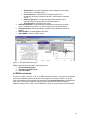
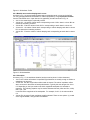
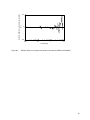
When EERA is properly installed, the EERA menu will appear to the right of the EXCEL
pull-down menus (Fig. 10).
EERA can be de-installed by using Remove EERA in the EERA pull-down menu.
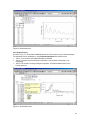
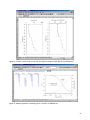
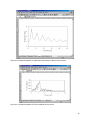
Figure 9. The EXCEL Add-ins menu.
Location of EERA pull down menu
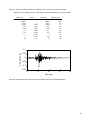
Figure 10. After a successful installation of EERA, the pull-down menu EERA should appear to
the right of EXCEL pull down menus.
4.3 EERA commands
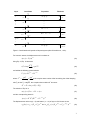
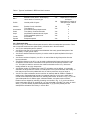
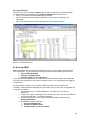
As shown in Fig. 11, there are seven commands in the EERA pull-down menu
1. Process Earthquake Data - Read and process earthquake input motion (input/output in
worksheet Earthquake)
2. Calculate Compatible Strain - Read profile, material curves, and execute the main
iterative calculation (input/output in worksheet Iteration)
3. Calculate Output
• Acceleration/Velocity/Displacement - Calculate time history of
acceleration, relative velocity and displacement at the top of selected
sub-layers (input/output in worksheet Acceleration ...)
• Stress/Strain - Calculate stress and strain at the middle of selected sublayers (input/output in worksheets Strain ...)
12