1
1
Welcome to SimpliCD
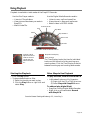
With SimpliCD installed, you can now create your own data, music, slide show and video CDs
with the click of a mouse.
Where can I use the CDs I create?
• In a computer: You can use your own
computer or share your CDs with other
computers.
• With personal CD and DVD players:
These are not part of your computer
system. These are in home entertainment systems and car and portable
players. They are also referred to as
consumer electronic devices.
Note: You must check the documentation of your personal CD or
DVD player to verify which disc
formats it supports.
Do I need any special tools to use SimpliCD?
• No, you just pick the files you want. You
can drag and drop and manage your files
just as you would with any Windows application.
How do I actually make a CD?
• You just click a button and SimpliCD takes
over the process. Options are available for
special needs, but you can make your CD
without using any special options. Just sit
back and let SimpliCD do the job.
SimpliCD Components
Component
What It Does
Note
SimpliCD Recorder
Creates audio, video and slide show
CDs to play back on computers and
personal players.
Record your selections and then
use the discs on a computer, on
personal players or on a TV
through a VideoCD or DVD
player for your whole family to
enjoy.
SimpliCD ROM
A data disc mastering utility.
Helps you collect, arrange and
record files and folders to a CD
for archiving or sharing with
others.
SimpliCD Copy
For duplicating a CD.
For personal disc backup: Copies
one CD to another even if you
only have one CD drive.
SimpliCD ReWrite
Turns your CD into a giant floppy
that you can access from anywhere
in Windows. You can save files
directly to a CD from Windows
applications or drag and drop from
the desktop or in Windows Explorer.
A great tool for using a CD as
your own quick backup of your
files as you create them or want
to store them.
SimpliCD Guide
Provides interactive step-by-step
tutorial for first-time and advanced
users.
It is accessible throughout the
SimpliCD components, from the
Oak menu and from the Start:
Programs menu.
Page 5