1
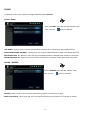
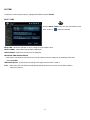
SYSTEM : NETWORK
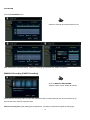
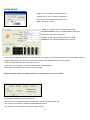
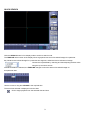
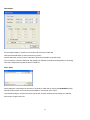
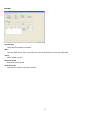
Press the NETWORK menu and click the ON/OFF menu.
Then, click the
button for ON/OFF.
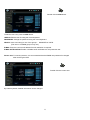
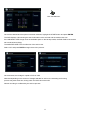
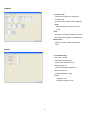
DHCP : When enabled, the DVR will obtain an IP address automatically if connected to a DHCP server
or router.
DDNS : When enabled, the DVR can be accessed through a Dynamic DNS server.
Commonly used if a broadband connection does not have a static IP address.
WEB SERVICE : When enabled, allows remote connections using Internet Explorer or other web browsers.
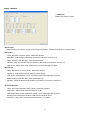
IP ADDRESS : If DHCP is not being used, the IP address can be manually set.
GATEWAY : If DHCP is not being used, the gateway IP address can be manually set.
SUBNET MASK: If DHCP is not being used, the subnet mask can be manually set.
1ST DNS SERVER : If DHCP is not being used, the first DNS server can be manually set.
2ND DNS SERVER : If DHCP is not being used, the second DNS server can be manually set.
DDNS SERVER : If DDNS is enabled, the host DDNS server is specified here.
NET CLIENT PORT : The port number that the DVR uses to support remote connection from the client
software.
WEB SERVER PORT : The port number that the DVR uses to support remote connection from Internet
Explorer or other web browsers.
MAX TX SPEED : Specifies the maximum bandwidth that the DVR can use during a remote connection.
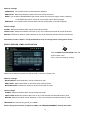
Please note: If any network settings are modified, the DVR will need to be restarted for changes to take
effect
21