1
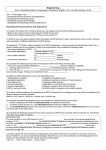
The toolbar
At the bottom of every screen, you will find the Toolbar.
Fig 62
If for any reason you wish to hide the toolbar during your lesson, you can do so by
clicking this arrow on the left-hand side. To make it reappear, you can click the remaining arrow
at the bottom on the right.
The toolbar at a glance
These little green triangles indicate that there
are further options available for this tool.
Select pencil /
highlighter
colour
Pencil
Create
text box
Highlighter
PC mode
Select pencil /
highlighter
thickness
Zoom
Isolate part
of the
screen
Save notes
Print
Eraser and
eraser
thickness
Undo
Redo
Notes page
controls
Hide part of
the screen
Load notes
Clear notes
Fig 63
24