1
Distributed by MicroDAQ.com, Ltd.
www.MicroDAQ.com
(603) 746-5524
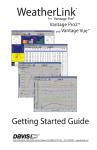
Welcome to WeatherLink®
The data logger and WeatherLink® software let you connect a Davis Vantage
Pro®, Vantage Pro2™, or Vantage Vue® console, or Weather Envoy™ to your personal computer so you can store, view, plot, analyze, export, and print weather
data collected by the weather station.
This Getting Started Guide will guide you in installing and setting up your new
WeatherLink software. It is not meant to be a user manual; rather our copious
Help files contain everything you might need to know about the programs functions and features.
Once you have completed these steps and have WeatherLink running, click on
Help on the top bar for more extensive information about how to use
WeatherLink.
WeatherLink 5.9.X 01/01/10 2:50 p.m. My Weather
File Setup Reports Window Help
Contents of Package
The WeatherLink software is available with three connection types: USB, WeatherLinkIP, and serial. There are also multiple versions of the serial data logger.
Verify which data logger you have.
WeatherLink With USB Connection
(# 6510USB)
The WeatherLink package with the USB connection contains the following:
• Data logger with USB mini-connector
• 8' (2.4 m) USB Mini-B connector cable
• WeatherLink software CD
WeatherLinkIP
(# 6555)
WeatherLinkIP is a simple way to post data from your console or Envoy directly
to the Internet. The WeatherLinkIP package contains the following:
• WeatherLinkIP data logger
• 5' (1.5 m) Ethernet cable
• WeatherLink software CD
1