1
WebGate
Contents
Introduction ............................................................................................................................................................................................................3
1.
Installation.................................................................................................................................................................................................4
1.1
Connections .......................................................................................................................................................................... 5
2.
User Interface ............................................................................................................................................................................................7
2.1
2.2
LED ...................................................................................................................................................................................... 7
Reset Button ......................................................................................................................................................................... 9
3.
HTML Configuration Interface ...............................................................................................................................................................10
3.1
3.2
3.3
Information page ................................................................................................................................................................ 10
Configuration pages ........................................................................................................................................................... 10
Customer Site link .............................................................................................................................................................. 13
4.
Interface RS 232 (Console) .....................................................................................................................................................................14
4.1
4.2
4.3
4.4
Introduction ........................................................................................................................................................................ 14
Settings ............................................................................................................................................................................... 14
A step-by-step configuration example................................................................................................................................ 14
Additional notes about the console..................................................................................................................................... 16
5.
File system ..............................................................................................................................................................................................17
5.1
5.2
5.3
5.4
Files .................................................................................................................................................................................... 17
Directories and “Read Access” file protection ................................................................................................................... 17
“Write Access” file protection............................................................................................................................................ 17
Additional Note .................................................................................................................................................................. 17
6.
File Transfer Protocol (FTP) ...................................................................................................................................................................18
6.1
6.2
6.3
6.4
The FTP client .................................................................................................................................................................... 18
“Write Access” file protection............................................................................................................................................ 18
Additional Note .................................................................................................................................................................. 18
Example.............................................................................................................................................................................. 18
7.
Creating a custom Web page on the WebGate ........................................................................................................................................20
7.1
7.2
7.3
7.4
Introduction ........................................................................................................................................................................ 20
Requirements...................................................................................................................................................................... 20
Creating Web Pages ........................................................................................................................................................... 20
Suggestions for HTML pages optimization........................................................................................................................ 34
8.
WebGate SNMP Protocol .......................................................................................................................................................................35
8.1
8.2
8.3
8.4
8.5
8.6
8.7
8.8
8.9
8.10
A brief overview of the SNMP protocol ............................................................................................................................ 35
The structure of management information: agent MIBs..................................................................................................... 35
Naming OIDs: the tree hierarchy structure of the web ....................................................................................................... 36
Carel Enterprise SNMP Tree.............................................................................................................................................. 37
SNMP command and version ............................................................................................................................................. 43
Communities ...................................................................................................................................................................... 43
System MIB-II variables .................................................................................................................................................... 44
TRAP messages.................................................................................................................................................................. 44
Error Messages ................................................................................................................................................................... 45
MTU dimension for WebGate SNMP ................................................................................................................................ 45
9.
User Management ...................................................................................................................................................................................46
9.1
9.2
9.3
9.4
9.5
9.6
9.7
9.8
9.9
Access Restrictions............................................................................................................................................................. 46
Users Definition ................................................................................................................................................................. 46
Naming Conventions .......................................................................................................................................................... 46
“anonymous” User ............................................................................................................................................................. 46
“guest” access level and passwords ................................................................................................... ............................. 46
Access Levels for Factory Shipped Pages .......................................................................................................................... 46
Accessing to Protected HTML Pages................................................................................................................................. 47
Security Issues.................................................................................................................................................................... 47
Advanced User Table Management ................................................................................................................................... 47
10.
11.
Firmware Upgrade ..................................................................................................................................................................................48
WebGate Script Functions ......................................................................................................................................................................49
11.1
11.2
11.3
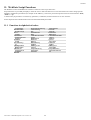
Functions in alphabetical order: ......................................................................................................................................... 49
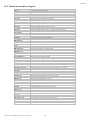
Functions sorted by category:............................................................................................................................................. 50
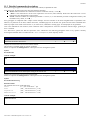
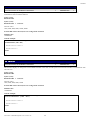
Detailed commands description: ........................................................................................................................................ 51
12.
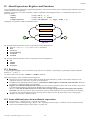
About Expressions, Registers and Functions...........................................................................................................................................79
12.1
12.2
Registers ............................................................................................................................................................................. 79
Some additional notes about arithmetic expressions: ......................................................................................................... 79
13.
Technical Specifications .........................................................................................................................................................................80