1
Chapter 4
Command Summary
Introduction
Overview
This chapter is intended for maintenance personnel.
This chapter provides a description of the commands used for setting up
the data communications and for performing diagnostic tests. Refer to
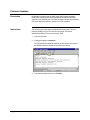
Chapter 3. Data Communications Setup
2000591-001
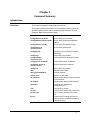
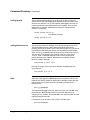
Config address ip ipaddr
Set the ANG_DN IP address.
config address ethernet eaddr
Set the ANG_DN Ethernet hardware
address.
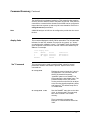
config channel (A or B)
Set the ANG_DN channel number.
config device id
xxx.xxx.xxx.xxx
Set the ANG_DN device id.
config display
Display the current ANCB non-volatile
parameters.
config loop
Set the ADH Loop number.
config netmask
xxx.xxx.xxx.xxx
Set the ANG/DN IP subnetwork mask.
config iproute routeaddr
Set the default router IP address.
config time server ip
xxx.xxx.xxx.xxx
Set the time server IP address.
config unit
Set the ADH Unit number.
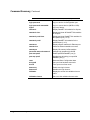
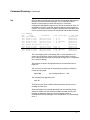
date
Display time and date.
date yyyymmddhhmm
Set time and date.
display links
Display link state table.
dn setuptime
Display and/or change the DN setuptime
in microseconds.
dn window
Display and/or change the DN window.
download
Download new software via
Configuration port.
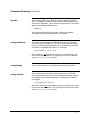
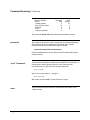
LIST
List next 22 log events.
list nnn
List 22 events, starting with number nnn.
list nnn, xxx
List xxx events, starting with number
nnn.
list on
Continuously list events from the log
buffer, as they are added (terminate by
pressing any key).
Command Summary • 59