1
Table of Contents
Chapter 1 Getting Started
Quick-Start Guide . . . . . . . . . . . . . . . . . . . . . . . . . . . . . . . . . . . . . . . . . . . . . . . . . . . . 9
Additional Documentation . . . . . . . . . . . . . . . . . . . . . . . . . . . . . . . . . . . . . . . . . . . .11
Supported Operating Systems . . . . . . . . . . . . . . . . . . . . . . . . . . . . . . . . . . . . . . . . .11
Supported Browsers . . . . . . . . . . . . . . . . . . . . . . . . . . . . . . . . . . . . . . . . . . . . . . . . .11
Install the ReadyDATA in Your Network. . . . . . . . . . . . . . . . . . . . . . . . . . . . . . . . . .12
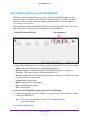
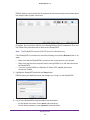
Use RAIDar to Discover the ReadyDATA . . . . . . . . . . . . . . . . . . . . . . . . . . . . . . . . .13
Register the ReadyDATA . . . . . . . . . . . . . . . . . . . . . . . . . . . . . . . . . . . . . . . . . . . . . .16
Chapter 2 Manage Disks and Volumes
Supported Disks and Initial Startup . . . . . . . . . . . . . . . . . . . . . . . . . . . . . . . . . . . . .18
About RAID Levels, Volumes, and Disk Representation . . . . . . . . . . . . . . . . . . . .19
RAID Levels . . . . . . . . . . . . . . . . . . . . . . . . . . . . . . . . . . . . . . . . . . . . . . . . . . . . . . .20
Volumes: Overview . . . . . . . . . . . . . . . . . . . . . . . . . . . . . . . . . . . . . . . . . . . . . . . .21
Optional Expansion Disk Arrays and Volumes . . . . . . . . . . . . . . . . . . . . . . . . . .22
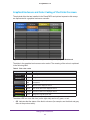
Graphical Enclosure and Color Coding of the Disks Onscreen . . . . . . . . . . . .23
RAID and Volume Implementation. . . . . . . . . . . . . . . . . . . . . . . . . . . . . . . . . . . .24
Manage Volumes . . . . . . . . . . . . . . . . . . . . . . . . . . . . . . . . . . . . . . . . . . . . . . . . . . . .26
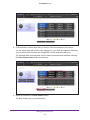
Create a Volume and Select the RAID Level . . . . . . . . . . . . . . . . . . . . . . . . . . .26
View the Properties of a Volume . . . . . . . . . . . . . . . . . . . . . . . . . . . . . . . . . . . . .31
Search for a Volume . . . . . . . . . . . . . . . . . . . . . . . . . . . . . . . . . . . . . . . . . . . . . . .33
Expand a Volume . . . . . . . . . . . . . . . . . . . . . . . . . . . . . . . . . . . . . . . . . . . . . . . . . .33
Configure Write and Read Boost Disks to Improve Performance. . . . . . . . . .36
Export and Import a Volume . . . . . . . . . . . . . . . . . . . . . . . . . . . . . . . . . . . . . . . .39
Delete a Volume . . . . . . . . . . . . . . . . . . . . . . . . . . . . . . . . . . . . . . . . . . . . . . . . . . .40
Scrub a Volume. . . . . . . . . . . . . . . . . . . . . . . . . . . . . . . . . . . . . . . . . . . . . . . . . . . .41
Configure Global Spare Disks. . . . . . . . . . . . . . . . . . . . . . . . . . . . . . . . . . . . . . . .42
Chapter 3 Configure the System Settings
Customize the Basic System Components . . . . . . . . . . . . . . . . . . . . . . . . . . . . . . .46
Set the Clock . . . . . . . . . . . . . . . . . . . . . . . . . . . . . . . . . . . . . . . . . . . . . . . . . . . . .46
Select the Language . . . . . . . . . . . . . . . . . . . . . . . . . . . . . . . . . . . . . . . . . . . . . . .48
Set the Administrator Password . . . . . . . . . . . . . . . . . . . . . . . . . . . . . . . . . . . . .49
Configure System Alerts. . . . . . . . . . . . . . . . . . . . . . . . . . . . . . . . . . . . . . . . . . . .50
Configure the Host Name . . . . . . . . . . . . . . . . . . . . . . . . . . . . . . . . . . . . . . . . . . .52
Set the Theme . . . . . . . . . . . . . . . . . . . . . . . . . . . . . . . . . . . . . . . . . . . . . . . . . . . .52
Configure the Network Settings . . . . . . . . . . . . . . . . . . . . . . . . . . . . . . . . . . . . . . .53
Table of Contents | 4















































































![ハードウェアユーザーマニュアル [PDF:963KB] (日)](http://vs1.manualzilla.com/store/data/006680430_3-5785324c8844caf7579de839c4e3cbde-150x150.png)