1
once available memory exceeded.
B. Playback mode and Delete photos
6. Operation
Press 'capture' key for 2 seconds to enter playback mode; press
lefUright key to select image, and press 'capture' key to delete image,
and press 'capture' key for another 2 seconds to exit playback mode.
(1) Status lndicator
I
Corsignal
Ti
ntercorrmode
Look-s i gn
rnode
(4) Charge
I
I
Battery to be charged once battery indicator turns from green to
red.
7. lnstallation
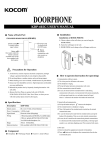
(1) Recommended location: avoid direct light shinning, proper installation
height around 1.5m
rll-1-I-]r?l I
.l
LI
L2 L3
cltD ycc
E-lock port
IlPrrrsettinel
r-f I
I
Power
II
XEYI
Pare sett i ng button
(2) Talk and Unlock
The visitor presses the 'call' button of the outdoor camera, in door
monitors will sound melody and show the image of visitor.
A. Press "monitor" key to turn off the screen and enter into standby
mode to ignore visitor.
B. Press'call' key to talk to visitor, and press 'unlock' key to open the
door.
(3)Monitor
Piess'monitor' key to wake up at the status of standby.
(4) take picture
A. take picture
Press" capture" key to take pictures, pictures to be saved
automatically after'call' button pressed. The first picture to be replaced
(2)
Switch setting
Unlock time setting: by switch
A.
Ml
(in the back of the camera)
1.5s (Default, M1 down)
B . 5s (M1 up)
,l
I
Power mode setting: by switch M2 (in the back of the camera)
A. Normal mode (default, M2 down)
B. low power consumption mode (M2 up, under this mode, it is powered
by the outdoor camera battery and only the outdoor camera calling the
indoor monitor can be realized, indoor monitor to outdoor camera can
not)