1
DOORPHONE
KDP-602G USER’S MANUAL
�
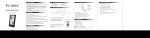
Name of Each Part
�
Installation of DOOR PHONE
EXPANSION DOOR PHONE (KDP-602G)
Volume control●
To control calling
signal volume.
A- Choose a place on the wall where you want to hang the
DOOR PHONE.
B- Fasten the wall hanger on the wall.
C- DOOR PHONE can be hung on the wall hanger easily now.
Power Lamp
To check power
ON/OFF status
Button
To call and
communicate with
other monitor or
doorphone
Button
Door opens when this
button is pressed.
Available only for the
door equipped with
door opener.
∇
!
Installation
Precautions for Operation
1. As this device consists of precise electronic components, and high
voltage is generated internally, do not attempt to disassemble.
2. Do not drop lndoor or outdoor station, and avoid strong impact.
3. When cleaning, never use wet hands, volatile benzene or paint thinner.
4. Keep away from humidifier and stove. High temperature and humidity
can cause malfunction
5. Maintain the product clear by frequently cleaning doorstation with
soft cloths
6. Because this Door Phone is operated with only KVM-604,
KVM-524G & KVM-514G Video Door Phone, so when you use
with other product please install it after inquiry.
Specifications
�
Description
KDP-602G
Electric source
Power Consumption
Signal Sound
Wiring
DC 12± 1V Only (From Monitor)
1.6W(In Load)
Electronic chime (Dingdong)
3 Wired in polarity (KVM-604), Vcc/GND/Audio
4 Wire in polarity (KVM-524G, KVM-514G)
Vcc/GND/Audio/Interphone Vcc
50m (� 0.65mm)Max.
Only available with KVM-524G, KVM-514G
Range
Intercom function
Component
�
�
Doorphone �
Wall hanger Pannel �
Screw:3 x 12mm=2Pieces
�
How to operate (Instruction for operating)
1. Communication with door camera.
(1) The visitor press the call button on the camera.
(2) The doorphone is ringing.
(3) Pick up the handset and starts communication with visitor.
(4) After communication, return the handset.
(5) In case, the internal call from extended monitor is made during
communication with camera, it is disconnected with camera automatically,
as the beep signal sounds in a sec, and makes internal call signal
Then it is connected to the monitor which makes the internal call.
2. Internal call and communication
(1) Pick up the handset and press
button on the doorphone.
(2) The extended monitor or doorphone is ringing.
(3) Then, if the handset of the extended monitor is picked up, the internal
communication starts.
(4) In case the internal call is made from the extended monitor, pick up the
handset of the doorphone. Then you can starts internal communication.
(5) In case, the call is made from the camera during internal communication,
it is disconnected with extended monitor automatially, as the beep signal
sounds in a sec, and makes dingdong sound. Then connected with camera.
3. Door open
(1) Door lock should be equipped and connected with doorphone.
(2) Press
button on the doorphone after communication, then the door
is automatically open.
�
Wring Diagram
KDP-602G
Door Phone
KVM-604 Video Phone
KC-C10 or D20
Door Camera
KDP-602G
Door Phone
KVM-524G/KVM-514G
Video Phone
KC-C10 or D20
Door Camera
Warranty Card
MODEL
KDP-602G
DATE PURCHASED
WARRANTY PERIOD
AGENCY
AGENCY ADDRESS
◉ KOCOM Warranties the original purchaser of this product as follows.
1) This product is produced under strict quality control and inspection procedures.
2) If this product breaks down during proper use as a result of product defect, KOCOM will repair it within one year
from date of purchase as free of charge.
3) The following cases will be subject to charge, even during warranty period:
a. Breakdown during transport, or through careless treatment,by consumer.
b. Breakdown caused by unauthorized repair, or system modification.
c. Breakdown caused by natural disaster or power disorder.