1
FCC Compliance CC
User’s Manual
Note: This equipment has been tested and found to comply with the limits for a Class B
digital device, pursuant to Part 15 of the FCC Rules. These limits are designed to
provide reasonable protection against harmful interference when the equipment is
operated in a residential installation. This equipment generates, uses, and can radiate
radio frequency energy and , if not installed and used in accordance with the instructions, may cause harmful interference to radio communications. However, there is no
guarantee that interference will not occur in a particular installation. If this equipment
does cause harmful interference to radio or television reception, which can be determined by turning the equipment off and on, the user is encouraged to correct he
interference by one or more of the following measures:
-Reorient or relocate the receiving antenna.
-Increase the separation between the equipment and receiver.
-Connect the equipment into an output on a circuit different from that to which
the receiver is connected.
-Consult the dealer or an experienced radio/TV Technician for help
The
O?uizWORKS
Company
This class B digital apparatus complies with Canadian ICES0003.
If device is in repeat mode, user’s switch is being held down and a reset has occurred
on the device, the user must release switch and press again to continue.
USB Switch Interface Plus
Product Features
•
•
•
•
•
The
O?uizWORKS Company
Shipping address:
Mailing address:
P.O. Box 203
Ringwood, IL 60072-0203
888-526-1200
100808
1395 Horizon Drive
Johnsburg, IL 60051-8420
www.quizworks.com
•
•
•
Supports 1 to 5 switches
USB for Mac or PC/Windows
Single or Repeat Mode
Standard 1/8” plug for switch connection
Supports industry standard single switch
software applications
5 template configurations (LED indicates active template)
Change templates with a touch of a button
No additional USB software drivers required
Product Information
Repeat Mode
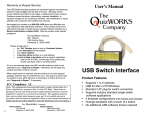
The USB Switch Interface Plus is the link between single switch input devices
and Macintosh or PC/Windows computers with USB capabilities. The interface
is utilized by software written for one to five single switches. Switches that have
a standard 1/8” mini plug fit directly in the jacks on the interface. Switches with
plug sizes other than 1/8” can also be used but an adapter is needed.
This mode is used to repeat action when switch is held down. To turn ON press
and hold red button on the interface until red LED flashes (about 15 sec) then
release. When your switch is held down the red LED will flash and repeat action.
Adjust repeat rate using your computer control panel. To turn OFF the repeat
mode press and hold red button on the interface until red LED flashes (about 15
sec) then release.
Installation
Connect the cable to the interface and computer. The USB Switch
Interface Plus is ready when an LED lights up on the box.
Software
Driver software is included with Windows 2000 and newer and also is included
on USB MACs OS 9 and newer.
First time activation for Windows OS
The first time you plug your USB Switch Interface Plus into a Windows OS
computer, the correct driver will be installed on your computer.
Working With Templates and Jacks
There are five jacks and five LEDS on the interface. A lit LED indicates the
active template, the jack your switch is plugged into determines the keystroke or
mouse activity. For example, push the red button on the side of the interface box
to the third LED, the LED is now lit. Plug a single switch into the 3rd jack from
the left. Launch a text editor such as NotePad or Simple Text, press the single
switch, notice the numeral 2 appears on your text editor window. To use singleswitch software, just determine the keystrokes needed and select the appropriate
template and begin operation.
push
button
Warranty or Repair Service
The USB Switch Interface Plus products are warranted against manufacturing
defects for one (1)year from date of invoice. Warranty service covers materials
and labor for the repair or replacement of the product. Problems caused by
abuse, mishandling, improper installation, or improper storage are not covered
by warranty. Any modification or repair attempt by the customer will invalidate
the warranty.
We suggest you contact us at 888-526-1200 about any difficulties you may
experience with The USB Switch Interface Plus. If the product needs to be
returned for warranty or repair service, Customer Service will give you a Return
Authorization number (RA#). Ship the product under prepaid postage to:
The QuizWorks Company
Attn.: Repairs
1395 Horizon Drive
Johnsburg, IL 60051-8420
Please include with it :
• the “RA” Number given toy by the Customer Service
• a brief description of the problem
• your return address
• a day-time phone number or e-mail address
• a proof of date of purchase such as product registration card (on
file @ CWI) a photocopy of the packing slip, invoice, purchase order
or canceled check.
If it is a no-warranty repair over $30, we will contact you with a cost estimate for
your “Approval to repair”, Otherwise, we will repair the product and return it
with an invoice product an return it with an invoice.
When repair service is required, ship the product to us under prepaid postage,
whatever way is convenient for your, our goal is to return ship the product to you
within 48 hours of receiving it , or within 48 hours of your “Approval to Repair”,
if necessary.
Label on USB Switch Interface Plus box with switch 3 and template 3 selected,
will type a numeral 2 on a word processor when switch 3 is pressed.