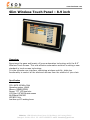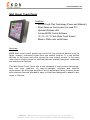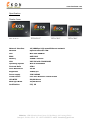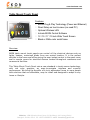
1
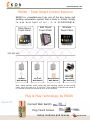
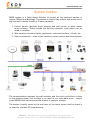
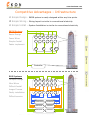
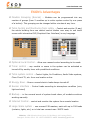
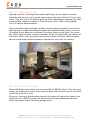
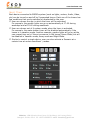
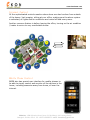
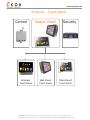
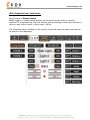
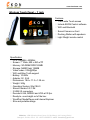
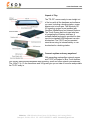
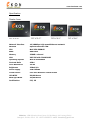
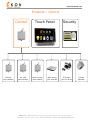
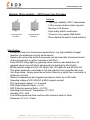
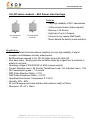
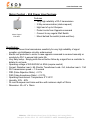
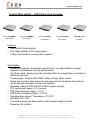
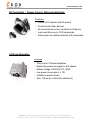
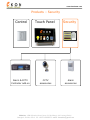
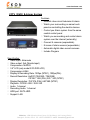
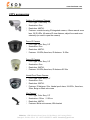
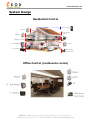
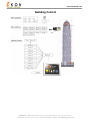
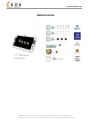
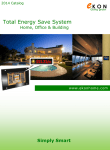
www.ekonhome.com Total System Control Home, Office & Building EKON Inc. 1088 Xinjinqiao Road, Room 910, Building A, Xin Pudong District, Shanghai, 201206, China. Tel: +86-21-61099854 email: [email protected] www.ekonhome.com EKON – Total Smart Control Solution EKON Inc. manufactures truly out of the box home and building automation system that is Easy to Install, Simply to Use and best of all - it is AFFORDABLE. Table Mount Touch Panel 12” 15” 17” 19” Wall Mount Touch Panel 10” 12” 15” 17” Wireless Touch Panel 7” 9” 10” 12” 220-240 VAC Dimmer Wall Switch On \ Off Wall Switch Motor Control Wall Switch IR Control Air Con & AV Note: signal between touch panels and wall switches carries on the exciting power line in an area of up to 10,000m2 with reliability of 99.8% and speed of 0.1 second. Scenes are succeed at once on all modules. Plug & Play technology by EKON Connect Wall Switch Plug Touch Screen Setup modules and Scenes EKON Inc. 1088 Xinjinqiao Road, Room 910, Building A, Xin Pudong District, Shanghai, 201206, China. Tel: +86-21-61099854 email: [email protected] on screen www.ekonhome.com System Outline EKON system is a Total Smart Solution to control all the electrical devices in Homes, Offices and Buildings. The system is Plug & Play system that works out of the box and it mainly consist of 3 basic elements: 1. Control panels (wireless touch screens and wall mount or table mount touch screens). These include the build-in controller units which can be wired or wireless. 2. Wall switches to control lights, appliances, motorized curtains / blinds, etc. 3. Security elements – close circuit cameras, access control and alarm system The communication between the wall switches and the touch controllers is done on the exciting power line so there is no need to run extra data wires – simply install EKON’s wall switches and the system is ready to operate. The system is easily setup by the end-user on the touch screen itself so there is no need for complex PC programming. EKON Inc. 1088 Xinjinqiao Road, Room 910, Building A, Xin Pudong District, Shanghai, 201206, China. Tel: +86-21-61099854 email: [email protected] www.ekonhome.com Competitive Advantages – Infrastructure Simple Design - EKON system is easily designed within any blue prints Simple Wiring – Wiring layout is similar to conventional electricity Simple Install – System Installation is similar to conventional electricity EKON System Easier Design Fewer Wires Simpler Install M M M M M M L L L L L L S PLI Faster implement S S Controller BUS Systems Complex Design More Wires Difficult Install M M M M M M L L L L L L S S S S S S Longer Process Costly installation Difficult service Controller Controller Switcher Switcher Switcher Switcher EKON Inc. 1088 Xinjinqiao Road, Room 910, Building A, Xin Pudong District, M Motor L Lights S Wall Switch PLI Power Line Interface Shanghai, 201206, China. Tel: +86-21-61099854 email: [email protected] www.ekonhome.com EKON’s Advantages Flexible Grouping (Scenes) – Modules can be programmed into any number of groups (from 2 modules up to entire system control by one press of a button). This grouping can be changed within minutes at any time. Total Control and Monitoring from Lobby – Control and monitor (2 way) the whole building from one central control station over easy to use touch screen with interactive GUI (Graphical User Interface) in any Language. E E K O N EK KO ON N E E K O N EK KO ON N Optional Local Control – Allow user manual control according to its needs Timer control – any module or scene in the system can be activated or turned off by weekly timer with predefined conditions Total system control – Control Lights, Air Conditions, Audio Video systems, Close Circuit TV, etc. from one location online Energy Save – Ensure unused electric loads always turned off Sensor interface – Control loads according to atmosphere condition (rain, light and wind) Backup – in the unusual event of system break down, all modules continue working manually Internet Control – control and monitor the system from remote location Large Scale system – can connect 128 masters, each with up to 224 loads (curtains, lights, etc.) so in total can connect max. 28672 loads. EKON Inc. 1088 Xinjinqiao Road, Room 910, Building A, Xin Pudong District, Shanghai, 201206, China. Tel: +86-21-61099854 email: [email protected] www.ekonhome.com EKON system’s features: Control up to 224 loads (dimmer, on\off, motor, IR…) 32 Scenes – control many devices at the same time 5 Smart Timers for each Scene & 5 Smart Timers for each Load 64,000 unit codes for maximum signal security CCTV and Alarm system interface EKON Plug & Play Technology (just Power and Ethernet) Table Mount or Wall mount 10‖, 12‖, 15‖, 17‖, 19‖ touch screen with Black or White color metal frame Direct User Setup on touch screen (no need PC) Browser based software (no programming) Local PC control with easy to use program Internet Control for external control Control system with PDA and most Mobile Phones User Interface in any Language Simultaneous Scene – control all load at same time Immediate control (no signal delays to loads) EKON Power Line works in area of > 10,000m2 property Susceptible to noise on power line – 99.9% reliable Receive Status Request - 2 way communication Security Lighting – Random lights in Empty House Optional Wireless LAN EKON Inc. 1088 Xinjinqiao Road, Room 910, Building A, Xin Pudong District, Shanghai, 201206, China. Tel: +86-21-61099854 email: [email protected] www.ekonhome.com Total Control Solution EKON’s System can interface and control Lights (with dimmer or On\Off) Motorize curtains and blinds Garage doors Electric Projector screens Audio devices (CD, Amplifier, etc.) Video Devices (TV, LCD, DVD, etc.) Ovens and Irons Water Heaters Air Conditions Floor Heaters Fans Electric Door Locks Alarm systems Close Circuit TV Water Pumps Fire Place Water Fountain Garden Sprinklers Sockets These controllable can be monitored and control by the following: By Wall Mount Touch Screen (10-17 inch) By Table Mount Touch Screen (12-19 inch) By Wireless Touch Screen (7 and 9 inch) By Scenario Wall Switches iPhone and other mobile phones Internet Control Sensors Control EKON Inc. 1088 Xinjinqiao Road, Room 910, Building A, Xin Pudong District, Shanghai, 201206, China. Tel: +86-21-61099854 email: [email protected] www.ekonhome.com Digital Lighting Control Lighting controls, including dimming and switching, can be used to increase flexibility and security, set a mood, save energy and extend the life of your light bulbs. They are one of the fastest-growing home technologies because they offer a measurable impact on quality of life and home value. They're not gadgets. They're lifestyle enhancements. Good residential lighting design typically involves layering ambient, accent and task lighting to create interesting contrasts and establish focal points, or points of interest where attention is focused. By simply dimming the lights, the owner can affect visual comfort, change contrasts, create mood and alter perception of the space. When using a preset scene control system, different lighting scenes can be created and recalled whenever desired with the touch of a button Motorized Control System Motorized Blinds and curtains can be controlled via EKON system. They can save energy by shading the rooms from direct sunlight and so ensure the air condition works less time then usual. Moreover, closing all blinds before leaving the house will secure the house from burglar’s entry. EKON’s system will ensure all blinds are closed automatically when leaving the house, including garage doors. EKON Inc. 1088 Xinjinqiao Road, Room 910, Building A, Xin Pudong District, Shanghai, 201206, China. Tel: +86-21-61099854 email: [email protected] www.ekonhome.com Smart Timer Each device connected to EKON’s system (such as lights, motors, Audio, Video, etc) can be turned on and off by 5 separated timers. Each one of the timers has few conditions that can be selected or deselected by the user: User can choose the day in which the timer will be activated. For example, the garden lights can go on automatically at 17:00 during weekdays and at 18:00 during weekends. User can choose out of 4 system modes when the timer is activated. For example, the water heater timer will be disabled automatically if the house is in vacation mode. Another example, garden lights will go on at the user preset time only if there is someone in the house (Home Mode) but will be disabled in Vacation mode, Away mode and Night Mode. Similar to control a single device, user can also activate a Scenario at a certain time at certain conditions \ modes. EKON Inc. 1088 Xinjinqiao Road, Room 910, Building A, Xin Pudong District, Shanghai, 201206, China. Tel: +86-21-61099854 email: [email protected] www.ekonhome.com Internet Control All the sophisticated controls mention above here can also be done from outside of the house. Just imagine, sitting at your office, making sure the alarm system is activated, all lights and air conditions are turned off and many more. Another common feature is before leaving the office, turning on the air condition \ heater to arrive to very comfortable house. Mobile Phone Control EKON also has special user interface for mobile phones to be able to simply control and monitor all the devices in the house, including scenarios away from home, all over the internet EKON Inc. 1088 Xinjinqiao Road, Room 910, Building A, Xin Pudong District, Shanghai, 201206, China. Tel: +86-21-61099854 email: [email protected] www.ekonhome.com Scenarios – everything by one press of a button Scenario means controlling more than 1 device at the same time. There are many types of scenarios but the feature really depends on the user. The most common scenes are: Leaving the Property Scene Pressing one button ―AWAY‖ on the touch screen located next to the main entrance will do the following: 1. Activating the alarm system in AWAY mode 2. Set the system to AWAY mode (so it function by itself) 3. Turn off all the lights in the house 4. Close all the blinds at the lower floors 5. Open the garage doors 6. Turn off all air conditions and heaters in the house 7. Turn off all audio and video devices all over the house 8. Shut off ovens and irons for safety sake 9. Activating the automatic ―Random Lights‖ at night time In case the last person leaving the property forgot to activate the Away scene, he\she can do it from their mobile phone on the way to work. Since the system works in 2 way communications, the user can know at any time the status of the house on-line. Coming to the property Scene When user arrives back to the property, he\she can approach the wall touch screen next to the main entrance. The first thing appears on the screen is the Security system Keypad. Entering the correct Password code will do the following: 1. Deactivate the alarm system 2. Set the system to Home mode 3. Turn on selected lights in the house (user requirement) 4. Open selected blinds (user requirement) 5. Turn on air conditions \ heaters in selected areas 6. Play favorite background music 7. Turn back on ovens and irons (to idle mode) 8. Deactivate the automatic ―Random Lights‖ at night time EKON Inc. 1088 Xinjinqiao Road, Room 910, Building A, Xin Pudong District, Shanghai, 201206, China. Tel: +86-21-61099854 email: [email protected] www.ekonhome.com Residential Scenarios Night Scenario The night Scene is usually activated by the touch screen next to bed. At the end of the day, before go to sleep, one press of ―Night‖ Scene will the following action: 1. Turn off all the lights in the unoccupied areas (living room, kitchen, dining room, family room, etc.) 2. Close all the blinds and curtains at these empty rooms 3. Activate the ―Night Alarm‖ – this will activate only the outdoor and house’s surrounding motion sensor of the alarm system while the inside motion sensors stay inactive to ensure people can move in the house while the house is protected from intruders from outside 4. Setup the smart system to ―Night Mode‖ 5. Dim the lights in the kids room 6. Lower down the temperature setup point 7. Turn on the favorite TV channel at Master bedroom plasma Morning Scenario This scene can be activated from the same touch screen of night mode (next to bed) or more commonly done by timer with the following features: 1. Deactivated the Alarm System 2. Cancel the Night Mode 3. Open the blinds and curtain one after the other (for smooth wake up) 4. Turn on the Cattle to prepare the coffee 5. Turn on the favorite TV channel 6. Activate Heater \ Air condition 15 minutes before wake up time 7. Activate water heater 60 minutes before wake up time 8. Turn on lights in Bathroom Gusts scene This scene mainly involves lighting control. It is usually done by pressing the ―Gusts‖ scene on the wireless touch screen. Setting up the different loads in the living room area to different dim levels results in a beautiful design feature of the house: 1. Main light is set to 60% 2. Wall lights set to 25% 3. Kitchen lights are turned Off 4. Garden light are set to 100% 5. Decorative lights are set to 15% 6. Water fountain is turned on 7. All blinds are raised and curtains are opened EKON Inc. 1088 Xinjinqiao Road, Room 910, Building A, Xin Pudong District, Shanghai, 201206, China. Tel: +86-21-61099854 email: [email protected] www.ekonhome.com Home Theater Scene This scene is very useful for those who do not know how to operate all the remote controls of the AV system. One press on the ―Movie‖ scene on the wireless remote touch screen will send the following commands: 1. Turn on the LCD \ Plasma 2. Change the TV channel to AV1 3. Turn on the Amplifier 4. Change amplifier’s source to DVD 5. Turn on DVD 6. Send PLAY on DVD 7. Dim the lights in the movie area Garden Lights – Timer Scene The garden lights can go on when the sun set down with the conditions that there is someone in the house (Home mode and Night mode). Few lights can then turn off later, leaving low consumption light which will then go off at morning mode. Go to sleep – Timer Scene After pressing the ―Night Mode‖ user can then setup a timer to turn off all the lights and TV and air condition \ heaters few minutes before he is actually planning to go to sleep. In fact, each person in the house can setup his own Night timer according to his time table. Cleaning Scene Pressing the cleaning scene will turn on all the lights in each area separately to ensure the cleaner can see all the dust. One of the main advantages of EKON system is that these scenarios can be changed easily by the end user without need to call technician to reprogram it. Random Light – Security Leaving a dark house at night is welcome invitation to burglars. EKON system ensure that when the house is left empty at night, there will be lights around the house to go on and off randomly to imitate someone is staying in the house and so will scare off burglars. EKON Inc. 1088 Xinjinqiao Road, Room 910, Building A, Xin Pudong District, Shanghai, 201206, China. Tel: +86-21-61099854 email: [email protected] www.ekonhome.com Energy Save With the ever increasing cost of utilities, managing energy consumption has become an important part of EKON’s home automation. By managing the time your lights and heating \ air condition units are running you can significantly decrease the amount of money you spend on utilities. Also included are dimmer switches that give you the ability to customize the ramp rate, brightness level of dimmable lights and set timers for any individual or group of lights and appliances. As a fact, light that is set dim 50% will use 50% of its regular electric consumption and so will save large amount of energy waste. EKON Inc. 1088 Xinjinqiao Road, Room 910, Building A, Xin Pudong District, Shanghai, 201206, China. Tel: +86-21-61099854 email: [email protected] www.ekonhome.com Full Control and Status On each touch screen in the house (table, wall or wireless), the user can see status of light or appliance (on or off) and can control each one of the connected devices with the simple to use graphic interface. The touch screens have buttons divided to rooms and each button or room can have individual name, depends on customer demands, and can be done in any language. So for example, one can set room name as ―Emily‖ and module name as ―Emily’s Light 1‖, ―Main Light‖, etc. The following GUI can be changed by user: Number of Rooms \ Zones Room \ Zone name (any language) Number of modules and their name in each Room Type of module (Dimmer, On\Off, Blinds, IR and IO) Number of Scenes and their name EKON Inc. 1088 Xinjinqiao Road, Room 910, Building A, Xin Pudong District, Shanghai, 201206, China. Tel: +86-21-61099854 email: [email protected] www.ekonhome.com Products – Touch Panel Control Wireless Touch Panel Master Panel Wall Mount Touch Panel Security Table Mount Touch Panel EKON Inc. 1088 Xinjinqiao Road, Room 910, Building A, Xin Pudong District, Shanghai, 201206, China. Tel: +86-21-61099854 email: [email protected] www.ekonhome.com Master Controller (Wall Mount \ Table Mount Touch Panel) Features EKON Plug & Play Technology (Power and Ethernet) Direct User Setup on touch screen (no need PC) Web Server HTML based software (no programming) Local PC control with easy to use program Internet Control for external control Control system with PDA and Smart Phone User Interface in any Language Control up to 224 loads (dimmer, on\off, motor, IR…) 32 Scenes – easy Add and Modify on touch screen Simultaneous Scene – control all load at same time Immediate control (no signal delays to loads) EKON Power Line works in > 10,000 sqm property Susceptible to noise on power line – 99.9% reliable Receive Status Request - 2 way communication 5 Timers for each Scene & 5 Timers for each Load CCTV and Alarm system interface Security Lighting – Random lights in Empty House Optional 20 hardwired relay outputs Table Mount or Wall mount 15‖ touch screen Optional Wireless LAN Black or White color metal frame 64,000 house codes for maximum signal security Overview EKON Control Panel is Plug & Play control unit that has all the required hardware and software to control residential and commercial properties. There are 2 versions to select, Wall mount 15‖ or Table mount 15‖ touch screen controller. Installation Plug power to any socket and connect Ethernet to router and you’re done! EKON Inc. 1088 Xinjinqiao Road, Room 910, Building A, Xin Pudong District, Shanghai, 201206, China. Tel: +86-21-61099854 email: [email protected] www.ekonhome.com Setup On the touch screen itself, add all the modules (dimmer, on\off, motors, IR, etc.) by their Names and divide them into Rooms. This allows signal or group control of all the connected elements anywhere in the property. To create a scene, select a Scene Button in Setup mode and simply adjust your mood (turn many devices on\off\dim\bright\up\down\IR\etc.). The system stores in memory the scene and will activate it simultaneously with one press of that scene button. All commands sent at the same time (not one after the other, no delays, no ―Pop Corn Effect‖). Timers Each Module in the system can be turned on\off\up\down\IR at any time with EKON’s weekly timer. In fact there are 5 timers for each module. Similar with Scenes, each scene can be triggered On or Off 5 times weekly. Internet & Cell Phone & PC control EKON system is based on Web Server technology. This means that the system can be controller and monitored inside the property and outside the property (anywhere in the world) using TCP-IP. Enter User Name and Password, for security, and control the entire system wire or wirelessly using our simple to use graphical interface. Control Panel and User Interface EKON program is specially designed for easy to use control. The graphical user interface is the same for touch screen control, internet control and PC control and works in any Language. Also the Cell Phone control uses similar user interface to fit its smaller screen size. EKON is a 2-way system and so the status of the connected elements is indicated graphically on the screen Total Solution EKON is a total solution system. EKON concept is to provide all the required control elements to offer complete smart solution. Reliable and easy to install Power Line Control EKON’s controller communicates with EKON’s Wall switches and IR transmitters over the exciting power line wires. It means no other data wires need to be added and no additional control box. Simply saying, install our wall switches and you are done! EKON Inc. 1088 Xinjinqiao Road, Room 910, Building A, Xin Pudong District, Shanghai, 201206, China. Tel: +86-21-61099854 email: [email protected] www.ekonhome.com EKON power line technology ensures: Very Reliable System (signal received 99.9%) Huge coverage – Over 10,000 sqm Residential, Commercial and Industrial application High resistance to power line noise Very Fast Signal Respond – easier to use with no system crash Send and receive few commands at the same time (no popcorn effect) 2 way communication – status request Specification Network Interface 10\100Mbps high speed Ethernet network Display Area TFT LCD 15” Mounting Table or Wall mount Wireless Optional Wireless LAN CPU Msti PSX-500MHZ BIOS AMI BIOS Memory 256MB onboard VGA XGI Z9S with 32MB DDR2 Operating System Win XP embedded Contrast Ratio 450:1 Color Resolution 16.2M Brightness 250cd/©O Power supply 220-240VAC Touch Screen Five-wire Resistive Touch Screen LCD MTBF 50,000 Hours Back light MTBF 25,000 Hours Certification: FCC, CE EKON Inc. 1088 Xinjinqiao Road, Room 910, Building A, Xin Pudong District, Shanghai, 201206, China. Tel: +86-21-61099854 email: [email protected] www.ekonhome.com GUI (Graphical User Interface): Our Concept is Simply Smart. EKON system is simply setup directly on the touch screen with no need to external PC programming. Also the control and monitoring of the entire system is done on any control panel in the house \ office. The Graphical User Interface on all screens looks the same for ease use and can be setup in any language. EKON Inc. 1088 Xinjinqiao Road, Room 910, Building A, Xin Pudong District, Shanghai, 201206, China. Tel: +86-21-61099854 email: [email protected] www.ekonhome.com Wireless Touch Panel – 7 inch e K O N Simply Smart Features 7 inch wide Touch screen Include EKON Control software WiFi and Bluetooth Swivel Camera on front Docking Station with speakers Light Weight remote control Specification CPU: ARM926, 400MHz Screen: 7" Wide, 800 x 480 w/TP Memory: SO-DIMM DDR 128MB Storage: NAND flash 128MB Video codec: VGA@30fps WiFi and Blue Tooth support Battery: 10.8Whr Adapter: 5V, 2.5A Dimensions: 18.8 x 11.3 x 1.29 cm Weight: 343g Operating System: Win CE6.0 Swivel Camera 0.3/1.3M 2 USB 2.0 connectors Decode H.264, MPEG4 and VGA at 30 fps. Ready-to- use straight out of the box WordPad, MediaPlayer and Internet Explorer Slim and portable design EKON Inc. 1088 Xinjinqiao Road, Room 910, Building A, Xin Pudong District, Shanghai, 201206, China. Tel: +86-21-61099854 email: [email protected] www.ekonhome.com Unpack n' Play The "TS-PC" comes ready-to-use straight out of the box with all the hardware and software you need, including a docking station, power adapter and a touch pen. The Windows CE 6.0 operating system is pre-installed with WordPad, MediaPlayer and Internet Explorer. The Touch Screen and touch pen take care of navigating the Windows interface. A software-based keyboard is provided for data input but a standard USB keyboard can also be attached. The TS-PC can be operated stand-alone using its internal battery or can be attached to a docking station. Connect anytime and carry anywhere! With expanding metropolitan network access and TS-PC's Wireless or Blue Tooth facilities, you virtually have anytime/anywhere web browsing, email and other network conveniences. The 18.8x11.3x 1.3 cm dimensions and 343 grams give you an idea of how slim and portable the TS-PC really is. EKON Inc. 1088 Xinjinqiao Road, Room 910, Building A, Xin Pudong District, Shanghai, 201206, China. Tel: +86-21-61099854 email: [email protected] www.ekonhome.com Slim Wireless Touch Panel – 8.9 inch Overview Experience the ease and beauty of home automation technology with the 8.9‖ Wireless Touch Screen. This cost-effective automation solution is setting a new standard in touch screen technology. It is the ultimate user interface, combining wireless mobility, table-top functionality to control all the electrical devices from the comfort of your chair. Specification CPU: MIPS 500 MHz 32bit Operation system: LINUX Memory 128MB (DDR2) Screen: TFT LCD true color LCD Size: 8.9"WVGA wide-screen M+D36atrix1024*600 WIFI802.11b/g Last time up to 3 working hours EKON Inc. 1088 Xinjinqiao Road, Room 910, Building A, Xin Pudong District, Shanghai, 201206, China. Tel: +86-21-61099854 email: [email protected] www.ekonhome.com Wall Mount Touch Panel Features EKON Plug & Play Technology (Power and Ethernet) Direct Setup on touch screen (no need PC) Optional Wireless LAN Include EKON Control Software 10 \ 12 \ 15 \ 17 inch Wide Touch Screen Black or White color metal frame Overview EKON Wall mount touch panels can control all the electrical devices such as lights, heaters, motorized blinds from one central location. It is the perfect solution to the home and office giving the user instant control in the same room and in remote rooms for electrical devices located throughout residences and commercial facilities. This Wall-Mount Touch Panel sets a new standard in touch-screen technology, with rich color graphics, an easy-to-navigate interface and superior performance. We bring the benefits of a truly automated home to more people with solutions that are affordable, easy to install and designed to adapt to any home or lifestyle. EKON Inc. 1088 Xinjinqiao Road, Room 910, Building A, Xin Pudong District, Shanghai, 201206, China. Tel: +86-21-61099854 email: [email protected] www.ekonhome.com Specification Display Area: 19‖ TFT LCD 17" 17‖ TFT LCD 15" 15‖ TFT LCD12" Network Interface 10\100Mbps high speed Ethernet network Wireless Optional Wireless LAN CPU Msti PSX-500MHZ BIOS AMI BIOS Memory 256MB onboard VGA XGI Z9S with 32MB DDR2 Operating System Win XP Embedded Contrast Ratio 450:1 Color Resolution 16.2M Brightness 250cd/©O Power supply 220-240VAC Touch Screen Five-wire Resistive Touch Screen LCD MTBF 50,000 Hours Back light MTBF 25,000 Hours Certification: FCC, CE 12‖ TFT LCD10" EKON Inc. 1088 Xinjinqiao Road, Room 910, Building A, Xin Pudong District, Shanghai, 201206, China. Tel: +86-21-61099854 email: [email protected] www.ekonhome.com Table Mount Touch Panel Features EKON Plug & Play Technology (Power and Ethernet) Direct Setup on touch screen (no need PC) Optional Wireless LAN Include EKON Control Software 12 \ 15 \ 17 \ 19 inch Wide Touch Screen Black or White color metal frame Overview EKON table mount touch panels can control all the electrical devices such as lights, heaters, motorized blinds from one central location. It is the perfect solution to the home and office giving the user instant control in the same room and in remote rooms for electrical devices located throughout residences and commercial facilities. This Table-Mount Touch Panel sets a new standard in touch-screen technology, with rich color graphics, an easy-to-navigate interface and superior performance. We bring the benefits of a truly automated home to more people with solutions that are affordable, easy to install and designed to adapt to any home or lifestyle. EKON Inc. 1088 Xinjinqiao Road, Room 910, Building A, Xin Pudong District, Shanghai, 201206, China. Tel: +86-21-61099854 email: [email protected] www.ekonhome.com Specification Display Area: 19‖ TFT LCD 19" 17‖ TFT LCD 17" 15‖ TFT LCD 15" Network Interface 10\100Mbps high speed Ethernet network Wireless Optional Wireless LAN CPU Msti PSX-500MHZ BIOS AMI BIOS Memory 256MB onboard VGA XGI Z9S with 32MB DDR2 Operating System Win XP Embedded Contrast Ratio 450:1 Color Resolution 16.2M Brightness 250cd/©O Power supply 220-240VAC Touch Screen Five-wire Resistive Touch Screen LCD MTBF 50,000 Hours Back light MTBF 25,000 Hours Certification: FCC, CE 12‖ TFT LCD12" EKON Inc. 1088 Xinjinqiao Road, Room 910, Building A, Xin Pudong District, Shanghai, 201206, China. Tel: +86-21-61099854 email: [email protected] www.ekonhome.com Products – Control Control Dimmer Micro Module On \ Off Micro Module Touch Panel Motor Control Micro Module Wall Switch Dim & On\Off Security IR Control (Air Con & AV) EKON Inc. 1088 Xinjinqiao Road, Room 910, Building A, Xin Pudong District, Shanghai, 201206, China. Tel: +86-21-61099854 email: [email protected] 3 Phase Repeater www.ekonhome.com Dimmer Micro module – E10 Power Line Carriage One load dimmer E10-Dim1 Two loads dimmer E10-Dim2 Features Very High reliability of PLC transmission 2 Way communication (status request) Memory of 16 Scenes High quality switch construction Connect to any regular Wall Switch Mount behind the switch (inside wall box) Specification: Enhanced Power Line transmission sensitivity for very high reliability of signal reception via Intellisense circuitry enhancement Resume dim returns the switch to previously set dim level after it has been turned off and turned back on (either manually or with PLC). Fade ON/OFF brings lights up gradually when turned on and fades them off gradually when turned off which also benefit of extending the life of bulbs EKON switches respond to On, Off, Bright, Dim, All Lights On and All Units Off. This allows preset dim commands to turn the switches to any specified dim level Very Easy setup - Simply press the set button follow by a signal from a controller to dictate its unit code Rated for incandescent and magnetic transformer loads, up to 400 watts Operating voltage of 220-240VAC at 50Hz (require neutral) PLC transmission speed: <=1.5 second FRR (False Rejection Ratio): <=0.1% FAR (False Acceptance Ratio): <=0.01% Operating Environment: Temperature: 0°C 45°C Humidity: 20% - 80% Fit most European and Asian wall box with minimum depth of 35mm Dimension: 43 x 47 x 19mm EKON Inc. 1088 Xinjinqiao Road, Room 910, Building A, Xin Pudong District, Shanghai, 201206, China. Tel: +86-21-61099854 email: [email protected] www.ekonhome.com On\Off micro module – E10 Power Line Carriage One load On\Off E10-SW1 Two loads On\Off E10-SW2 Features Very High reliability of PLC transmission 2 Way communication (status request) Memory of 16 Scenes High load of up to 8 Ampere Connect to any regular Wall Switch Mount behind the switch (inside wall box) Specification: Enhanced Power Line transmission sensitivity for very high reliability of signal reception via Intellisense circuitry enhancement EKON switches respond to On, Off, All Lights On and All Units Off. Very Easy setup - Simply press the set button follow by a signal from a controller to dictate its unit code Operating voltage of 220-240VAC at 50Hz (require neutral) Current: Resistive Load 8A, Electric Transformer Load 5A, Inductive Load 1.5A PLC transmission speed: 1.5 second FRR (False Rejection Ratio): 0.1% FAR (False Acceptance Ratio): 0.01% Operating Environment: Temperature: 0°C 45°C Humidity: 20% - 80% Fit most European and Asian wall box with minimum depth of 35mm Dimension: 43 x 47 x 19mm EKON Inc. 1088 Xinjinqiao Road, Room 910, Building A, Xin Pudong District, Shanghai, 201206, China. Tel: +86-21-61099854 email: [email protected] www.ekonhome.com Motor Control – E10 Power Line Carriage Motor Control E10-MTR Features Very High reliability of PLC transmission 2 Way communication (status request) High load of up to 8 Ampere Protect motor from Opposite command Connect to any regular Wall Switch Mount behind the switch (inside wall box) Specification: Enhanced Power Line transmission sensitivity for very high reliability of signal reception via Intellisense circuitry enhancement Electric self protection to motor in case opposite command is received manually or remotely by PLC to ensure high motor life Very Easy setup - Simply press the set button follow by a signal from a controller to dictate its unit code Operating voltage of 220-240VAC at 50Hz (require neutral) Current: Resistive Load 8A, Electric Transformer Load 5A, Inductive Load 1.5A PLC transmission speed: 1.5 second FRR (False Rejection Ratio): 0.1% FAR (False Acceptance Ratio): 0.01% Operating Environment: Temperature: 0°C 45°C Humidity: 20% - 80% Fit most European and Asian wall box with minimum depth of 35mm Dimension: 43 x 47 x 19mm EKON Inc. 1088 Xinjinqiao Road, Room 910, Building A, Xin Pudong District, Shanghai, 201206, China. Tel: +86-21-61099854 email: [email protected] www.ekonhome.com Crystal Wall switch – E10 Power Line Carriage One load DIMMER E10-Dim1M Two loads DIMMER E10-Dim2M One load ON\OFF E10-SW1M Two loads ON\OFF E10-SW2M MOTOR Control E10-MTR Features High Quality Crystal surface Very High reliability of PLC transmission 2 Way communication (receive status request) Specification: Enhanced Power Line transmission sensitivity for very high reliability of signal reception via Intellisense circuitry enhancement Very Easy setup - Simply press the set button follow by a signal from a controller to dictate its unit code 3 module type – Dimmer (300 Watts), Relay (8 Amp), Motor control Switch has a positive click action feel and response that will please those who do not like the poor operation of lower cost switches Operating voltage of 220-240VAC at 50Hz (require neutral) PLC transmission speed: <=1.5 second FRR (False Rejection Ratio): <=0.1% FAR (False Acceptance Ratio): <=0.01% Operating Environment: Temperature: 0°C 45°C Humidity: 20% - 80% Fit most European and Asian wall box with minimum depth of 35mm Dimension: 86 x 86mm EKON Inc. 1088 Xinjinqiao Road, Room 910, Building A, Xin Pudong District, Shanghai, 201206, China. Tel: +86-21-61099854 email: [email protected] www.ekonhome.com IR Controller – Power Line to Infrared interface Features Control Air Condition with IR remote Control Audio Video devices No need data wires from controller to IR device Learn and Store up to 32 IR commands Each power line address activate 2 IR commands 3 Phase Repeater Features Only use for 3 Phase installation Repeat the power line signal in all 3 phases Rating Voltage: 220VAC±10%, 50Hz Low power consumption: ≤ 1W Installed in electric board Size: 115mm(L) x 93mm(W) x40mm(H) EKON Inc. 1088 Xinjinqiao Road, Room 910, Building A, Xin Pudong District, Shanghai, 201206, China. Tel: +86-21-61099854 email: [email protected] www.ekonhome.com Products – Security Control Alarm & CCTV Controller add-on Touch Panel CCTV accessories Security Alarm accessories EKON Inc. 1088 Xinjinqiao Road, Room 910, Building A, Xin Pudong District, Shanghai, 201206, China. Tel: +86-21-61099854 email: [email protected] www.ekonhome.com CCTV (DVR) & Alarm System E10-DVR-RG E10-DVR-LCD Features Network close circuit television & alarm Watch your surrounding on same touch panel as controlling the electric devices Control you Alarm system from the same central control panel Watch you surrounding and control alarm system over the internet (externally) Connect 4 cameras (expandable) 8 zones of alarm sensors (expendable) Automatic digital video record cameras Include Program Specification: Video input: 4channels Video output: 2ch (Monitor/spot) Compression: MJPEG 3.5" LCD (only model E10-DVR-LCD) Compression:H.264 Display & Recording Rate: 120fps (NTSC), 100fps(PAL) Record Resolution: Half D1(704X240 / 704X288) CIF352 * 288 (PAL) 320 * 240 (NTSC) Display Resolution: 704*576 (PAL) 640*480 (NTSC) Playback: CIF352× 288 / 352× 240 Audio: 1 channel Recording Audio: 1 channel HDD port: SATA HDD Support: LAN EKON Inc. 1088 Xinjinqiao Road, Room 910, Building A, Xin Pudong District, Shanghai, 201206, China. Tel: +86-21-61099854 email: [email protected] www.ekonhome.com CCTV accessories Outdoor IR waterproof Camera CCD Type: Color Sony 1/3'' Illumination: 0Lux Resolution: 480TVL Features: outside focusing IR integrated camera, 4-9mm manual zoom lens ,36 IR LEDs, 40 meters IR view distance, adjust focus and zoom externally (no need to open the camera) Dome IR Camera CCD Type: Color Sony 1/4" Illumination: 0Lux Resolution: 480TVL Features: 18 LEDs,6mm lens, IR distance: 15-20m Dome IR Camera CCD Type: Color Sony 1/4" Illumination: 0Lux Resolution: 540TVL Features: 24 LEDs,8mm lens, IR distance:25-30m Vandal Proof Dome Camera CCD Type: Color Sony 1/3" Illumination: 0Lux Resolution: 500TVL Features: IR distance: 25m, Vandal proof dome, 24 LEDs , 6mm lens, Silver, Beige or Black color case Mini Camera CCD Type: Color Sony 1/3" Illumination: 0.5Lux \ 0.01Lux Resolution: 480TVL Features: Bullet mini camera, With bracket EKON Inc. 1088 Xinjinqiao Road, Room 910, Building A, Xin Pudong District, Shanghai, 201206, China. Tel: +86-21-61099854 email: [email protected] www.ekonhome.com System Design Residential Control iPhone Control Dimmer Water Heater Control Dimmer IR Internet Control 15`` Wall Mount On\Off 9`` Wireless Table Mount Touch Screen Office Control (conference rooms) EKON Inc. 1088 Xinjinqiao Road, Room 910, Building A, Xin Pudong District, Shanghai, 201206, China. Tel: +86-21-61099854 email: [email protected] www.ekonhome.com Building Control EKON Inc. 1088 Xinjinqiao Road, Room 910, Building A, Xin Pudong District, Shanghai, 201206, China. Tel: +86-21-61099854 email: [email protected] www.ekonhome.com Hotel Control EKON Inc. 1088 Xinjinqiao Road, Room 910, Building A, Xin Pudong District, Shanghai, 201206, China. Tel: +86-21-61099854 email: [email protected] www.ekonhome.com About Us Global Excellence in Affordable Control Systems EKON is a company that manufacturers high-end systems for home automation and audio/video control. The hardware developed by EKON includes control processors, touch panels and lighting control systems. Since 1999, EKON Inc. has stood as one of the most trusted and reputable Intelligent Home & Building system provider, serving the worldwide market. We at EKON pride ourselves in offering high quality products and total solution for our customers. EKON is one of the world's leading manufacturer of advanced control and automation systems, innovating technology and reinventing the way people live and work. Offering integrated solutions to control audio, video, computer, IP and environmental systems, EKON streamlines technology, improving the quality of life for people in corporate boardrooms, conference rooms, classrooms, auditoriums, and in their homes. EKON headquartered at Hong Kong and has collaboration in Germany, Spain, Greece, Israel, Ireland and the United Kingdom. EKON’s development team is in Tel Aviv, Israel. EKON’s products are sold all over Europe and the Middle East with our new sales office in Shanghai, China. Ekon products are intended to provide easy, complete control of electronic and mechanical devices. From one of their touch screen displays you are capable of controlling audio and video equipment, lights, heating and air conditioning, fire places, curtains and speakers throughout the property or individual room. EKON’s control systems can be used to control other brands of equipment by IR signaling, relays, contact closures or RS232/RS422 serial communications. The processor range include devices with Ethernet interfaces to allow remote control using Internet Control to emulate a wired touchpanel using a PC web browser. More recently EKON introduced the new line of products that have 'Out Of The Box Functionality' to reduce the requirement for custom programming for simple total control solution. EKON Inc. 1088 Xinjinqiao Road, Room 910, Building A, Xin Pudong District, Shanghai, 201206, China. Tel: +86-21-61099854 email: [email protected] www.ekonhome.com EKON Touch Panel Solutions control most DVD player, projector, VCR, document camera and more from an intuitive touchpanel. The correct equipment is turned on, the right settings are selected and the media is displayed automatically with the touch of a button. With the world's leading advanced control systems as our foundation, EKON addresses the needs of facility managers and IT directors seeking to monitor and manage a variety of technologies over a single network. Whether it's a single room or the entire building, across a campus or a global network, EKON solutions centralize control of audio and video devices, security cameras, lighting and HVAC. Drapes, Shades and Screens - No need to interrupt your presentation to find the wall switch to lower the shade, with EKON Blind control, shades and projector screens are all controlled automatically from the touchpanel. Lighting Control - Set dynamic lighting scenes room by room, zone by zone or throughout a facility. One simple button press can accent architectural features, create helpful task lighting, enhance video conferencing and more. EKON brings the most comprehensive line of user-interfaces to commercial lighting and dimming control, plus the ability to remotely monitor, manage and control buildings over standard IP networks. Climate Control - Temperature settings can be automatically adjusted based on time of day or room usage. The room gets a little warm after the projector runs for a while or the room gets full, change the settings right from your touchpanel. EKON has evolved far beyond the touchpanel and control system, becoming the definitive source for centrally and globally controlling, managing and presenting information. Control and automate the lights, drapes, screens and AV equipment — all from an intuitive easy-to-use touchpanel or wireless touch screen remote. Let EKON take control of the technology so you can focus on your business. Energy Save, Life Style & Security EKON Inc. 1088 Xinjinqiao Road, Room 910, Building A, Xin Pudong District, Shanghai, 201206, China. Tel: +86-21-61099854 email: [email protected]