1
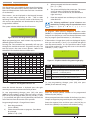
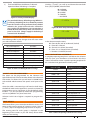
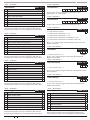
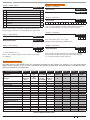
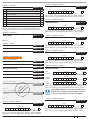
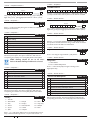
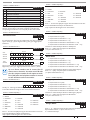
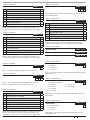
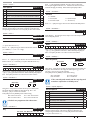
Solution 16 i System > System Options > System >Options > Area Options MENU 7-7-1 Language 1 Area 1 = Common Area N 2 First To Open Last To Close N 0 = English 3 Reset Siren All Users (All Areas) Y 1 = Alternate Language 4 Power Up In Same State As Powered Down Y 5 Fault Acknowledge All Areas Y 6 Delay Trouble Beeps Y 7 Power Up Disarmed N 8 Reserved N This location is a Bit option field. Press Keys [1] – [8] to turn ON and OFF the required options. The option is selected or ON when the coresponding zone indicator is on. Press [OK] To Save when finished. (*** System Wide Parameter ***) System > Options > Keypad Idle Screen MENU 7-7-2 0 = No Idle Screen 0 1 = Date and Time (*** System Wide Parameter ***) 2 = Time Use Keys [] and [] keys or enter 0 - 3 Then Press [OK] To Program The Keypad Idle Screen - Single Option Only. System > Options > MENU 7-7-3 Keypad Hi/Lo Temp 0 0 ˚C Hi TEMP 0 0 ˚C Lo TEMP Using The 0 - 9 Keys Enter The High / Low Keypad Monitor Temperature. You Should Enter Two Digits For Each Option eg. 9 degrees = 09. Use The [] key to move to the next field. Press [OK] to save or [MENU] to exit without saving. Max Temp = 50 Min Temp = 0 0 (Enter Digits 0 – 1 To Select the Primary (English) Lanuage or the Alternative Language Then Press [OK] To Save. Early Version Panels Only Support English Language. System > System Testing > Walk Test All Zones MENU 7-9-0 Battery Test MENU 7-9-1 T E S T I N G T H E S YS T E M You will need to be in programming mode before accessing the test functions listed below. External Audible Test Use MENU 4-9-0 to test and verify that all horn speakers operate. This test will sound the horn speaker for two seconds. Internal Audible Test Use MENU 4-9-1 to test and verify that all 12 VDC sirens operate. This test will sound the siren for two seconds. Strobe Test Use MENU 4-9-2 To test and verify that the strobe operates. This test will turn on the strobe until you manually stop the test. System > Installer Options > Installer Options MENU 7-7-5 Walk Test Use the walk test command MENU 3-9-0 to test and verify that all zones work correctly. 3 = Time + Temp Alternating (*** System Wide Parameter ***) Quick Start Guide MENU 7-7-4 1 Report/Log Entry/Exit Intstaller Menu 2 Report/Log Program Data Change Y 3 Arm Only Installer Pin N 4 Reserved N 5 Auto Exit Installer Menu In 2 Hours Y 6 Auto Exit Service mode In 2 Hours Y 7 Reserved N 8 Factory Defaulting Allowed Y N Battery Test Use MENU 7-9-1 to test the back-up battery that is connected to the control panel. Communication Test Use MENU 5-9-0 to test the telephone reporting capability of the control panel. You can also activate a communication test by holding down the Test / Mail key on the keypad. This location is a Bit option field. Press Keys [1] – [8] to turn ON and OFF the required options. The option is selected or ON when the coresponding zone indicator is on. Press [OK] To Save when finished. (*** System Wide Parameter ***) Bosch Security Systems 09/07 BLCC500R FTR1.02 Copyright © 2007 E&OE 41