1
Appendix B. - How to Make Digital Signage
Data
The data should be named in the format like ‘filename_0001’, ‘filename_0002’
And the file resolution should be 704x480 for NTSC and 704x576 for PAL. The image size per
picture should be less than 256KB.
If set Digital Signage Interval as “Video”, it will display the video by 15ips. To make a Video
Digital Signage data (Image Sequence), please refer to below instructions.
1. Install Program and Codec
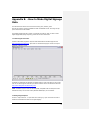
Freeware Video Editor program is required. Please download the VirtualDub program from
http://virtualdub.sourceforge.net/. Open and run VirtualDub.exe program. It does not require
additional installation process.
VirtualDub use VFW(Video for Windows) compatible codec so some video files can not be used
with. To use various type of video files you need to install full version includes VFW codec from
http://www.codecguide.com/download_kl.htm.
Note: VirtualDub requires a Video for Windows(VFW) compatible codec to decompress video.
DirectShow codecs, such as those used by Windows Media Player, are not suitable.
2. Making Image Sequence
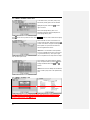
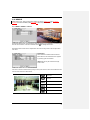
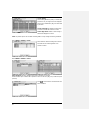
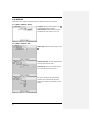
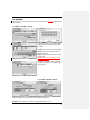
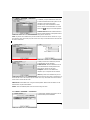
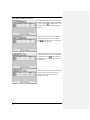
Click File > Open video file... to open video file for editing. E.g. open commercial.avi which is
360x240 size advertisement video file for Digital Signage.
61