1
Horizontal
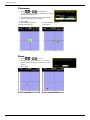
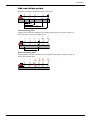
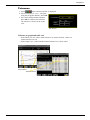
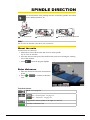
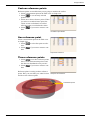
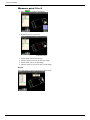
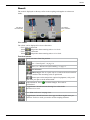
Measure using 9-12-3
Preparations
Follow the preparations as described in the previous pages.
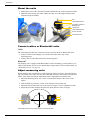
1.Mount the measuring units.
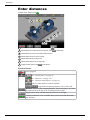
2.Enter distances, confirm each distance with OK.
3.If needed, perform a rough alignment.
4.If needed, perform a Softfoot check.
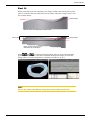
Measure
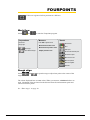
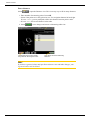
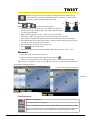
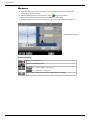
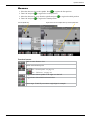
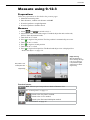
1.Select
and
to switch to 9-12-3.
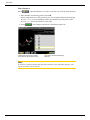
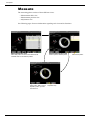
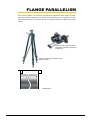
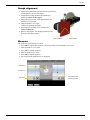
2.Adjust laser to the centre of the targets. If needed, adjust the units on the rods,
then use laser adjustments knobs.
3.Turn shafts to 9 o’clock.
4.Press
to register first position. The first position is automatically set to zero.
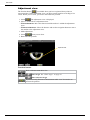
5.Turn shafts to 12 o’clock.
6.Press
to register second position.
7.Turn shafts to 3 o’clock.
8.Press
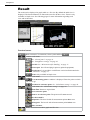
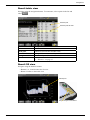
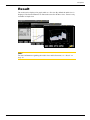
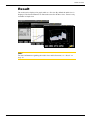
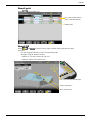
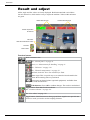
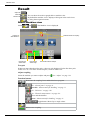
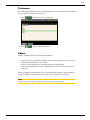
to register third position. The Result and adjust view is displayed. See
“Result and adjust” on page 118.
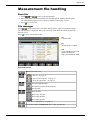
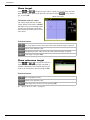
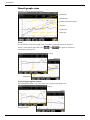
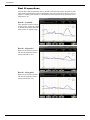
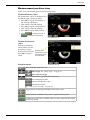
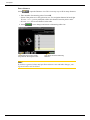
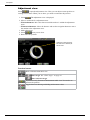
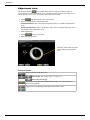
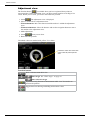
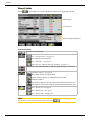
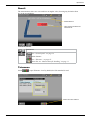
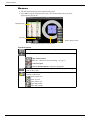
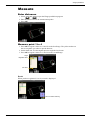
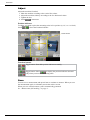
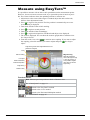
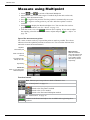
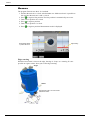
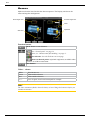
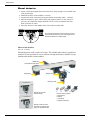
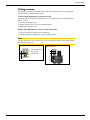
Edge warning
When the laser beam is
close to the edge, the edge
is “lit up” as a warning. It
is not possible to register
values when you see the
edge warning.
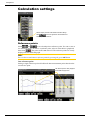
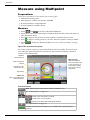
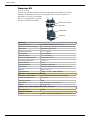
First position is automatically set to zero
Edge warning
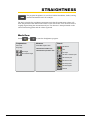
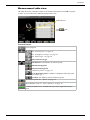
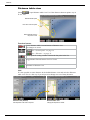
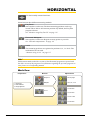
Function buttons
Back. Measure previous position or back to Distance view.
See “Control panel” on page 14.
Switch to the EasyTurn™ method.
Switch to the 9-12-3 method.
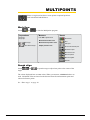
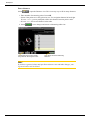
Switch to the Horizontal Multipoint method.
See “SOFTFOOT” on page 45.
117