1
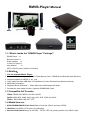
2-1. Setup: TV and HDTV connections for the RMVB-Player
2-2 Output for TV and HDTV (720p and 1080i):
TV :
DEFAULT A/V Cable x1 (480i & 576i)
HDTV : Add Y/Pb/Pr Cable x1 + Default A/V Cable x1
2-3 For HDTV setup:
1.
2.
3.
4.
5.
6.
7.
Please note the RMVB-Player Video output default value is “TV”, you’ll need to do the followings:
First, please connect the Y/Pb/Pr cable (bought elsewhere) to the HDTV’s Y/Pb/Pr port.
Connect the bundled A/V cable Audio jacks (White and Red) to the HDTV’s Y/Pb/Pr Audio-Left
(white-colored) /Audio-Right (red-colored) ports. Do NOT connect the Yellow-colored jack.
Connect the Y/Pb/Pr Cable to the RMVB-Player backside Y/Pb/Pr Video ports.
Connect the bundled A/V cable to the Player’s backside A/V port.
Turn-on the system, and enter into the “HD-Video” option, select the “HD-Option is ON”.
Turn-off the system.
Then, please turn-on the RMVB-Player again, you can see it’s already in the HDTV mode.
2-4 RMVB:
Real Media Variable Bitrate (RMVB) is typically used for Internet Movies stored locally. Files using this
format have the file extension ".rmvb", they typically achieve much more efficient compression than MPEG-4
such as DivX and AVI. For this reason, RMVB files have become noticeably present and popular on Internet
File Sharing Platforms such as BitTorrent, eDonkey and Gnutella.
• RMVB-Player supports the RealVideo 8/9/10 decoding and playback.
• RMVB-Player supports the RealAudio decoding and playback.