Transcript
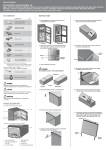
Vetscan HM5 Reagent Pack Installation Guide & Package Insert Technical Support Phone Number 1-800-822-2947 ©January 2010, Abaxis Inc., Union City, CA 94587 INTENDED USE: the VetScan HM5 reagent pack is intended for veterinary hematology use with the VetScan HM5 analyzer. COMPONENTS INCLUDED: Abaxis Part No. 770-9000 1. Prepare a 1:20 dilution of bleach. a. Mix 5 ml household bleach with 95 ml of distilled water. 2. P erform a bleach cleaning (Utilities menu , Maintenance – Bleaching), see HM5 User’s Manual, section 7.3 for details. Diluent (green cap) Lyse (yellow cap) Rinse (white cap) Lyse2 (white/orange cap) 3. Reconnect the reagent tubing to the analyzer. Cleaner (blue cap) Thermal paper roll (one) 4. U nscrew the reagent caps from the old reagent pack. Connect them to the new reagent bottles. NOTE: Take care not to touch the drop down tubing (tubing that is inside the bottles) or the reagents may become contaminated. Be sure to match the correct caps to the color-matched bottles. STORAGE: Store reagent pack at room temperature (68-86° F). Do not use after the expiration date listed on top of carton. Do not freeze reagents. Do not use if reagents have been previously frozen. Reagents are stable for 26 weeks after opening, if stored at optimum conditions. Allow your reagent pack to equilibrate to room temperature for 24 hours prior to use to prevent the formation of micro-bubbles that may affect your results. CHANGING THE REAGENT PACK Before changing the reagent pack, be sure to read the instructions carefully. You will need the following: Distilled water (approximately 100-200 mls, or about 1 cup) – do not use tap water 5 ml of household bleach (approximately 5-6% hypochlorite) HM5 cleaning tube HM5 reagent pack Two clean containers/cups to hold the water and bleach HM5 Normal control (Abaxis part no. 770-9029) 5. Press New for new reagent pack. a. The software will ask if you are changing the reagent pack, or using an old one. 6. Prime the reagent lines: follow the menus below: a. Utilities key – Maintenance – Priming – Prime All 7. R eset the Reagent Status: follow the menus below: a. Utilities key – Maintenance – Reagent Status b. Press Change and the settings will be reset to 100%. Press Accept. 8. If you have moved the reagent pack’s location from the previous pack’s location, you will need to reset the reagent sensors. Follow the menu below: a. Utilities – Settings – Fluid Sensors – Calibrate Sensors 9. Run a control sample. a. Be sure to follow the procedure in the HM5 User’s manual when running a control. Recalibrate the instrument if the control results do not match the expected values. 10. Your instrument is ready to go! Doc. Number & Rev 770-7017 Rev B