1
6.2. The users database
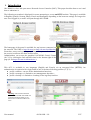
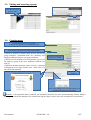
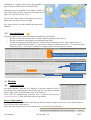
The menu "Backups" from the ACC displays, in the second column, backup
files (in compressed "SQL" format) of the users database. They can be
generated at any time by clicking in the menu “Create the current users
database file”.
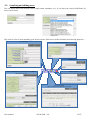
These files can be imported in ALCASAR (cf. §3.6.a). You can use these
files when reinstallation of the portal (see §8.4).
7. Advanced features
7.1. Administration accounts management
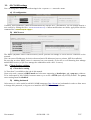
ALCASAR server has two system accounts (or Linux accounts) that were created during the installation of the
operating system:
•
« root » : This is the account used for system administration ;
•
« sysadmin » : This account allows you to take secure remote control of your system (see next §).
Along with these two "system" accounts, "management" accounts have been defined to control some functions
through the graphical ALCASAR Control Center (ACC). These "management" accounts can belong to one of
the three following profiles:
•
« admin » : this account give access to all the functions of the ACC. A first “admin” account was created
during the installation of ALCASAR (see Installation documentation);
•
« manager »: this account only give access to users and groups management functions (see §3) ;
•
« backup » : this account only give access to backup and archiving of log files (see previous chapter).
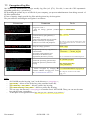
You can create as many management accounts as you want in each profile. To manage these management
accounts, use the « alcasar-profil.sh » command as « root » :
•
alcasar-profil.sh --list : to list all the accounts of each profile
•
alcasar-profil.sh --add : to add an account to a profile
•
alcasar-profil.sh --del : to delete an account
•
alcasar-profil.sh --pass : to change the password of an existing account
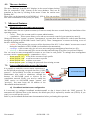
7.2. Secure administration across the Internet
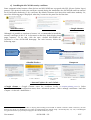
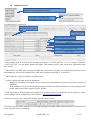
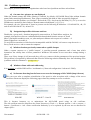
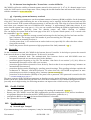
It is possible to establish a secure remote connection to
an ALCASAR portal using encrypted data flow ("SSH
protocol" - Secure SHell). Let’s take an example of an
administrator who seeks to administer, through the
Internet, an ALCASAR portal or devices on the
consultation network. Firstly, you need to enable the
"SSH" service on ALCASAR (menu "system" and
"services"). You must know the IP address of the
“Broadband modem/router#2”.
ALCASAR
Port 22
Router1
ALCASAR Network
Router2
Port 52222
Internet
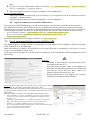
a) Broadband modem/router configuration
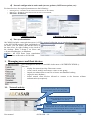
It is necessary to configure broadband modem/router#2 so that it doesn’t block the "SSH" protocol. To
anonymise the SSH data flow on the Internet, the default port (22) is replaced by another one (52222). If you
want, you can still use the port 22.
Refer to your broadband modem/router documentation before performing this operation.
User manual
ALCASAR – 2.9
21/37