1
Chapter 2 Phone Calls 59
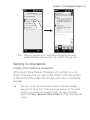
8. When the second call is connected, tap the Join button (
)
to add it to the conference call. After combining the calls to the
conference, dial the next participant.
9. Repeat steps 7 and 8 until all participants are added and
connected to the conference call.
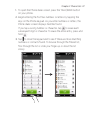
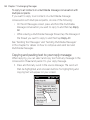
10.While the conference call is in progress, you can still dial and add
more calls. Tap Invite participants (
) to dial another call. At
most, you can have up to five participants in the conference call.
Making the first call and adding calls to the conference
To set up a conference call, you can make the first call and then dial
each subsequent call to add to the conference.
1. Press the TALK/SEND button to open the Phone dialer.
2. Make a call to the first participant or accept an incoming call.
3. When the first call is connected, accept a second call, or tap the
Add Call button (
) to call the second participant. The first
participant is put on hold when you accept or dial the second
call.
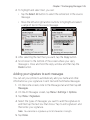
4. When the second call is connected, tap the Conference button
(
) to start a conference call.
5. To add another participant to the conference call, tap Invite
participants (
) and then dial another call. The conference
call is put on hold when you dial another call.
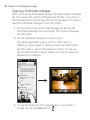
6. When connected, tap the Join button (
to the conference call.
)to add the participant
7. Repeat steps 5 and 6 if you want to dial and add more
participants to the conference call. At most, you can have up to
five participants in the conference call.