1
Messaging
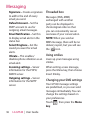
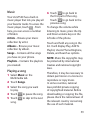
Signature – Create a signature
to add to the end of every
email you send.
Default Account – Set the
SMTP account to use for
outgoing email messages.
Email Notification – Set this
to display email alerts in the
status bar.
Select Ringtone – Set the
sound you want for email
alerts.
Vibrate – This enables/
disables phone vibration as an
email alert.
Incoming settings – Server
information for the POP4/
IMAP4 server.
Outgoing settings – Server
information for the SMTP
server.
36
LG GT540 | User Guide
Threaded box
Messages (SMS, MMS)
exchanged with another
party can be displayed in
chronological order so that
you can conveniently see an
overview of your conversation.
NOTE: When you send an
MMS message, there will be no
delivery report, but you will see
the
icon.
Using smilies
Liven up your messages using
smilies.
When writing a new message,
press the Menu key, then choose
Insert Smiley.
Changing your SMS settings
Your GT540 message settings
are predefined, so you can send
messages immediately. You can
change the settings based on
your preferences.
Touch
, then press the Menu
key.