1
Contents
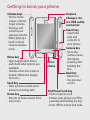
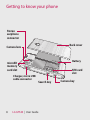
Getting to know your phone����7
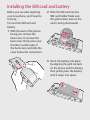
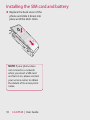
Installing the SIM card and battery����������������������������������������������9
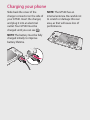
Charging your phone��������������11
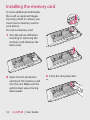
Installing the memory card����12
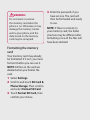
Formatting the memory card�13
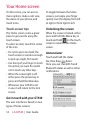
Your Home screen��������������������14
Touch-screen tips������������������������14
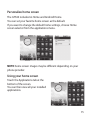
Personalize home screen����������15
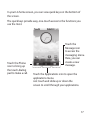
Using your home screen�����������15
LG Home ����������������������������������������16
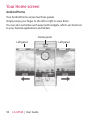
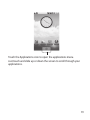
Android Home �����������������������������18
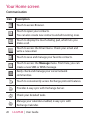
Communication���������������������������20
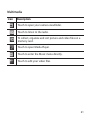
Multimedia������������������������������������21
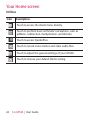
Utilities��������������������������������������������22
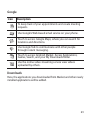
Google���������������������������������������������23
Downloads�������������������������������������23
Calls������������������������������������������26
Making a call���������������������������������26
Calling your contacts�����������������26
Answering and rejecting a call26
Adjusting call volume����������������27
Making a second call������������������27
Turning on DTMF�������������������������27
Viewing your call logs����������������27
Call settings�����������������������������������28
Fixed Dial Numbers��������������������28
Voicemail����������������������������������������28
Using call forwarding�����������������28
Using call barring������������������������28
Additional call settings��������������29
Select line ��������������������������������������29
Network operators����������������������29
Contacts������������������������������������30
Searching for a contact�������������30
Adding a new contact���������������30
Favorite Contacts�������������������������31
Creating a group��������������������������31
Messaging��������������������������������32
Messaging��������������������������������������32
Sending a message���������������������32
Entering text���������������������������������33
T9 predictive text������������������������33
ABC manual text��������������������������33
Entering accented letters���������34
Example������������������������������������������34
To input “ä”, press and hold the
“a” key.����������������������������������������������34
Setting up your email����������������34
Sending an email using your
new account����������������������������������34
Retrieving your email�����������������35
Changing your email settings�����35
Threaded box �������������������������������36
Using smilies���������������������������������36
Changing your SMS settings���36
Changing your MMS settings�37
Changing your other settings�38