1
Quickoffice
Voice recorder
You can manage and view
document files. The supported
file types are PDF, DOC, TXT, XLS,
and ZIP.
1 Choose Memory Card. You
can see the files and folder
list.
2 If you choose Recent
Documents, files you recently
viewed will be displayed.
3 Touch and hold any file,
and the options Rename,
Properties, and Delete will
appear.
4 Choose a file, then press the
Menu key to view the Open,
Register, Update, Properties,
and About options. There are
additional options, depending
on the file type.
PDF: Go To Page, Fit Page, Fit
Width
DOC/TXT: Search
XLS: Worksheet – Choose
Summary View or Full View.
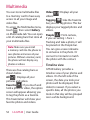
Use the voice recorder to record
voice memos or other audio files.
Recording a sound or voice
1 Touch Voice Recorder.
2 Touch Record.
3 Touch
to begin
recording.
4 Touch
to end recording.
5 Touch Use As to set as the
Phone Ringtone.
Sending the voice recording
1 Once you have finished
recording, you can send the
audio clip by touching Share.
2 The recording will be added
to the message that you write
and send normally.
65