1
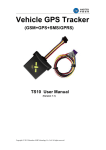
Fleets Vehicle GPS Tracker
TR-11E User Manual
(Version 1.0)
Copyright © 2006-2014 Shenzhen C2S Technology Co., Ltd. All rights reserved.
Index Contents
1. Introduction: ...................................................................................................................... 3 1.1 Features ...................................................................................................................... 3 1.2 Specification ............................................................................................................... 3 1.3 Mechanical Size: .............................................................................................................. 3 2. Knowledge before Usage: ..................................................................................................... 4 2.1Factory Default Setting ..................................................................................................... 4 2.2 Power Supply and consumption ...................................................................................... 4 2.3 How to Insert Simcard ..................................................................................................... 4 2.4 Device configuration ........................................................................................................ 4 2.5 Change SMS Password..................................................................................................... 5 2.6 I/O Ports Introduction and slot Pin definition ................................................................. 5 2.7 LED Indication .................................................................................................................. 5 2.8 Time zone Localization Setting: ....................................................................................... 6 3. Functionality and Operation: ................................................................................................. 6 3.1 Voice Listen‐in ................................................................................................................. 6 3.2 Remote Cut‐engine (Immobilizer) ................................................................................... 6 3.3 Reset Mileage report value ............................................................................................. 6 3.4 Tracking parameter setting: ............................................................................................ 7 3.5 Tracking location by SMS command ............................................................................... 7 3.6 Recover factory setting .................................................................................................... 7 3.7 Remote reboot ................................................................................................................ 7 3.8 Alarm Alerts ..................................................................................................................... 7 3.9 OTA Operation: ................................................................................................................ 7 4. Appendix ................................................................................................................................ 8 ‐ SMS command List .............................................................................................................. 8 ‐ Wiring Diagram .................................................................................................................... 8 Copyright © 2006-2014 Shenzhen C2S Technology Co., Ltd. All rights reserved.
1. Introduction:
TR-11E is a GSM/GPS tracker for car tracking application. It's with superior GPS receiver
sensitivity, fast TTFF and Quad bands (850/900/1800/1900MHz) design. And it can
continuously report current position to backend server.
TR-11E is developed by "openCPU" technology which brought lower cost, lower power
consumption and fast response speed advantages.
1.1 Features
-
SMS/GPRS Communication
Wide Power range: 9-36V DC/1.5A
I/O Ports: Ignition, Immobilizer, Panic, Door Status detection
Low Power consumption with Open CPU technology
Internal memory store for GPRS null zone data 2000waypoints
Time based/Distance based position report
Mileage Report
Alarm alerts: GEO Fence, Speed over, Power tamper and Panic
Voice Listen-in
Backup Internal battery included
OTA
1.2 Specification
.
.
.
.
GSM / GPRS features:
FIBOCOM G510 (Quad-bands, 850/900/1800/1900MHz)
GPRS class 10
SMS (text, data)
Voice calling
- GPS features:
. Skylab GPS Receiver (Sirf III chip)
. -160dB Sensitivity
.
.
.
.
Hardware features:
OpenCPU Technology
2000Waypoints for GPRS Null zone data storage
External GSM/GPS Antenna
Internal backup battery with 350mAH
1.3 Mechanical Size:
Copyright © 2006-2014 Shenzhen C2S Technology Co., Ltd. All rights reserved.
2. Knowledge before Usage:
2.1Factory Default Setting
-
IP/Port: Empty
APN, User and pass: Empty
Speed Limit: Off=000Km/H
Position data Update Time Interval: 60Minutes
Authorized Phone numbers A/B/C: None
Device SMS password: 1234
2.2 Power Supply and consumption
This device is expected to connect with a DC power source with range of 11.2-36V DC.
Working current maximum 2A input.
In standby mode, device working current < 40mA @12V DC
In sleep mode, working current is less than 6mA @12V DC.
2.3 How to Insert Simcard
N/A
2.4 Device configuration
TR-11E allow user to use SMS Commands to configure necessary parameters.
Details please check as follows instruction:
-
Configure GPRS Parameter
SMS Command:
*1234*GPRS:211.154.142.150,9114,T,apnName,apnUser,apnPass
#
T is data transmit mode. T=1 is using UDP mode. T=0, is using TCP mode. Default as
0.
- Device ID
TR-11E doesn’t need configure device ID. The device is default using Device SN
code as ID.
On the unit case side is with a barcode sticker. please use this code as device ID when
you register device tracking platform.
-
Configure Authorized Phone Numbers for alarm alerts:
SMS command:
*1234*A8613554806820*B13554806821*C13554806822#
Copyright © 2006-2014 Shenzhen C2S Technology Co., Ltd. All rights reserved.
2.5 Change SMS Password
TR-11E only will accept SMS command with correct password and correct command format.
The factory default password is 1234.
User can change it with SMS command:
*1234*E4321#
<<1234 is the original password.
4321 is the new password>>
2.6 I/O Ports Introduction and slot Pin definition
Item
Power
I/O
Pin No.
5
6
1
2
3
4
Wire Color
Black
Red
Blue
Brown
Yellow
White
Remark
Power Ground
Power +(12-36V DC)
Door Status detection(=0V Effective)
High Trigger Input
Cut-off, Digital output
Ignition Detection(ACC)
2.7 LED Indication
-
Green Indicator (GPS):
Blink every second (Off 0.5S, ON 0.5S)
malfunction
Blink every 2Seconds (Off 1.5S, ON 0.5S)
>> After Power on, Antenna or GPS receiver is
>>After Power ON, Searching GPs signal
Copyright © 2006-2014 Shenzhen C2S Technology Co., Ltd. All rights reserved.
Blink every 5Seconds ( Off 4.5S, ON0.5S)
working normal
-
>> After Power ON, GPS position fixed and
GSM Indicator (GSM):
Blink every second (Off 0.5S, ON 0.5S)
Blink every 2Seconds (Off 1.5S, ON 0.5S)
Blink every 5Seconds ( Off 4.5S, ON0.5S)
Solid ON for 5 Seconds
>> No SIMCARD found, network register failure
>>in registering network
>> GPRS connected
>> Voice call or GPRS data in sending
2.8 Time zone Localization Setting:
TR-11W adopts UTC time as standard system time. In order to get correct Local time
in SMS data, please use command to configure your time zone to device.
SMS Command:
*1234*GMT+/-AABB#
<AA= Hour, BB=Minutes>
Example: China is in Eastern 8 Zone.
So we need to send command as *1234*0800 to device.
3. Functionality and Operation:
3.1 Voice Listen-in
By connect the microphone to TR-11E, it can achieve Voice listen-in feature.
The user can use this function by two methods:
- Authorized Number A/B/C call device in, device auto pickup to activate voice Listen-in
- By send following SMS command to get device call back to you:
*1234*VMxxxxxxxx#
<xxxxxxx is call back phone No. for system>
- Activate from GPS tracking center platform.
Details please check 7-24Tracking Platform user guide.
3.2 Remote Cut-engine (Immobilizer)
User can use any phone to send SMS command to cut-off engine immediately by correct
Password and command format.
*1234*Stop#
< Wireless cut-off engine SMS command>
*1234*K#
<Wireless disable engine lock status SMS command>
By connecting TR-11E to remote GPRS server, the server platform also can achieve the same.
Please refer to 7-24Tracking Platform user’s guide.
3.3 Reset Mileage report value
In every GPRS Position data packet to GRPS server,TR-11E data package includes the current
travel mileage. And the user can by SMS command to reset or adjust the mileage report value.
*1234*M:1,115,15000#
<Reset Mileage report value SMS command>
Explain:
1: Unit. =1 Km, =0 Meter. Default=0
Copyright © 2006-2014 Shenzhen C2S Technology Co., Ltd. All rights reserved.
115: Different rate, default=100.
15000: Mileage. Default as 0 Meter
3.4 Tracking parameter setting:
By following SMS command to setup device data update interval in Moving/Static:
*1234*E:1,30,180#
<Tracking parameter configuration>
1: Monitoring mode. Define position data update by moving/Static.
30: Position update interval, 30Seconds when in moving.
180: Position update interval, 180seconds when in static
Default setting: 1,30,30. <Update interval cannot less than 10seconds>
3.5 Tracking location by SMS command
TR-11E can track location by SMS commands.
Check details as:
Query vehicle status:
SMS command: *1234*X#
Device reply:
<Unarmed; Engine:On/Off; Door:Off/On;LAC:xxxxxx;CID:xxxxx;Signal Strength:xx
$GPRMC,xxxxxx.xxx,A,xxxx.xxxx,N,xxxxx.xxxx,E,x.x,xxx.x, xxxxxx,,,A*xx >
Query GPRMC data:
SMS command: *1234*GPS#
Device reply:
<$GPRMC,063231.00,A,2232.64712,N,11355.45466,E,0.581,195.93,050811,,,A*6C>
Query Google map Position Link:
SMS command: *1234*P#
Device reply:
<2011-12-08 12:32:13,V,60Km/H,Heading:60,LAC:2638,CID:0ECF;
http://maps.google.com/maps?hl=en&q=22.537222,114.020948>
3.6 Recover factory setting
By SMS command or GPRS command, TR-11E can be initialized to be factory default setting
status.
SMS Command: *1234*V#
3.7 Remote reboot
By SMS command <*1234*Z#> user can reboot TR-11E wirelessly.
3.8 Alarm Alerts
TR-11E only provide two type alarm alerts. See:
- Power tamper alarm alert < Disconnect TR-11E external power to trigger>
- Panic(SOS) alarm alert
<By press panic button to trigger>
3.9 OTA Operation:
Copyright © 2006-2014 Shenzhen C2S Technology Co., Ltd. All rights reserved.
TR-11E allow user to do firmware upgrading via GPRS connection. Details operation
command and procedure, please consult with your seller.
4. Appendix
- SMS command List
<Please check separate document>
- Wiring Diagram
<Separate document available>
Copyright © 2006-2014 Shenzhen C2S Technology Co., Ltd. All rights reserved.