1
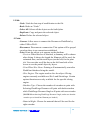
· MK 8 Left Plastic Extruder
· Motor Speed (RPM): Select a speed between 2 to 10 RPM for
when performing “Motor Control.”
· Extrude Duration: Select duration for the motor to move when
performing “Motor Control.”
· Motor Control
· Forward: Trigger the motor to spin clockwise as “Load
Filament.”
· Reverse: Trigger the motor to spin counter-clockwise as “Unload
Filament.”
· Stop: Stop any movement of the motor.
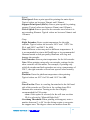
· MK8 Right Plastic Extruder
· *Same as MK8 Left Plastic Extruder.
NOTE: When on “Motor Control”, the right extruder spins
counterclockwise for “Forward” and clockwise for “Reverse”.
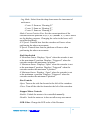
· Extruder Temperature Controls
· MK 8 Left Target: Enter a temperature in Celsius for the left
extruder. Click [ Apply ] to apply this setting.
· MK 8 Left Current: Shows the current temperature for the left
extruder.
· MK 8 Right Target: Enter a temperature in Celsius for the right
extruder. Click [ Apply ] to apply this setting.
· MK 8 Right Current: Shows the current temperature for the right
extruder.
· Platform Target: Enter a temperature in Celsius for the platform.
Click [ Apply ] to apply this setting.
· Platform Current: Shows the current temperature for the
platform.
NOTE: There are “heating elements” embedded in the
extruders and platform. Applying any temperature lower than
the current temperature would not cool down the extruders or
platform.
Dreamer User Guide | www.ff3dp.com
34