1
3.3 Example MPI Run
13
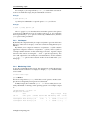
Depending on the libraries and compilers installed on the system, the
availability of these packages might differ. To see a full list on the system
the command “module avail” can be typed.
3.3.1 Compiling And Preparing The Application
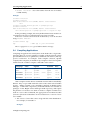
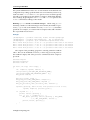
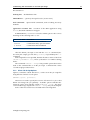
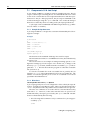
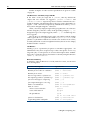
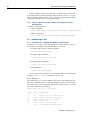
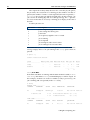
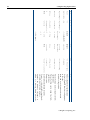
The code must be compiled with MPI libraries and an underlying compiler. The correct library command can be found in the following table:
Language
C
C++
Fortran77
Fortran90
Fortran95
Command
mpicc
mpiCC
mpif77
mpif90
mpif95
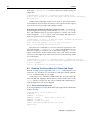
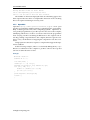
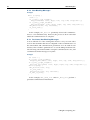
An MPI application myapp.c, built in C, could then be compiled as:
$ mpicc myapp.c
The a.out binary that is created can then be executed using the
mpirun command (section 3.3.3).
3.3.2 Creating A Machine File
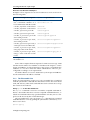
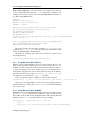
A machine file contains a list of nodes which can be used by MPI programs.
The workload management system creates a machine file based on
the nodes allocated for a job when the job is submitted with the workload
manager job submission tool. So if the user chooses to have the workload
management system allocate nodes for the job then creating a machine
file is not needed.
However, if an MPI application is being run “by hand” outside the
workload manager, then the user is responsible for creating a machine
file manually. Depending on the MPI implementation, the layout of this
file may differ.
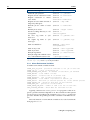
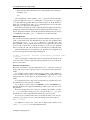
Machine files can generally be created in two ways:
• Listing the same node several times to indicate that more than one
process should be started on each node:
node001
node001
node002
node002
• Listing nodes once, but with a suffix for the number of CPU cores
to use on each node:
node001:2
node002:2
3.3.3
Running The Application
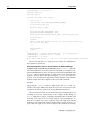
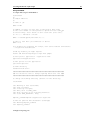
A Simple Parallel Processing Executable
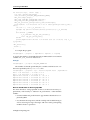
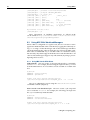
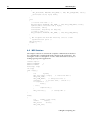
A simple “hello world” program designed for parallel processing can be
built with MPI. After compiling it, it can be used to send a message about
how and where it is running:
© Bright Computing, Inc.