1
FRS User Manual Maintenance Manual
Index section of the manual is specialty, one that needs a bit more discussion. The following
procedure explains how to set up page numbering in the footers of the Index section of the FRS
user manual.
2.2.1 Sections
Generally, the best use of a section break is when there is a need to change some aspect of a
document‟s page formatting. This use can include page numbering in the footer or some major
element in the header. The index section of the FRS manual requires this because of the use of a
unique number scheme for page numbering. A Next Page section break is the best one to use in
such an instance. The procedure that follows shows how to create one.
1. Place the cursor at the end of the manual by pressing and holding down the Ctrl (control)
key and then the End key.
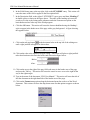
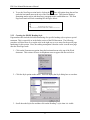
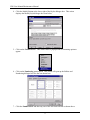
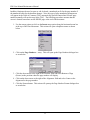
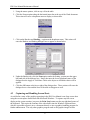
2. Click the Insert menu option on the horizontal menu bar at the top of the Word
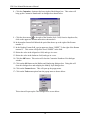
document. This action will cause a dropdown submenu to open like the one seen here.
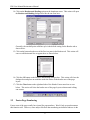
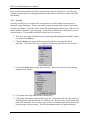
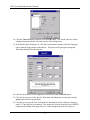
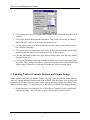
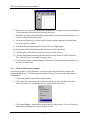
3. Click on the Break option on the Insert submenu. This action will cause the following
dialogue box to display.
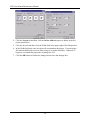
4. Click on the Next Page radio button as shown above.
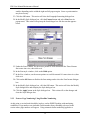
5. Click on the OK button on the Break dialogue box. This option will cause the removal of
the dialogue box, and the insertion of a section break. The cursor now resides on the next
page of the document. Now, the new page can take on formatting that does not affect the
previous pages in the document. This new formatting includes new page numbering.
7